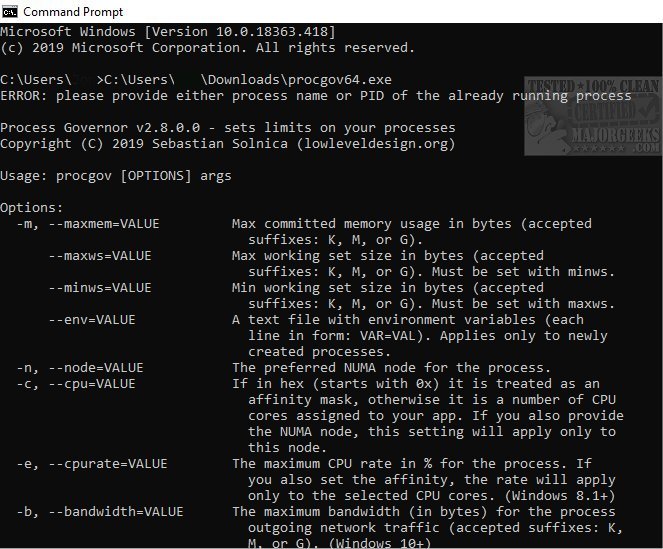
Process Governor has released version 4.1.26190 (Pre-Release) alongside version 4.0.26155. This tool allows users to manage and limit CPU and memory consumption for both existing and new processes via the Command Line interface. It is particularly beneficial for users operating a modern operating system on older hardware, as it helps mitigate performance issues caused by resource spikes.
With Process Governor, users can impose restrictions on a process by using command line switches. For example, to limit memory usage for an already running process, users can employ the `-p|--pid` switch followed by the process ID, like so: `procgov --maxmem 40M --pid 1234`. To initiate a new process with specified constraints, users simply need to provide the process path and arguments, for example: `procgov --maxmem 40M c:\temp\test.exe arg1 arg2`.
The application's capabilities are further detailed in the author's repository. Additionally, users may find related topics beneficial, such as identifying processes or services on their computer, saving a text file of all running processes with TaskList, customizing process information in Task Manager, and understanding both automatic and manual trigger starts. There are also guides on adding services to the Control Panel in Windows.
In extending this information, it can be noted that Process Governor can be an essential tool for system administrators and users who wish to optimize system performance, especially in environments where multiple resource-intensive applications are running simultaneously. By effectively managing CPU and memory usage, users can enhance system stability and responsiveness, ultimately contributing to a smoother computing experience. Future updates could potentially include a graphical user interface (GUI) for easier operation, as well as more advanced monitoring features to provide insights into process performance over time
With Process Governor, users can impose restrictions on a process by using command line switches. For example, to limit memory usage for an already running process, users can employ the `-p|--pid` switch followed by the process ID, like so: `procgov --maxmem 40M --pid 1234`. To initiate a new process with specified constraints, users simply need to provide the process path and arguments, for example: `procgov --maxmem 40M c:\temp\test.exe arg1 arg2`.
The application's capabilities are further detailed in the author's repository. Additionally, users may find related topics beneficial, such as identifying processes or services on their computer, saving a text file of all running processes with TaskList, customizing process information in Task Manager, and understanding both automatic and manual trigger starts. There are also guides on adding services to the Control Panel in Windows.
In extending this information, it can be noted that Process Governor can be an essential tool for system administrators and users who wish to optimize system performance, especially in environments where multiple resource-intensive applications are running simultaneously. By effectively managing CPU and memory usage, users can enhance system stability and responsiveness, ultimately contributing to a smoother computing experience. Future updates could potentially include a graphical user interface (GUI) for easier operation, as well as more advanced monitoring features to provide insights into process performance over time
Process Governor 4.1.26190 Pre-Release / 4.0.26155 released
Process Governor allows you to limit CPU and memory usage for running or new processes from the Command Line.
Process Governor 4.1.26190 Pre-Release / 4.0.26155 released @ MajorGeeks