PrivaZer 4.0.124.3 has been released, offering an effective solution for maintaining your computer's cleanliness and security. This software is designed to remove outdated files, internet activity logs, and software usage traces while also freeing up disk space and cleaning the registry. It ensures that users can operate securely on their PCs, whether at home or in a professional setting, and provides a simple means of managing downloaded files.
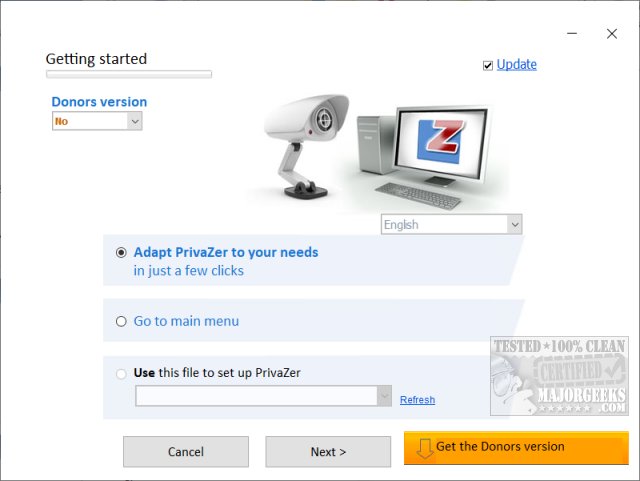
When first using PrivaZer, users should allocate about five minutes for a guided setup to customize the deletion settings according to their preferences. The initial run may take longer, but subsequent uses will be faster. The application automatically creates registry backups stored in a designated subdirectory, ensuring that users can restore settings if necessary.
PrivaZer accommodates both Basic and Advanced users, offering 12 and 14 steps, respectively, to optimize the cleaning process. Key categories for data cleaning include pre-analysis, traces in MFT (Master File Table), free space, USN Journal, internet browsing activity, cookies, system history, and various software usage traces.
The software is available in both installer and portable versions, making it convenient for users to choose their preferred method of installation. Although PrivaZer is free, users can opt for a Donors Version, which provides early access to updates and additional features, with donations starting at a modest $10.
For those interested in comparing PrivaZer with other drive cleaners, such as CCleaner and Wise Disk Cleaner, video tutorials are available that showcase their functionalities and effectiveness.
In summary, PrivaZer stands out as a leading drive cleaning solution, effectively balancing functionality and user-friendliness. Its comprehensive approach to cleaning and security makes it an excellent choice for anyone looking to maintain their computer’s performance and privacy.
For extended use, users may want to explore additional resources on optimizing their system's performance, such as utilizing cleanup recommendations in Windows 11, analyzing drive space, or learning how to delete locked files. Resources for these topics are readily available, ensuring users can make the most out of their system cleanup efforts
When first using PrivaZer, users should allocate about five minutes for a guided setup to customize the deletion settings according to their preferences. The initial run may take longer, but subsequent uses will be faster. The application automatically creates registry backups stored in a designated subdirectory, ensuring that users can restore settings if necessary.
PrivaZer accommodates both Basic and Advanced users, offering 12 and 14 steps, respectively, to optimize the cleaning process. Key categories for data cleaning include pre-analysis, traces in MFT (Master File Table), free space, USN Journal, internet browsing activity, cookies, system history, and various software usage traces.
The software is available in both installer and portable versions, making it convenient for users to choose their preferred method of installation. Although PrivaZer is free, users can opt for a Donors Version, which provides early access to updates and additional features, with donations starting at a modest $10.
For those interested in comparing PrivaZer with other drive cleaners, such as CCleaner and Wise Disk Cleaner, video tutorials are available that showcase their functionalities and effectiveness.
In summary, PrivaZer stands out as a leading drive cleaning solution, effectively balancing functionality and user-friendliness. Its comprehensive approach to cleaning and security makes it an excellent choice for anyone looking to maintain their computer’s performance and privacy.
For extended use, users may want to explore additional resources on optimizing their system's performance, such as utilizing cleanup recommendations in Windows 11, analyzing drive space, or learning how to delete locked files. Resources for these topics are readily available, ensuring users can make the most out of their system cleanup efforts
PrivaZer 4.0.124.3 released
PrivaZer can clean old files, internet activity, traces of software use, gain free space, clean the registry keeping your computer clean and secure.