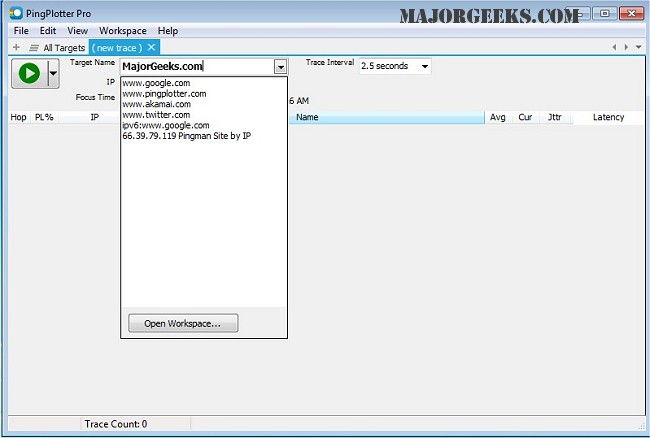
PingPlotter version 5.27.9 has been released, bringing enhanced capabilities for mapping the network route from your computer to a target destination. This software effectively calculates performance metrics, enabling users to identify the sources of network issues. With its intuitive graphical interface, PingPlotter is designed for both casual internet users and networking professionals, providing a comprehensive solution for network diagnostics.
One of the key features of PingPlotter is its ability to monitor connections over time, allowing users to track and pinpoint network problems as they arise. The tool offers a range of functionalities, including real-time and historical graphing, customizable alerts, and the ability to graph multiple hops simultaneously. Users can also create images of the data for easy sharing via email.
In addition to its primary features, PingPlotter aligns well with related topics such as using the Ping command in Windows, understanding Windows Auto-Tuning, improving wireless network performance, resolving slow internet issues on Windows 10 and 11, and resetting network settings.
Overall, PingPlotter serves as a powerful tool for anyone looking to maintain optimal network performance, whether for personal use or in a professional setting. Future updates may continue to enhance its capabilities, potentially incorporating advanced analytics or machine learning to further streamline network troubleshooting processes
One of the key features of PingPlotter is its ability to monitor connections over time, allowing users to track and pinpoint network problems as they arise. The tool offers a range of functionalities, including real-time and historical graphing, customizable alerts, and the ability to graph multiple hops simultaneously. Users can also create images of the data for easy sharing via email.
In addition to its primary features, PingPlotter aligns well with related topics such as using the Ping command in Windows, understanding Windows Auto-Tuning, improving wireless network performance, resolving slow internet issues on Windows 10 and 11, and resetting network settings.
Overall, PingPlotter serves as a powerful tool for anyone looking to maintain optimal network performance, whether for personal use or in a professional setting. Future updates may continue to enhance its capabilities, potentially incorporating advanced analytics or machine learning to further streamline network troubleshooting processes
PingPlotter 5.27.9 released
PingPlotter will map the route from your computer to a target and calculate performance metrics that help determine determine the origin of any network issues.