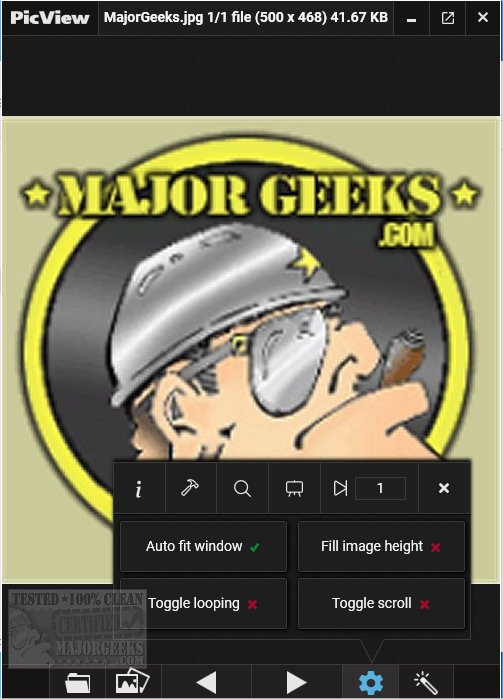
PicView is an open-source image viewer optimized for speed and efficiency. The latest version, 5.0.5, introduces a suite of features designed to enhance user experience. The software supports a wide array of file formats, including common types like .jpg, .png, and .gif, as well as less common formats such as .raw, .psd, and .heic. While PicView excels at handling these formats, users should note that some uncommon formats may experience slower loading times.
One of PicView's standout features is its extensive collection of 26 shader effects, which range from negative color filters to vintage movie styles and pencil sketches. Users can preview these effects before applying them and can easily copy or save them. Additionally, any effects applied will also transfer when setting images as wallpaper or lock screens.
The interface of PicView is user-friendly, allowing for easy navigation, and can be customized to display images alone by pressing Alt + Z. Users can also toggle hover buttons and change the window's color scheme through the settings. For images with transparent backgrounds, the software provides options to switch to a checkerboard, dark, or white backdrop by pressing T.
Additional features include basic editing tools (rotate, flip, crop, change file type), drag-and-drop functionality for files and folders, a scrolling feature, and the capability to open files in external applications or view file properties. Users can also utilize a color picker for precise color selection.
Extended Features and Future Prospects:
In addition to its current features, future updates to PicView could incorporate enhanced editing capabilities, such as advanced color correction tools or the ability to layer multiple images. Integration with cloud storage services could also be beneficial, allowing users to access their images from anywhere and streamline their workflow.
Moreover, the community around open-source software like PicView often leads to continuous improvement through user feedback. Future releases might see the addition of more intuitive user interface elements, support for even more file formats, or the implementation of machine learning algorithms to automatically enhance image quality. As technology progresses, we can anticipate PicView evolving to meet the needs of both casual users and professional photographers alike.
For those interested in exploring alternatives, related guides on restoring the Windows Photo Viewer or managing folders in the Windows Photos app are also available, offering a broader context for users seeking image management solutions on their devices
One of PicView's standout features is its extensive collection of 26 shader effects, which range from negative color filters to vintage movie styles and pencil sketches. Users can preview these effects before applying them and can easily copy or save them. Additionally, any effects applied will also transfer when setting images as wallpaper or lock screens.
The interface of PicView is user-friendly, allowing for easy navigation, and can be customized to display images alone by pressing Alt + Z. Users can also toggle hover buttons and change the window's color scheme through the settings. For images with transparent backgrounds, the software provides options to switch to a checkerboard, dark, or white backdrop by pressing T.
Additional features include basic editing tools (rotate, flip, crop, change file type), drag-and-drop functionality for files and folders, a scrolling feature, and the capability to open files in external applications or view file properties. Users can also utilize a color picker for precise color selection.
Extended Features and Future Prospects:
In addition to its current features, future updates to PicView could incorporate enhanced editing capabilities, such as advanced color correction tools or the ability to layer multiple images. Integration with cloud storage services could also be beneficial, allowing users to access their images from anywhere and streamline their workflow.
Moreover, the community around open-source software like PicView often leads to continuous improvement through user feedback. Future releases might see the addition of more intuitive user interface elements, support for even more file formats, or the implementation of machine learning algorithms to automatically enhance image quality. As technology progresses, we can anticipate PicView evolving to meet the needs of both casual users and professional photographers alike.
For those interested in exploring alternatives, related guides on restoring the Windows Photo Viewer or managing folders in the Windows Photos app are also available, offering a broader context for users seeking image management solutions on their devices
PicView 5.0.5 released
PicView is an Open Source image viewer designed to be fast.