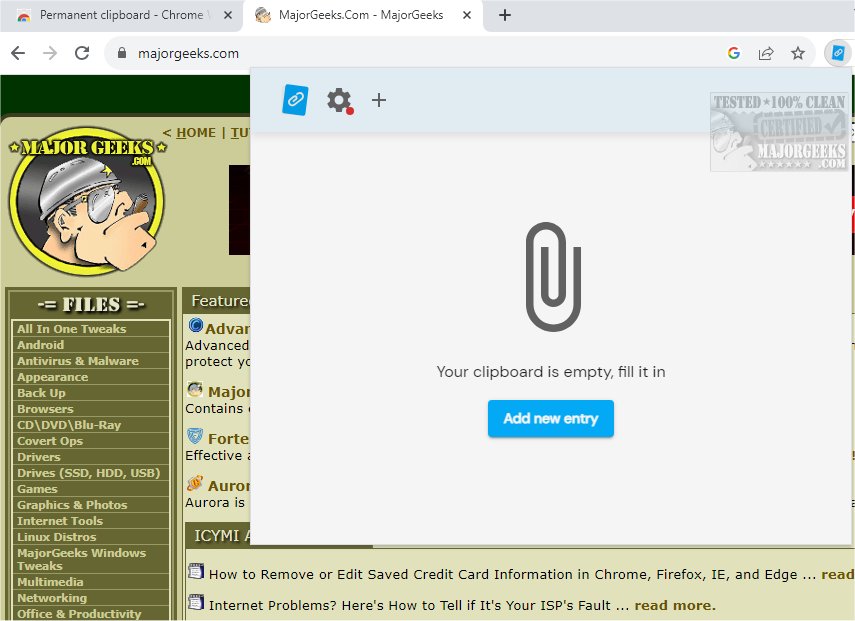
The Permanent Clipboard for Chrome has released version 4.4.0, designed to enhance productivity by efficiently saving and organizing clipboard snippets. This lightweight extension allows users to easily capture both text and images, providing a user-friendly interface for managing these items.
With Permanent Clipboard, users can categorize their snippets for quick access and search through saved items effortlessly, making it ideal for students, professionals, and anyone who relies heavily on clipboard usage. The tool is not only powerful but also straightforward, enabling users to store essential notes, responses, and snippets directly in their browser for convenient reference.
Users can customize their saved items by assigning descriptive names and organizing clips into personalized categories, facilitating seamless retrieval of information. Accessing saved clips is simple, requiring just a right-click to paste items into any text field, thus streamlining tasks and allowing users to focus on their priorities.
Key features of Permanent Clipboard include:
- Categorize and Organize: Maintain an orderly and searchable system with user-friendly naming.
- Right-Click Access: Quickly paste saved clips into any application or text field.
- Cross-Device Sync: Work from any device without losing your progress.
- Backup and Restore: Protect your saved data and restore it whenever necessary.
In addition to these features, Permanent Clipboard encourages productivity by keeping frequently used snippets readily accessible, transforming the way users work and interact with text. This extension is essential for anyone looking to improve their workflow and manage their information more effectively.
In conclusion, the Permanent Clipboard extension is a vital tool for enhancing productivity and organization in the digital workspace. With its intuitive features and ease of use, it empowers users to manage their clipboard snippets effectively, ensuring they can retrieve important information whenever needed. Download Permanent Clipboard today to revolutionize your workflow and make your digital tasks smoother and more efficient
With Permanent Clipboard, users can categorize their snippets for quick access and search through saved items effortlessly, making it ideal for students, professionals, and anyone who relies heavily on clipboard usage. The tool is not only powerful but also straightforward, enabling users to store essential notes, responses, and snippets directly in their browser for convenient reference.
Users can customize their saved items by assigning descriptive names and organizing clips into personalized categories, facilitating seamless retrieval of information. Accessing saved clips is simple, requiring just a right-click to paste items into any text field, thus streamlining tasks and allowing users to focus on their priorities.
Key features of Permanent Clipboard include:
- Categorize and Organize: Maintain an orderly and searchable system with user-friendly naming.
- Right-Click Access: Quickly paste saved clips into any application or text field.
- Cross-Device Sync: Work from any device without losing your progress.
- Backup and Restore: Protect your saved data and restore it whenever necessary.
In addition to these features, Permanent Clipboard encourages productivity by keeping frequently used snippets readily accessible, transforming the way users work and interact with text. This extension is essential for anyone looking to improve their workflow and manage their information more effectively.
In conclusion, the Permanent Clipboard extension is a vital tool for enhancing productivity and organization in the digital workspace. With its intuitive features and ease of use, it empowers users to manage their clipboard snippets effectively, ensuring they can retrieve important information whenever needed. Download Permanent Clipboard today to revolutionize your workflow and make your digital tasks smoother and more efficient
Permanent Clipboard for Chrome 4.4.0 released
Permanent Clipboard will help you save and organize your clipboard snippets seamlessly.