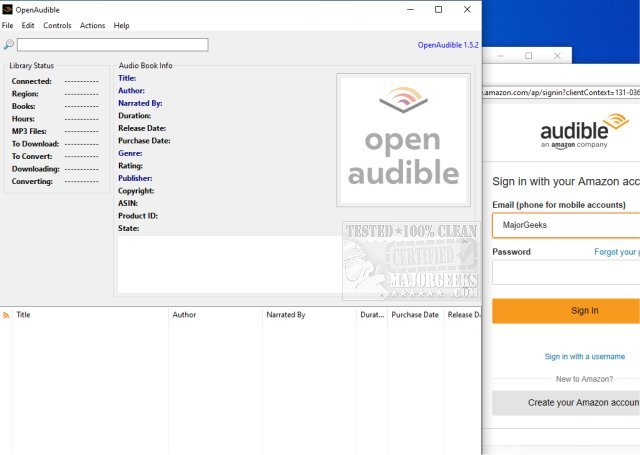
OpenAudible 4.8.2 is the latest version of an open-source, cross-platform manager specifically designed for Audible audiobooks. This software allows users to download, view, convert Audible files to MP3 format, and manage their entire audiobook library in one place. A notable feature is the ability to automatically organize purchased books into an HTML library, making it easier for users to navigate their collections.
To get started with OpenAudible, users can open the Browser window (using Ctrl-B from the Controls menu), log into their Audible account, and access their list of purchased books. It's recommended to set the working directory or output directory to a location with ample storage space, such as a network drive. Once connected, users can import all their library details without downloading any files initially. After importing, users can view their entire audiobook collection and easily download individual titles by clicking on the corresponding links.
Key features of OpenAudible include:
- Importing Audible books directly from your account.
- Converting audiobooks to MP3 format while preserving all metadata tags.
- Drag-and-drop functionality for importing AAX files directly into the application.
- A user-friendly, searchable interface to browse all purchased books.
- The ability to export a webpage or JavaScript file containing details of all your audiobooks.
In addition to these features, future updates could potentially enhance user experience by integrating more advanced organizational tools, cloud syncing options, and improved conversion capabilities to support a wider variety of audio formats. As the community continues to support and develop OpenAudible, users can look forward to a more robust and flexible audiobook management solution
To get started with OpenAudible, users can open the Browser window (using Ctrl-B from the Controls menu), log into their Audible account, and access their list of purchased books. It's recommended to set the working directory or output directory to a location with ample storage space, such as a network drive. Once connected, users can import all their library details without downloading any files initially. After importing, users can view their entire audiobook collection and easily download individual titles by clicking on the corresponding links.
Key features of OpenAudible include:
- Importing Audible books directly from your account.
- Converting audiobooks to MP3 format while preserving all metadata tags.
- Drag-and-drop functionality for importing AAX files directly into the application.
- A user-friendly, searchable interface to browse all purchased books.
- The ability to export a webpage or JavaScript file containing details of all your audiobooks.
In addition to these features, future updates could potentially enhance user experience by integrating more advanced organizational tools, cloud syncing options, and improved conversion capabilities to support a wider variety of audio formats. As the community continues to support and develop OpenAudible, users can look forward to a more robust and flexible audiobook management solution
OpenAudible 4.8.2 released
OpenAudible is an Open Source cross-platform Audible audiobook manager.