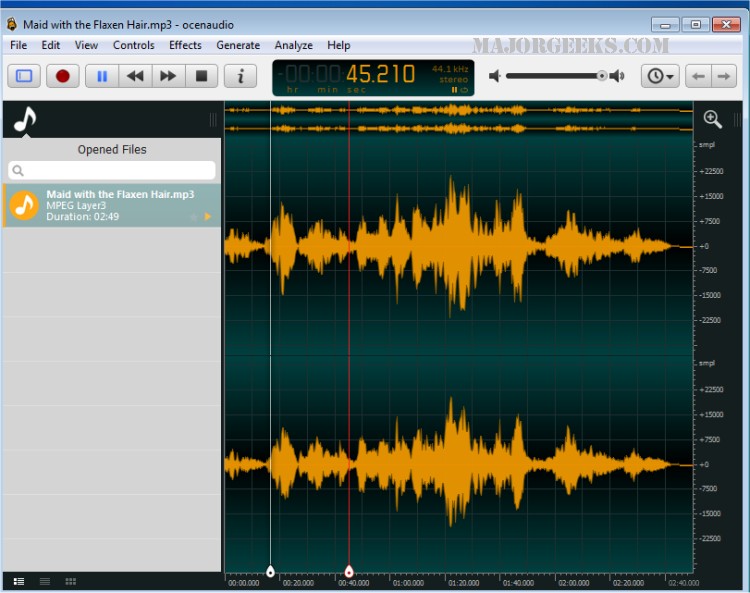
Ocenaudio 3.22.2 has been released, showcasing its status as a versatile and efficient cross-platform audio editing software. Designed with a focus on user-friendliness, ocenaudio caters to both novices and seasoned professionals seeking an effective means to edit audio files quickly.
- How to Turn Toggle Key Sounds on or off in Windows 10 & 11
- How to Diagnose Sound Delays, Lags, and Audio Latency in Windows 10 & 11
- How to Fix Sound Problems in Windows
In summary, ocenaudio 3.22.2 represents a significant step forward in audio editing software, offering a blend of accessibility and advanced features that cater to a wide range of users. Its ongoing development promises to keep it relevant and effective for future audio editing needs
What is Ocenaudio?
Ocenaudio is an adaptable audio editing tool that enables users to analyze and modify audio files with remarkable ease. Its intuitive interface ensures that even those with limited technical skills can operate the software without confusion. In addition, ocenaudio boasts a range of advanced features that appeal to experienced audio professionals, allowing for detailed audio manipulation and editing.Target Audience
Ocenaudio is particularly well-suited for individuals looking for a straightforward yet powerful audio editing solution. Its design promotes accessibility while still providing the depth needed for complex audio projects. Whether you are a beginner wanting to make simple edits or a professional needing more sophisticated tools, ocenaudio meets a diverse set of requirements.Seamless User Experience with the Ocen Framework
The software utilizes the Ocen Framework library, which enhances the user experience by standardizing audio manipulation across various platforms. Users familiar with the Ocen Framework will appreciate its intuitive nature, while developers benefit from a streamlined approach to creating audio applications. This framework supports a cohesive and efficient interaction with audio projects.Geek Verdict
Ocenaudio is notable for its beautifully intuitive design, making it an excellent alternative for those who may feel overwhelmed by more complex tools like Audacity. Its sleek interface successfully balances accessibility with advanced features, catering to a broad spectrum of audio editing needs. Whether conducting simple enhancements or tackling more intricate projects, ocenaudio consistently delivers reliable performance across multiple platforms, making it a go-to choice for anyone eager to edit audio efficiently.Future Prospects
As ocenaudio continues to evolve, it will likely introduce even more features that enhance its usability and functionality. Users can anticipate updates that improve audio processing speed, expand the range of supported audio formats, and introduce innovative editing tools. The commitment to maintaining a user-friendly experience while incorporating advanced capabilities suggests that ocenaudio will remain a valuable asset for audio editing enthusiasts and professionals alike.Related Topics
- How to Enable Windows Sonic Surround Sound on Windows 10 & 11- How to Turn Toggle Key Sounds on or off in Windows 10 & 11
- How to Diagnose Sound Delays, Lags, and Audio Latency in Windows 10 & 11
- How to Fix Sound Problems in Windows
In summary, ocenaudio 3.22.2 represents a significant step forward in audio editing software, offering a blend of accessibility and advanced features that cater to a wide range of users. Its ongoing development promises to keep it relevant and effective for future audio editing needs
ocenaudio 3.22.2 released
ocenaudio is a versatile and efficient cross-platform audio editing software designed with user-friendliness in mind, making it accessible for both beginners and experienced users seeking a quick and effective way to edit audio files