NetSpeedTray has released its latest versions: 2.2.0 RC 5 and 2.1.7, enhancing its capabilities as a real-time network speed monitoring tool. This utility is designed to provide users with essential insights into their internet performance, enabling them to stay informed about their network connection status.
The application operates within the system tray, allowing for quick and unobtrusive access to network speed metrics. It is particularly useful when transferring files or diagnosing issues related to slower-than-expected speeds. While other tools, such as the built-in Task Manager, offer detailed network usage analysis on a per-process level, NetSpeedTray focuses on convenience and ease of use.
Among its features, users can monitor specific network interfaces, which adds a layer of customization and precision to the monitoring process. An enhancement that could further improve the tool would be the ability to track network usage on an individual program basis, allowing for more detailed insights.
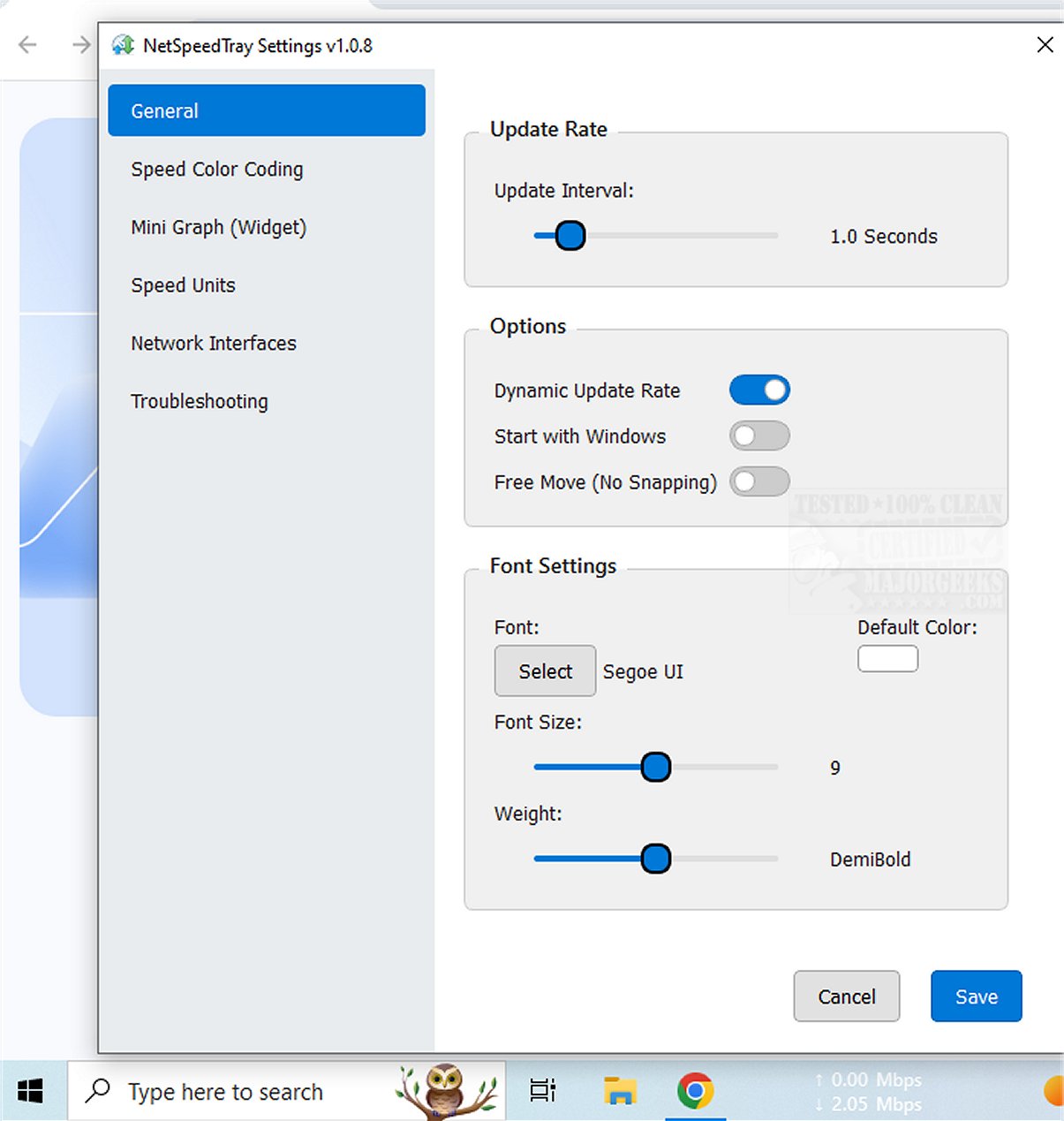
NetSpeedTray also offers mild customization options, such as Speed Color Coding, which visually indicates speed performance changes. The settings menu allows users to adjust font preferences, apply color codes for easy differentiation between download and upload speeds, and even enable a mini graph to visually represent speed metrics alongside numerical data.
In summary, NetSpeedTray is a sleek and intuitive network monitor specifically designed for Windows, providing real-time updates on upload and download speeds directly from the taskbar. This makes it an aesthetically pleasing and efficient tool for users who wish to maintain an awareness of their network performance.
In future updates, it would be beneficial for developers to consider integrating advanced features such as alerts for sudden drops in speed or customizable reporting options to further enhance user experience. Additionally, expanding compatibility with various operating systems could broaden its user base and applicability in diverse environments
The application operates within the system tray, allowing for quick and unobtrusive access to network speed metrics. It is particularly useful when transferring files or diagnosing issues related to slower-than-expected speeds. While other tools, such as the built-in Task Manager, offer detailed network usage analysis on a per-process level, NetSpeedTray focuses on convenience and ease of use.
Among its features, users can monitor specific network interfaces, which adds a layer of customization and precision to the monitoring process. An enhancement that could further improve the tool would be the ability to track network usage on an individual program basis, allowing for more detailed insights.
NetSpeedTray also offers mild customization options, such as Speed Color Coding, which visually indicates speed performance changes. The settings menu allows users to adjust font preferences, apply color codes for easy differentiation between download and upload speeds, and even enable a mini graph to visually represent speed metrics alongside numerical data.
In summary, NetSpeedTray is a sleek and intuitive network monitor specifically designed for Windows, providing real-time updates on upload and download speeds directly from the taskbar. This makes it an aesthetically pleasing and efficient tool for users who wish to maintain an awareness of their network performance.
In future updates, it would be beneficial for developers to consider integrating advanced features such as alerts for sudden drops in speed or customizable reporting options to further enhance user experience. Additionally, expanding compatibility with various operating systems could broaden its user base and applicability in diverse environments
NetSpeedTray 2.2.0 RC 5 / 2.1.7 released
NetSpeedTray allows you to monitor and assess your network speeds in real-time. This tool provides valuable insights into your internet performance, helping you stay informed about your connection status.