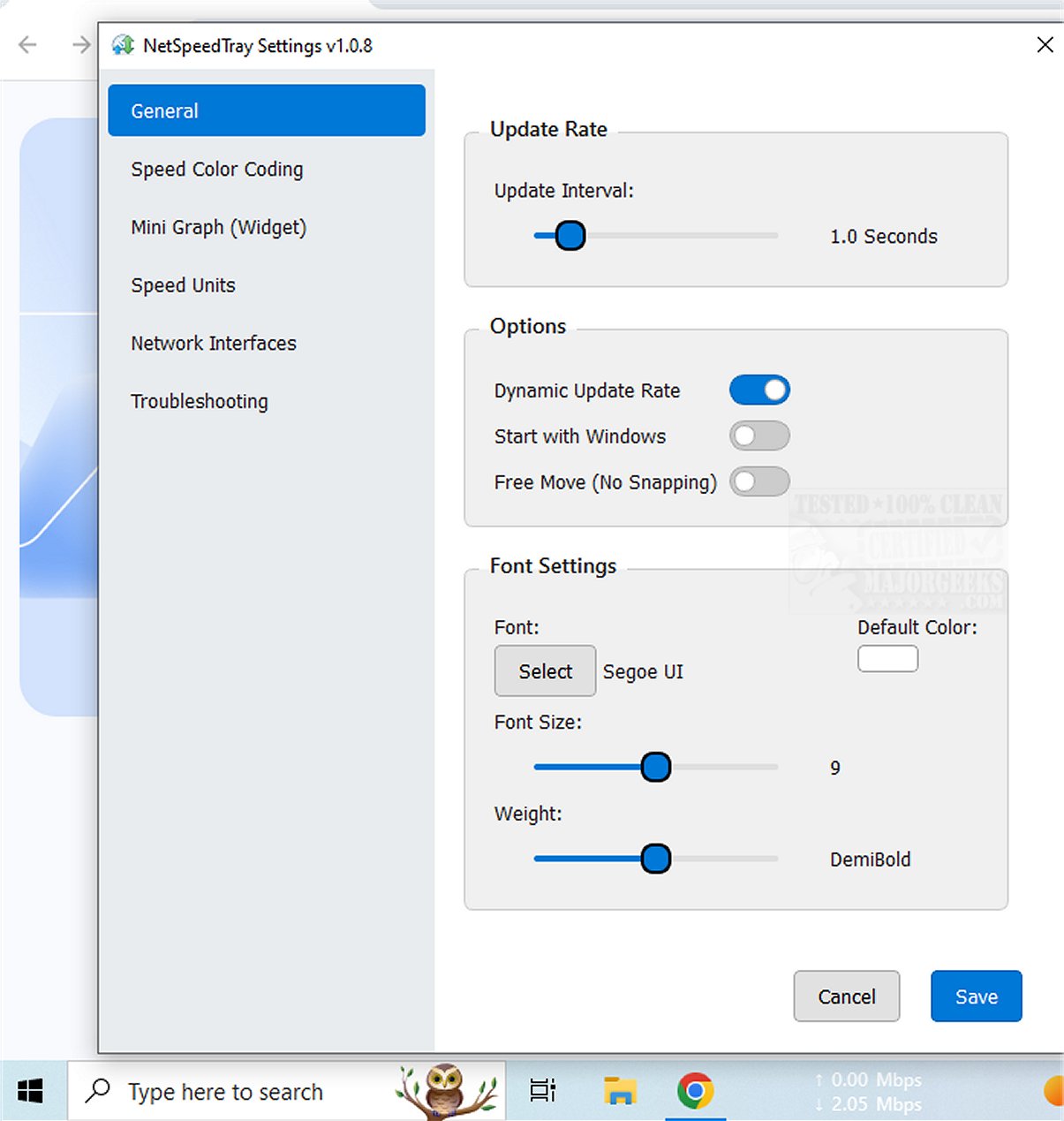
NetSpeedTray 2.1.3 has been released, enhancing the ability of users to monitor and evaluate their network speeds in real-time. This tool provides critical insights into internet performance, ensuring users are aware of their connection status at all times.
NetSpeedTray is a user-friendly network speed monitor that conveniently resides in the system tray, allowing for quick access to network speed information. Whether you are downloading files or experiencing slower internet speeds, the tool displays relevant statistics directly in your tray, streamlining the process of checking network performance. Unlike the more detailed but intrusive Task Manager, NetSpeedTray focuses on delivering essential information without disrupting your workflow.
- Specific Network Interface Monitoring: Users can monitor specific network interfaces, which provides a clearer understanding of performance across various connections. A potential future enhancement could include tracking network usage on a per-application basis for more detailed insights.
- Customization Options: The software allows for mild customizations, including Speed Color Coding, which visually represents performance levels. Users can modify font settings, apply color-coding to distinguish between upload and download speeds, and enable a mini graph widget for a visual representation of speed metrics alongside numerical data.
NetSpeedTray is designed for Windows users, offering a sleek interface that integrates seamlessly with the Taskbar. It presents real-time upload and download speeds in a visually appealing manner, making it easy for users to monitor their internet performance intuitively.
In summary, NetSpeedTray is an efficient and aesthetically pleasing tool for anyone looking to keep tabs on their network speeds. With its unobtrusive design and useful features, it stands out as a valuable addition to any user’s toolkit for managing internet connectivity.
For those interested in improving their network experience, additional resources include guides on enhancing wireless network performance, blocking neighbor's Wi-Fi networks, checking network adapter speeds, and resetting network settings in Windows 10 & 11
Overview of NetSpeedTray
NetSpeedTray is a user-friendly network speed monitor that conveniently resides in the system tray, allowing for quick access to network speed information. Whether you are downloading files or experiencing slower internet speeds, the tool displays relevant statistics directly in your tray, streamlining the process of checking network performance. Unlike the more detailed but intrusive Task Manager, NetSpeedTray focuses on delivering essential information without disrupting your workflow.
Key Features
- Specific Network Interface Monitoring: Users can monitor specific network interfaces, which provides a clearer understanding of performance across various connections. A potential future enhancement could include tracking network usage on a per-application basis for more detailed insights.
- Customization Options: The software allows for mild customizations, including Speed Color Coding, which visually represents performance levels. Users can modify font settings, apply color-coding to distinguish between upload and download speeds, and enable a mini graph widget for a visual representation of speed metrics alongside numerical data.
User Experience
NetSpeedTray is designed for Windows users, offering a sleek interface that integrates seamlessly with the Taskbar. It presents real-time upload and download speeds in a visually appealing manner, making it easy for users to monitor their internet performance intuitively.
Conclusion
In summary, NetSpeedTray is an efficient and aesthetically pleasing tool for anyone looking to keep tabs on their network speeds. With its unobtrusive design and useful features, it stands out as a valuable addition to any user’s toolkit for managing internet connectivity.
Further Resources
For those interested in improving their network experience, additional resources include guides on enhancing wireless network performance, blocking neighbor's Wi-Fi networks, checking network adapter speeds, and resetting network settings in Windows 10 & 11
NetSpeedTray 2.1.3 released
NetSpeedTray allows you to monitor and assess your network speeds in real-time. This tool provides valuable insights into your internet performance, helping you stay informed about your connection status.