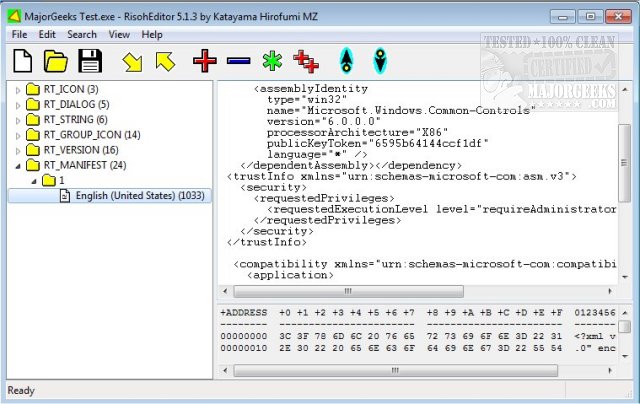
RisohEditor 6.1.5 has been released, offering a free tool for users to add, edit, extract, and remove resource data from DLL and EXE files. The application is user-friendly, designed to streamline the editing of various Windows resources such as dialogs, menus, icons, cursors, and string tables. The name "Risoh" translates to "ideal" in Japanese, reflecting the application's goal of simplifying resource editing.
One of the standout features of RisohEditor is its intuitive user interface, which enables users, even those with minimal programming knowledge, to edit the source code of Windows applications effectively. The application employs color coding to facilitate quick identification of elements, making the editing process more efficient. Furthermore, it allows users to manipulate parts of programs, including modifying texts and descriptions.
Users are advised to install RisohEditor outside of "C:\Program Files" or "C:\Program Files (x86)" directories, as the resource compiler (windres) does not accept spaces in file paths, which could lead to installation issues.
Key features of RisohEditor include high scalability, full Unicode support for international resources, the ability to read the "resource.h" header file, GUI editing capabilities, compatibility with resources exported to Visual C++ 2017, and support for window class libraries.
In summary, RisohEditor 6.1.5 is a versatile and efficient tool for resource editing, catering to both novice and experienced users alike, while continuously improving its functionality and ease of use. Future updates may further enhance its capabilities, potentially incorporating more advanced features for resource editing and expanding compatibility with various programming environments
One of the standout features of RisohEditor is its intuitive user interface, which enables users, even those with minimal programming knowledge, to edit the source code of Windows applications effectively. The application employs color coding to facilitate quick identification of elements, making the editing process more efficient. Furthermore, it allows users to manipulate parts of programs, including modifying texts and descriptions.
Users are advised to install RisohEditor outside of "C:\Program Files" or "C:\Program Files (x86)" directories, as the resource compiler (windres) does not accept spaces in file paths, which could lead to installation issues.
Key features of RisohEditor include high scalability, full Unicode support for international resources, the ability to read the "resource.h" header file, GUI editing capabilities, compatibility with resources exported to Visual C++ 2017, and support for window class libraries.
In summary, RisohEditor 6.1.5 is a versatile and efficient tool for resource editing, catering to both novice and experienced users alike, while continuously improving its functionality and ease of use. Future updates may further enhance its capabilities, potentially incorporating more advanced features for resource editing and expanding compatibility with various programming environments
RisohEditor 6.1.5 released
RisohEditor is designed for adding, editing, extracting, and removing the resource data from DLL/EXE files for free.