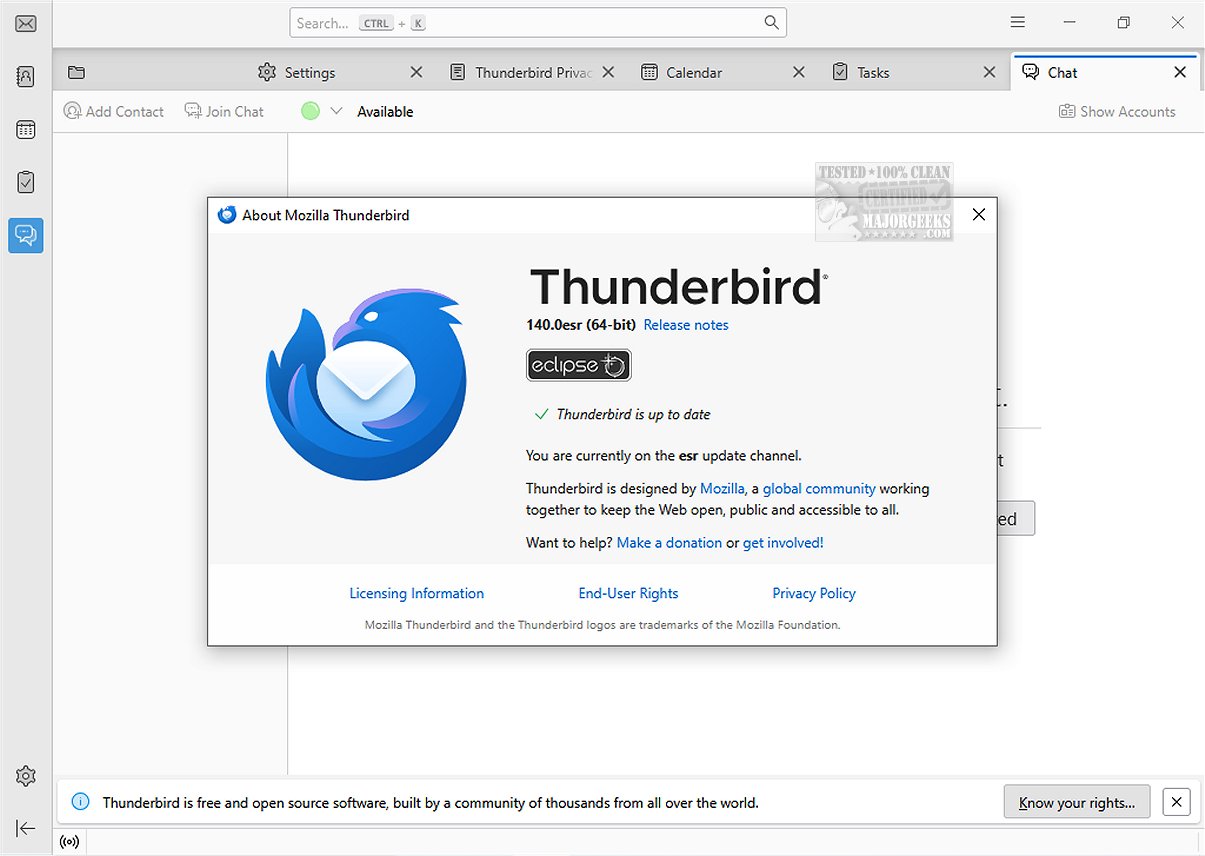
Mozilla Thunderbird Eclipse ESR is a powerful, free email application known for its high level of customization and an extensive array of features that enhance the user experience. A portable version is also available for users who prefer a flexible, on-the-go option.
Key Features of Mozilla Thunderbird Eclipse ESR
The latest release, Thunderbird Eclipse ESR 140.16.0, is part of the Extended Support Release (ESR) cycle, which began in June 2025 and is expected to be supported for approximately one year. This version incorporates all the features and improvements introduced in previous Thunderbird releases, including the ESR 128 cycle that started in July 2024 and is set to conclude around September 2025.
Some notable enhancements in this release include:
- A vertical tabs layout option for more organized browsing.
- The ability to unload tabs from memory without closing them, optimizing performance.
- Simplified addition of custom search engines.
- Tab grouping to streamline workflow.
- An improved Reader View with enhanced text and layout options.
- The introduction of HTTPS-First mode, ensuring secure connections.
- Bounce Tracking Protection in Strict Enhanced Tracking Protection (ETP) mode.
- HTTPS is now displayed as the default protocol in the address bar.
User Experience and Customization
This email client is designed with speed, safety, and user-friendliness in mind, making it suitable for both individual users and organizations. It features an intuitive message search, customizable views, and support for IMAP, POP, and RSS feeds.
The latest version includes a dynamic toolbar that adjusts to show frequently used and relevant options based on the active tab or workspace. Users can further customize the toolbar and window layout to align with their workflows. Additionally, the graphical user interface has been completely redesigned for easier navigation and improved aesthetics.
Security Features
Mozilla Thunderbird Eclipse ESR places a strong emphasis on security, making it an excellent choice for managing both personal and organizational emails. Key features include a reliable junk mail filter that evaluates incoming messages to identify spam, along with options for users to manually filter messages that may be overlooked. The application also employs robust security measures, such as digital signing, message encryption, S/MIME support, and compatibility with commonly used security devices in enterprises and government agencies.
Conclusion
Mozilla Thunderbird Eclipse ESR is a reliable and secure email client that caters to a wide range of user needs, offering customization options and an extensive set of features. It supports a variety of Mozilla Add-Ons, allowing users to enhance its functionality even further. For those looking for a portable solution, the portable version of Thunderbird is also available, providing flexibility for users on the move. Whether for individual use or organizational management, Thunderbird remains a top choice in the email application landscape
Key Features of Mozilla Thunderbird Eclipse ESR
The latest release, Thunderbird Eclipse ESR 140.16.0, is part of the Extended Support Release (ESR) cycle, which began in June 2025 and is expected to be supported for approximately one year. This version incorporates all the features and improvements introduced in previous Thunderbird releases, including the ESR 128 cycle that started in July 2024 and is set to conclude around September 2025.
Some notable enhancements in this release include:
- A vertical tabs layout option for more organized browsing.
- The ability to unload tabs from memory without closing them, optimizing performance.
- Simplified addition of custom search engines.
- Tab grouping to streamline workflow.
- An improved Reader View with enhanced text and layout options.
- The introduction of HTTPS-First mode, ensuring secure connections.
- Bounce Tracking Protection in Strict Enhanced Tracking Protection (ETP) mode.
- HTTPS is now displayed as the default protocol in the address bar.
User Experience and Customization
This email client is designed with speed, safety, and user-friendliness in mind, making it suitable for both individual users and organizations. It features an intuitive message search, customizable views, and support for IMAP, POP, and RSS feeds.
The latest version includes a dynamic toolbar that adjusts to show frequently used and relevant options based on the active tab or workspace. Users can further customize the toolbar and window layout to align with their workflows. Additionally, the graphical user interface has been completely redesigned for easier navigation and improved aesthetics.
Security Features
Mozilla Thunderbird Eclipse ESR places a strong emphasis on security, making it an excellent choice for managing both personal and organizational emails. Key features include a reliable junk mail filter that evaluates incoming messages to identify spam, along with options for users to manually filter messages that may be overlooked. The application also employs robust security measures, such as digital signing, message encryption, S/MIME support, and compatibility with commonly used security devices in enterprises and government agencies.
Conclusion
Mozilla Thunderbird Eclipse ESR is a reliable and secure email client that caters to a wide range of user needs, offering customization options and an extensive set of features. It supports a variety of Mozilla Add-Ons, allowing users to enhance its functionality even further. For those looking for a portable solution, the portable version of Thunderbird is also available, providing flexibility for users on the move. Whether for individual use or organizational management, Thunderbird remains a top choice in the email application landscape
Mozilla Thunderbird Eclipse ESR 140.16.0 released
Mozilla Thunderbird Eclipse ESR is a versatile and free email application that stands out due to its ease of customization and a rich set of features that enhance user experience.Portable version also available.
Mozilla Thunderbird Eclipse ESR 140.16.0 released @ MajorGeeks