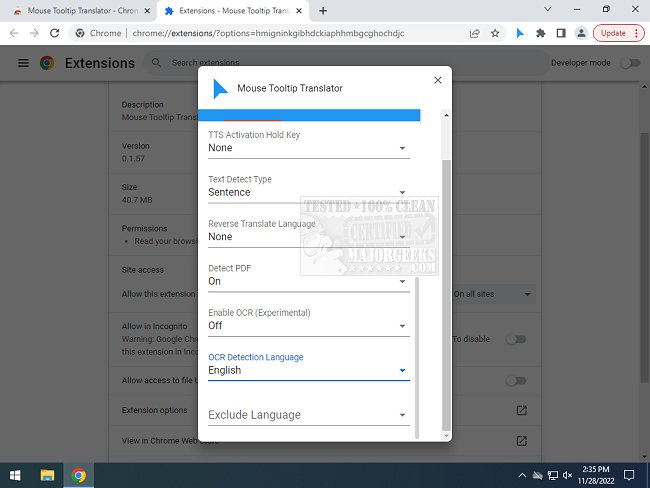
The Mouse Tooltip Translator extension for Chrome and Edge, version 0.1.244, has been released, offering an innovative way to translate text simply by hovering over it. This user-friendly tool allows individuals who frequently encounter foreign language webpages to obtain quick translations without the need to convert the entire page. With just a mouseover, users can view translations in their preferred language, powered by Google Translate.
This extension is particularly useful for travelers or those browsing various content online, as it streamlines the process of understanding text in unfamiliar languages. Additionally, the extension supports features such as text-to-speech capabilities through Google TTS, PDF translation support via PDF.js, and even experimental functionalities like translating YouTube captions and using OCR technology to read comic bubbles.
Key features of the Mouse Tooltip Translator include:
- Hover or highlight to translate text instantly
- Availability of tooltips across most web pages (excluding the Chrome web store)
- Integration with both Google and Bing Translators
- Option to filter translations when source and target languages match
- Experimental support for YouTube subtitle translation and OCR for comics
Overall, this extension enhances the browsing experience by making it easier to navigate multilingual content efficiently.
Extension and Future Enhancements:
Looking ahead, developers may consider expanding the capabilities of the Mouse Tooltip Translator by incorporating additional languages and improving the accuracy of translations. Integration with more translation services could also diversify options for users, while further refining experimental features like OCR and YouTube subtitle translation could enhance accessibility for a wider audience. As internet usage continues to globalize, such tools will likely become indispensable for users seeking to bridge language barriers
This extension is particularly useful for travelers or those browsing various content online, as it streamlines the process of understanding text in unfamiliar languages. Additionally, the extension supports features such as text-to-speech capabilities through Google TTS, PDF translation support via PDF.js, and even experimental functionalities like translating YouTube captions and using OCR technology to read comic bubbles.
Key features of the Mouse Tooltip Translator include:
- Hover or highlight to translate text instantly
- Availability of tooltips across most web pages (excluding the Chrome web store)
- Integration with both Google and Bing Translators
- Option to filter translations when source and target languages match
- Experimental support for YouTube subtitle translation and OCR for comics
Overall, this extension enhances the browsing experience by making it easier to navigate multilingual content efficiently.
Extension and Future Enhancements:
Looking ahead, developers may consider expanding the capabilities of the Mouse Tooltip Translator by incorporating additional languages and improving the accuracy of translations. Integration with more translation services could also diversify options for users, while further refining experimental features like OCR and YouTube subtitle translation could enhance accessibility for a wider audience. As internet usage continues to globalize, such tools will likely become indispensable for users seeking to bridge language barriers
Mouse Tooltip Translator for Chrome and Edge 0.1.244 released
Mouse Tooltip Translator for Chrome and Edge extension that provides mouseover tooltip language translations.
Mouse Tooltip Translator for Chrome and Edge 0.1.244 released @ MajorGeeks