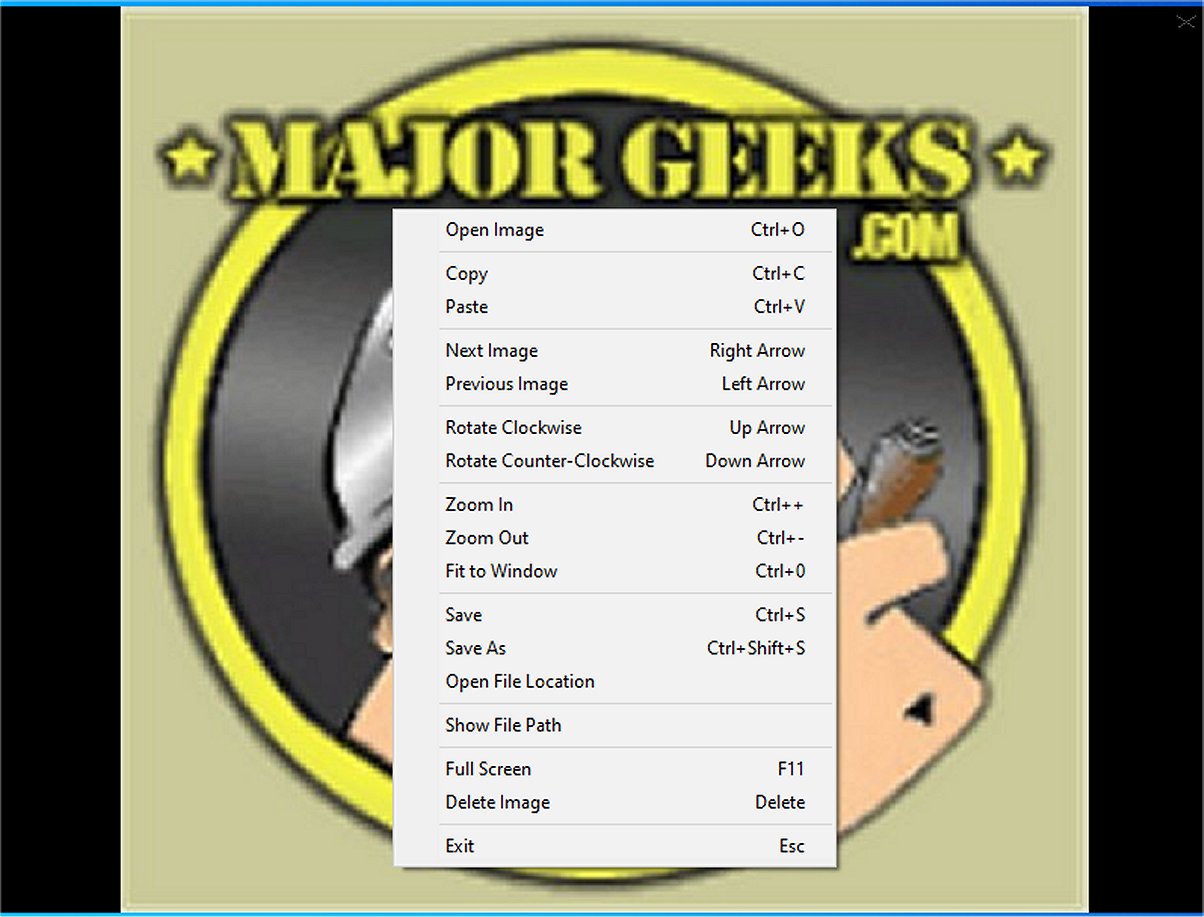
Minimal Image Viewer is a lightweight image viewing application crafted in C++ specifically for Windows users. This application is built with an emphasis on performance and minimalism, leveraging native Windows APIs and the Windows Imaging Component (WIC) to ensure reliable and efficient image viewing capabilities.
- Rotation: Users can rotate images clockwise or counterclockwise.
- Zoom Options: Adjusting the zoom level is easy, with options to fit images to the window or switch to full-screen mode.
- Image Management: Users can save images to different locations or delete them with a simple keystroke, facilitating easier organization of files.
- Open images with Ctrl+O or right-click.
- Navigate images using left/right arrows or right-click.
- Zoom in/out with Ctrl++/-, mouse wheel, or right-click options.
- Rotate images with up/down arrows or right-click.
- Save images with Ctrl+S or through the right-click menu.
- Delete images with the Delete key or right-click.
- Toggle full-screen mode with F11 or right-click.
- Move/resize the window by dragging.
- Exit with Esc or right-click.
- Copy and paste images with Ctrl+C and Ctrl+V.
- Guidance on adding and removing folders in the Windows 10 & 11 Photos app.
- Steps to modify the 'Edit With Photos' context menu in Windows 10 & 11
Overview of Minimal Image Viewer
The Minimal Image Viewer prioritizes simplicity and privacy, providing a straightforward interface for users who want to view images without unnecessary distractions. The application opens with a sleek, borderless black window, allowing image import either through drag and drop or via the right-click context menu, which features the traditional “Open” dialog for easy access to image files.Context Menu Functionality
The context menu provides a limited but useful set of options for users. Users can copy the currently displayed image to the clipboard or paste an image from the clipboard into the viewer, among other functionalities.App Navigation
Navigating through images within a selected folder is seamless, allowing users to view all compatible images in the directory. The application supports a variety of file formats, ensuring broad compatibility due to its reliance on the Windows Imaging Component.Viewing Features
The Minimal Image Viewer includes essential viewing features that enhance user experience:- Rotation: Users can rotate images clockwise or counterclockwise.
- Zoom Options: Adjusting the zoom level is easy, with options to fit images to the window or switch to full-screen mode.
- Image Management: Users can save images to different locations or delete them with a simple keystroke, facilitating easier organization of files.
Control Summary
The application features a user-friendly set of controls:- Open images with Ctrl+O or right-click.
- Navigate images using left/right arrows or right-click.
- Zoom in/out with Ctrl++/-, mouse wheel, or right-click options.
- Rotate images with up/down arrows or right-click.
- Save images with Ctrl+S or through the right-click menu.
- Delete images with the Delete key or right-click.
- Toggle full-screen mode with F11 or right-click.
- Move/resize the window by dragging.
- Exit with Esc or right-click.
- Copy and paste images with Ctrl+C and Ctrl+V.
Geek Verdict
In conclusion, Minimal Image Viewer stands out as a minimalist tool that offers a distraction-free environment for image viewing. Its design is user-friendly, and it operates fully offline, ensuring that user data remains private while enjoying their images.Future Enhancements
Going forward, potential updates could include the integration of additional file format support, enhanced editing features, and improved customization options for a more personalized user experience. Moreover, introducing keyboard shortcuts for advanced functionalities and incorporating a basic slideshow feature could further enhance its usability.Related Resources
- Instructions on restoring Windows Photo Viewer on Windows 10 & 11.- Guidance on adding and removing folders in the Windows 10 & 11 Photos app.
- Steps to modify the 'Edit With Photos' context menu in Windows 10 & 11
Minimal Image Viewer 2.0.3 released
Minimal Image Viewer is an image viewing application developed in C++ that is specifically designed for Windows. It is designed with a focus on both performance and minimalism. By utilizing native Windows APIs, along with the Windows Imaging Component (WIC), the application provides reliable functionality for users seeking an efficient way to view images.