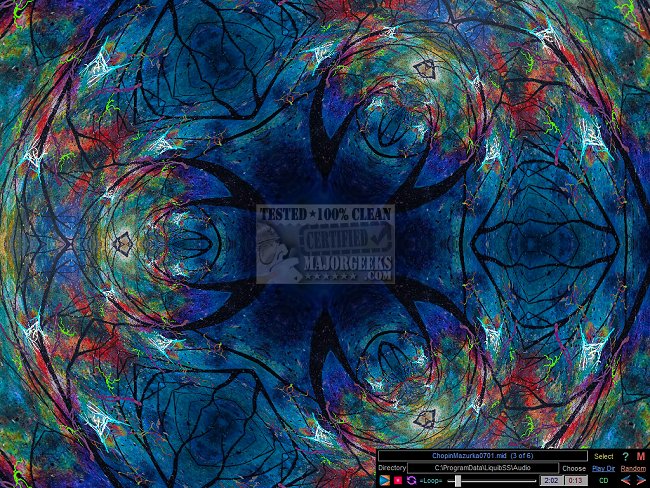
Liquib Screensaver 3.2.1 has been released, offering users a highly customizable screensaver experience that combines dynamic image transformations with music. This version allows for a variety of settings and configurations to tailor the screensaver to individual preferences.
The Liquib Screensaver Configuration screen provides several options for users to control their screensaver sessions. Users can set the source of images from either an Image Directory or an Image Gallery, which features a collection of images that can be displayed in a specified order and frequency. To enhance the visual spectacle, users can select from multiple Random Tools, Effects, Tool and Effect Sequences, and Scripted Sequences, thereby creating a unique and ever-changing display.
The Tools and Effects tabs allow users to choose different types of image manipulations and determine their frequency. The Masks tab manages random masking behaviors, while the Tiles tab introduces options for creating mirrored effects through random tiling, including features like Tile Centering and automated Tile Wandering motion. Users also have the ability to include custom Script files for further personalization.
While the screensaver is active, several key commands are available for users to interact with the program, enhancing usability. Additionally, users can integrate their favorite music into the screensaver, selecting audio files in MP3, MIDI, or from an Audio CD to accompany the visual transformations.
Liquib Screensaver enables users to save their personalized settings in multiple Configuration Files and create customized Image Galleries using their own photos. To access these features, users simply navigate to the Windows Screen Saver Settings window and choose from a variety of options. They can also select multiple images from different directories to curate a gallery of backgrounds for the animated visuals.
In summary, Liquib Screensaver 3.2.1 is an innovative tool that not only transforms images into captivating displays but also allows for musical accompaniment and extensive customization, making it a great addition for users looking to enhance their screen experience. Users can explore additional resources on how to open, customize, download, and install screensavers in Windows 10 and 11 or find out how to disable screensavers altogether
The Liquib Screensaver Configuration screen provides several options for users to control their screensaver sessions. Users can set the source of images from either an Image Directory or an Image Gallery, which features a collection of images that can be displayed in a specified order and frequency. To enhance the visual spectacle, users can select from multiple Random Tools, Effects, Tool and Effect Sequences, and Scripted Sequences, thereby creating a unique and ever-changing display.
The Tools and Effects tabs allow users to choose different types of image manipulations and determine their frequency. The Masks tab manages random masking behaviors, while the Tiles tab introduces options for creating mirrored effects through random tiling, including features like Tile Centering and automated Tile Wandering motion. Users also have the ability to include custom Script files for further personalization.
While the screensaver is active, several key commands are available for users to interact with the program, enhancing usability. Additionally, users can integrate their favorite music into the screensaver, selecting audio files in MP3, MIDI, or from an Audio CD to accompany the visual transformations.
Liquib Screensaver enables users to save their personalized settings in multiple Configuration Files and create customized Image Galleries using their own photos. To access these features, users simply navigate to the Windows Screen Saver Settings window and choose from a variety of options. They can also select multiple images from different directories to curate a gallery of backgrounds for the animated visuals.
In summary, Liquib Screensaver 3.2.1 is an innovative tool that not only transforms images into captivating displays but also allows for musical accompaniment and extensive customization, making it a great addition for users looking to enhance their screen experience. Users can explore additional resources on how to open, customize, download, and install screensavers in Windows 10 and 11 or find out how to disable screensavers altogether
Liquib Screensaver 3.2.1 released
Liquib Screensaver creates ever-changing and distinct image transformations that can be complemented with your preferred music.