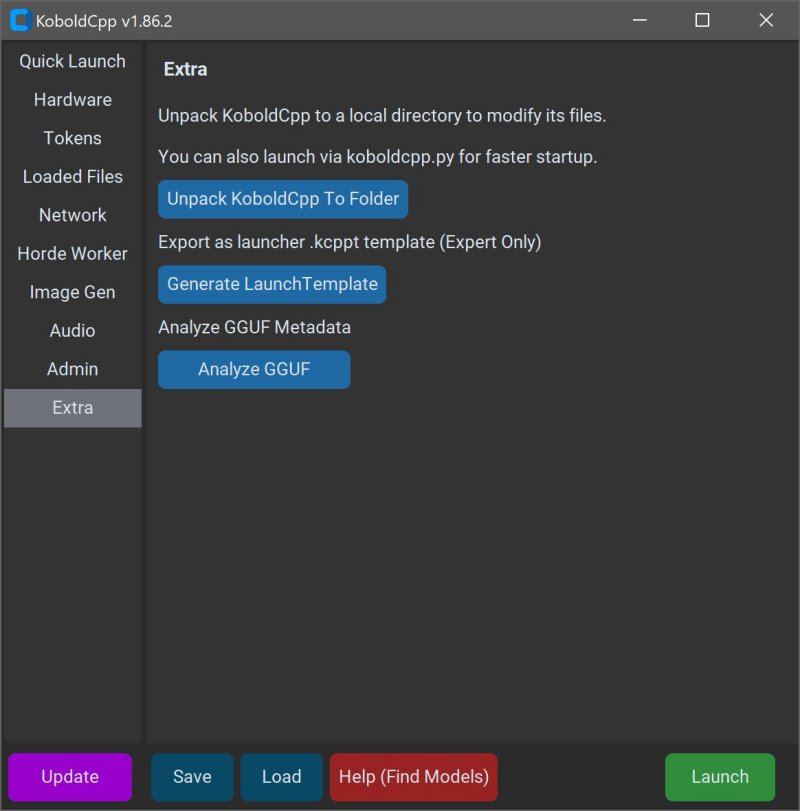
KoboldCPP is a lightweight, open-source tool designed for running advanced AI models directly on your computer, providing an accessible alternative to cloud-based services without the need for accounts, subscriptions, or privacy compromises. This makes it particularly appealing for individuals looking to engage with AI for private business projects, creative writing, game development, or general experimentation in a secure offline environment.
Overview of KoboldCPP
KoboldCPP functions as a backend for the KoboldAI web interface, enabling users to interact with language models in a chat window similar to ChatGPT, but entirely on their local machine. The setup process is user-friendly, requiring minimal technical knowledge: download a model file, launch KoboldCPP, and begin chatting. It supports both CPU and GPU acceleration, making it adaptable to various hardware configurations.
Understanding GGUF Format
KoboldCPP operates with AI models in the GGUF (GPT-Generated Unified Format), which is optimized for local use and performs well with quantized models (4-bit or 8-bit). These models are typically available on platforms like Hugging Face, but it is essential to ensure they are compatible with KoboldCPP, as it does not support other formats like GPTQ or OpenAI's proprietary models.
Target Audience
KoboldCPP is designed for a diverse range of users, including writers, RPG creators, developers, and anyone who prefers a private and offline AI interaction. It addresses the needs of those in low-connectivity environments or those seeking to avoid the limitations and costs associated with cloud services.
Key Features
- Local Model Execution: Run GGUF/LLAMA-based models on your PC.
- Offline Operation: Complete privacy with no internet or cloud dependency.
- Performance Optimization: Supports Intel oneAPI and NVIDIA CUDA for enhanced speed.
- Easy Setup: Minimal installation requirements—just unzip and run.
- KoboldAI Compatibility: Access to features like memory and character cards.
- Customization Options: Adjust settings for a personalized experience.
Model Acquisition and Usage
To utilize KoboldCPP, users must separately download compatible GGUF models. The process involves launching KoboldCPP, selecting the model file, choosing a backend, and adjusting settings before starting an interactive chat experience. Users can also incorporate features like story memory and worldbuilding.
System Requirements and Considerations
While KoboldCPP doesn't demand high-end hardware, recommended specifications include a modern OS (Windows or Linux), a minimum of 8GB RAM (16GB preferred), and a compatible CPU. Various versions of KoboldCPP are available to accommodate different hardware capabilities, ensuring optimal performance across a range of systems.
Final Thoughts
KoboldCPP empowers users by granting complete control over their AI interactions without compromising privacy or incurring ongoing costs. This makes it an ideal solution for anyone looking to harness AI technology for personal or professional use. The vibrant open-source community surrounding KoboldCPP adds a layer of support, enabling users to seek assistance and share experiences as they explore the potential of private AI applications.
Extensions
With the growing interest in AI tools, KoboldCPP's offline capabilities signify a shift towards more personal and secure AI interactions. As more users seek autonomy over their data and AI experiences, tools like KoboldCPP may pave the way for further innovations in local AI model development. Future versions could incorporate more advanced features, such as enhanced natural language understanding, multi-modal capabilities for image and text synthesis, or integration with other local applications, further enriching the user experience while maintaining privacy and control
Overview of KoboldCPP
KoboldCPP functions as a backend for the KoboldAI web interface, enabling users to interact with language models in a chat window similar to ChatGPT, but entirely on their local machine. The setup process is user-friendly, requiring minimal technical knowledge: download a model file, launch KoboldCPP, and begin chatting. It supports both CPU and GPU acceleration, making it adaptable to various hardware configurations.
Understanding GGUF Format
KoboldCPP operates with AI models in the GGUF (GPT-Generated Unified Format), which is optimized for local use and performs well with quantized models (4-bit or 8-bit). These models are typically available on platforms like Hugging Face, but it is essential to ensure they are compatible with KoboldCPP, as it does not support other formats like GPTQ or OpenAI's proprietary models.
Target Audience
KoboldCPP is designed for a diverse range of users, including writers, RPG creators, developers, and anyone who prefers a private and offline AI interaction. It addresses the needs of those in low-connectivity environments or those seeking to avoid the limitations and costs associated with cloud services.
Key Features
- Local Model Execution: Run GGUF/LLAMA-based models on your PC.
- Offline Operation: Complete privacy with no internet or cloud dependency.
- Performance Optimization: Supports Intel oneAPI and NVIDIA CUDA for enhanced speed.
- Easy Setup: Minimal installation requirements—just unzip and run.
- KoboldAI Compatibility: Access to features like memory and character cards.
- Customization Options: Adjust settings for a personalized experience.
Model Acquisition and Usage
To utilize KoboldCPP, users must separately download compatible GGUF models. The process involves launching KoboldCPP, selecting the model file, choosing a backend, and adjusting settings before starting an interactive chat experience. Users can also incorporate features like story memory and worldbuilding.
System Requirements and Considerations
While KoboldCPP doesn't demand high-end hardware, recommended specifications include a modern OS (Windows or Linux), a minimum of 8GB RAM (16GB preferred), and a compatible CPU. Various versions of KoboldCPP are available to accommodate different hardware capabilities, ensuring optimal performance across a range of systems.
Final Thoughts
KoboldCPP empowers users by granting complete control over their AI interactions without compromising privacy or incurring ongoing costs. This makes it an ideal solution for anyone looking to harness AI technology for personal or professional use. The vibrant open-source community surrounding KoboldCPP adds a layer of support, enabling users to seek assistance and share experiences as they explore the potential of private AI applications.
Extensions
With the growing interest in AI tools, KoboldCPP's offline capabilities signify a shift towards more personal and secure AI interactions. As more users seek autonomy over their data and AI experiences, tools like KoboldCPP may pave the way for further innovations in local AI model development. Future versions could incorporate more advanced features, such as enhanced natural language understanding, multi-modal capabilities for image and text synthesis, or integration with other local applications, further enriching the user experience while maintaining privacy and control
KoboldCPP 1.117 released
KoboldCPP is a great choice for running powerful AI models on your computer with no accounts, internet, subscriptions, or privacy trade-offs.