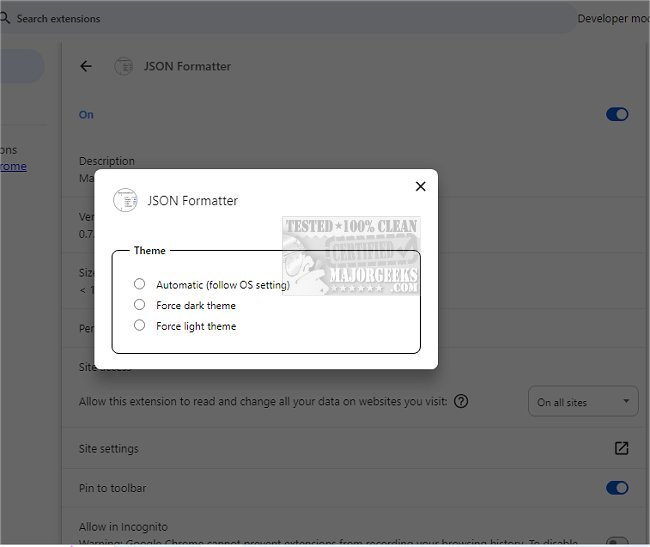
The JSON Formatter for Chrome, version 0.10.2, is an open-source browser extension aimed at enhancing the readability of JSON data in the Chrome web browser. This extension simplifies the process of viewing and understanding JSON by transforming it into a visually appealing format. It automatically detects JSON content on web pages and formats it for clarity, which is especially beneficial for developers who regularly handle JSON data or for users who occasionally need to review such information.
The key features of JSON Formatter for Chrome include a clean and organized display, allowing users to concentrate on the data itself rather than its formatting. It is capable of efficiently processing large JSON files and provides functionality like syntax highlighting, collapsible tree structures with indentation guides, and clickable URLs. Additionally, it has a minimal impact on the performance of non-JSON pages, operating in under a millisecond. The extension is compatible with any valid JSON page, regardless of its URL, and includes options to switch between raw and formatted views.
In conclusion, if you're looking for a reliable and user-friendly tool to assist with JSON data visualization and manipulation, consider trying out JSON Formatter for Chrome. It not only enhances productivity but also streamlines the way you interact with JSON data, making it an essential tool for developers and casual users alike. As technology continues to evolve, tools like JSON Formatter for Chrome will likely see further enhancements, possibly incorporating features such as advanced search capabilities, data visualization options, or integration with other development tools to provide a more comprehensive data management experience
The key features of JSON Formatter for Chrome include a clean and organized display, allowing users to concentrate on the data itself rather than its formatting. It is capable of efficiently processing large JSON files and provides functionality like syntax highlighting, collapsible tree structures with indentation guides, and clickable URLs. Additionally, it has a minimal impact on the performance of non-JSON pages, operating in under a millisecond. The extension is compatible with any valid JSON page, regardless of its URL, and includes options to switch between raw and formatted views.
In conclusion, if you're looking for a reliable and user-friendly tool to assist with JSON data visualization and manipulation, consider trying out JSON Formatter for Chrome. It not only enhances productivity but also streamlines the way you interact with JSON data, making it an essential tool for developers and casual users alike. As technology continues to evolve, tools like JSON Formatter for Chrome will likely see further enhancements, possibly incorporating features such as advanced search capabilities, data visualization options, or integration with other development tools to provide a more comprehensive data management experience
JSON Formatter for Chrome 0.10.2 released
JSON Formatter for Chrome is designed to help you read JSON in a more visually appealing way. It improves the readability of JSON data, making it easier to understand.