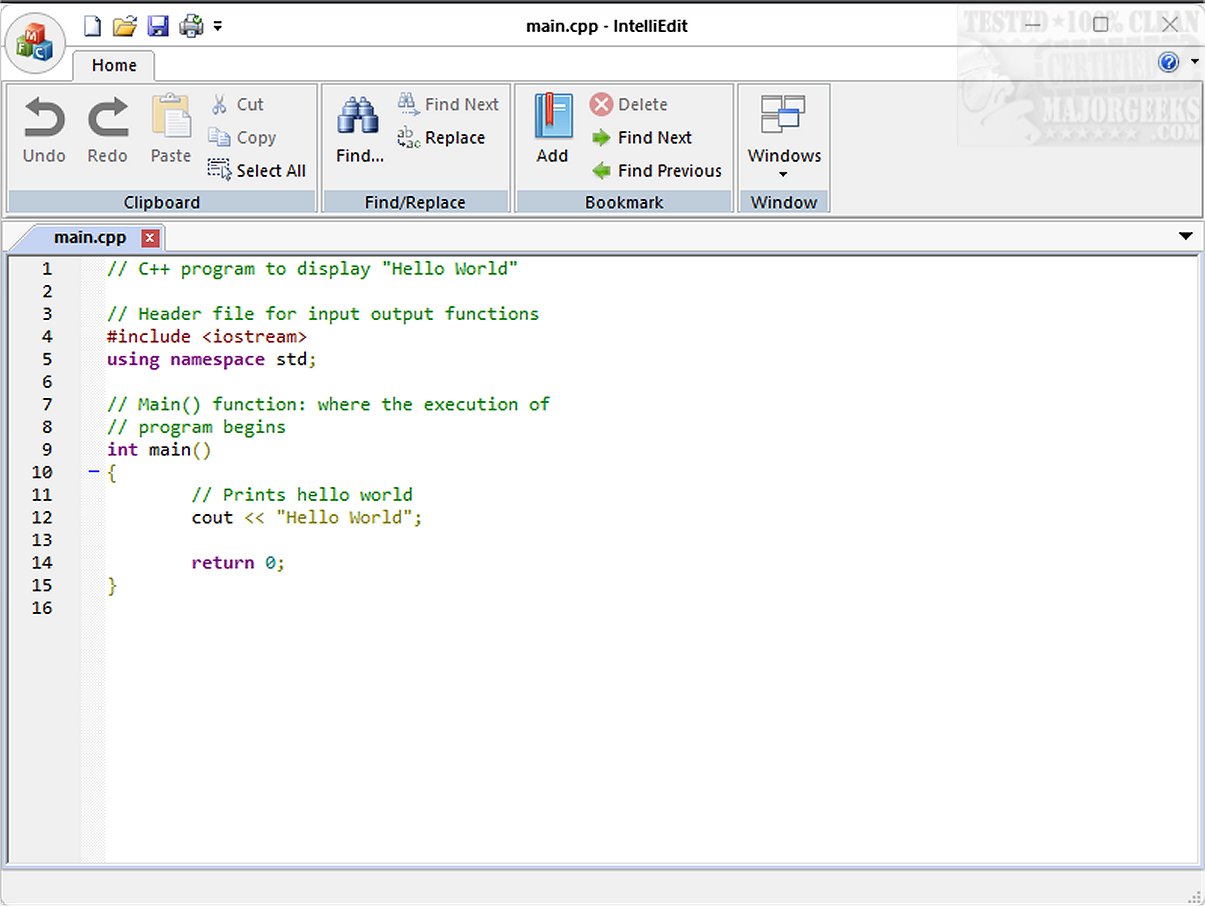
IntelliEdit 1.16 has been released, showcasing its capabilities as a versatile text editor and a worthy alternative to the conventional Notepad. It boasts a high-performance editing engine and supports numerous programming languages right from installation, facilitating both plain text and code writing.
Key Features and Functionalities
IntelliEdit includes essential features such as syntax highlighting, advanced search-and-replace functionality with regular expressions, and a user-friendly tabbed interface that allows for easy management of multiple files. While its user interface may not be the most modern, it is designed for users who prioritize functionality and practicality over aesthetics.
One of the editor’s standout features is its bookmark functionality, which is particularly useful for navigating lengthy documents. Users can easily add or remove bookmarks to track important sections, enhancing their editing experience.
Coding Capabilities
IntelliEdit is optimized for coding tasks, leveraging the Scintilla engine to support syntax highlighting across a variety of programming languages, including CMake, C/C++, JavaScript, PHP, Markdown, MATLAB, HTML, and R on Windows. This makes it an excellent choice for developers looking for a robust text editing solution.
Conclusion
For those who seek a powerful and efficient editing tool, IntelliEdit is an ideal option. It combines utility and productivity, offering an extensive range of features that cater to users who need more than what Notepad can provide. Visit the developer's GitHub repository for additional resources and insights to maximize your experience with IntelliEdit.
Future Prospects
Moving forward, IntelliEdit could enhance its appeal by updating its user interface while maintaining its strong focus on functionality. Integrating more modern design elements or customizable themes could help attract a broader user base, especially among those who appreciate a more contemporary look in software applications. Additionally, expanding its plugin ecosystem could offer users even more functionality tailored to their specific editing needs, further solidifying IntelliEdit's position as a go-to text editor for both casual users and professional developers alike
Key Features and Functionalities
IntelliEdit includes essential features such as syntax highlighting, advanced search-and-replace functionality with regular expressions, and a user-friendly tabbed interface that allows for easy management of multiple files. While its user interface may not be the most modern, it is designed for users who prioritize functionality and practicality over aesthetics.
One of the editor’s standout features is its bookmark functionality, which is particularly useful for navigating lengthy documents. Users can easily add or remove bookmarks to track important sections, enhancing their editing experience.
Coding Capabilities
IntelliEdit is optimized for coding tasks, leveraging the Scintilla engine to support syntax highlighting across a variety of programming languages, including CMake, C/C++, JavaScript, PHP, Markdown, MATLAB, HTML, and R on Windows. This makes it an excellent choice for developers looking for a robust text editing solution.
Conclusion
For those who seek a powerful and efficient editing tool, IntelliEdit is an ideal option. It combines utility and productivity, offering an extensive range of features that cater to users who need more than what Notepad can provide. Visit the developer's GitHub repository for additional resources and insights to maximize your experience with IntelliEdit.
Future Prospects
Moving forward, IntelliEdit could enhance its appeal by updating its user interface while maintaining its strong focus on functionality. Integrating more modern design elements or customizable themes could help attract a broader user base, especially among those who appreciate a more contemporary look in software applications. Additionally, expanding its plugin ecosystem could offer users even more functionality tailored to their specific editing needs, further solidifying IntelliEdit's position as a go-to text editor for both casual users and professional developers alike
IntelliEdit 1.16 released
IntelliEdit is a versatile text editor that serves as an enhanced alternative to the standard Notepad. It features a fast-editing engine and supports a wide array of programming languages right out of the box, allowing users to write both plain text and code.