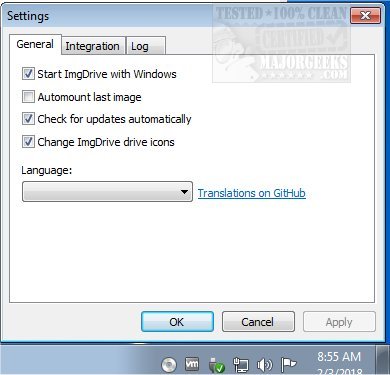
ImgDrive has recently released version 2.3.1, which enhances its functionality as a powerful tool for mounting and browsing disc image files. This software allows users to create up to seven virtual drives, providing a convenient way to access various disc image formats without the need for physical media. The user-friendly interface makes it easy to configure settings through simple checkmark selections. Upon installation, ImgDrive automatically generates a virtual drive that remains in the system tray for quick access. Users can quickly mount images by right-clicking the tray icon.
ImgDrive supports a range of disc image formats, including CCD, CUE, ISO, ISZ, MDS/MDF, and NRG, and it can mount audio files like APE, FLAC, WAV, WavPack, and TTA as AUDIO CDs. The software operates efficiently at speeds up to 200x, allowing for seamless exploration of BD/CD/DVD images. Furthermore, it accommodates multi-session disc images (CCD/MDS/NRG), enhancing its versatility for users who work with different types of media.
In addition to its core features, ImgDrive continues to improve user experience with regular updates, ensuring compatibility with the latest operating systems and file formats. Users can expect ongoing enhancements and new features that further streamline the process of managing disc images. This makes ImgDrive an essential tool for anyone needing a reliable and efficient disc image emulation solution.
For those looking to manage their drives further, articles on formatting, partitioning drives with PowerShell, and understanding the differences between GPT and MBR partitioning are also available, providing additional resources for disk management tasks
ImgDrive supports a range of disc image formats, including CCD, CUE, ISO, ISZ, MDS/MDF, and NRG, and it can mount audio files like APE, FLAC, WAV, WavPack, and TTA as AUDIO CDs. The software operates efficiently at speeds up to 200x, allowing for seamless exploration of BD/CD/DVD images. Furthermore, it accommodates multi-session disc images (CCD/MDS/NRG), enhancing its versatility for users who work with different types of media.
In addition to its core features, ImgDrive continues to improve user experience with regular updates, ensuring compatibility with the latest operating systems and file formats. Users can expect ongoing enhancements and new features that further streamline the process of managing disc images. This makes ImgDrive an essential tool for anyone needing a reliable and efficient disc image emulation solution.
For those looking to manage their drives further, articles on formatting, partitioning drives with PowerShell, and understanding the differences between GPT and MBR partitioning are also available, providing additional resources for disk management tasks
ImgDrive 2.3.1 released
ImgDrive enables you to mount and browse disc image files; it also includes the ability to create seven virtual drives.