Cursor 3.30.14 has been released, showcasing an AI-first integrated development environment (IDE) designed to enhance the coding experience and efficiency for intermediate to professional developers. This innovative code editor, Cursor, promises to revolutionize the traditional coding routine by leveraging AI capabilities to streamline software development.
2. Automatic Code Generation and Fixes: Users can generate new code or rectify lint errors simply by giving commands, making the coding process smoother and faster.
3. In-Editor Chat: Developers can utilize a real-time chat feature to ask questions about their codebase, receiving immediate and relevant answers, which aids in understanding complex code segments.
4. Seamless Integration: Cursor is fully compatible with VSCode extensions, themes, and keybindings, allowing for an easy transition for existing VSCode users.
5. Enhanced Debugging: It simplifies debugging by automatically analyzing stack traces and identifying errors, thus saving developers valuable time.
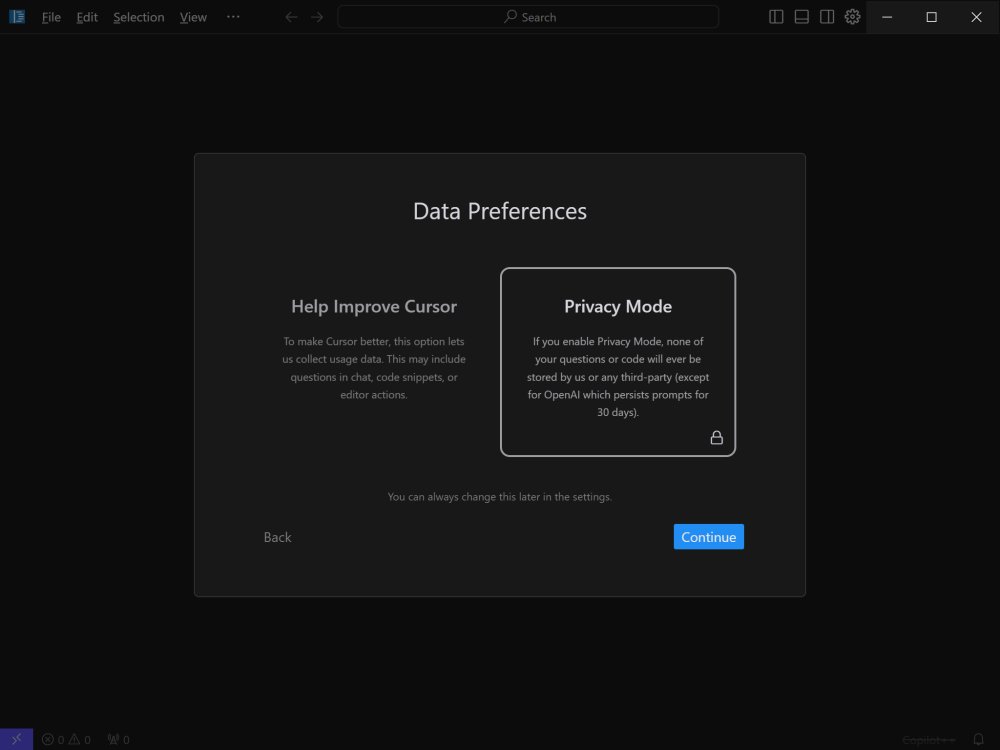
6. Local Mode for Privacy: Cursor prioritizes user privacy by offering a local mode that ensures data is not stored on external servers, making it safe for sensitive projects.
7. Blazing-Fast Performance: With GPT-4 capabilities, Cursor operates significantly faster than direct API access to OpenAI, ensuring productivity without delays.
8. Supported Languages: The IDE supports a diverse range of programming languages including Python, JavaScript, TypeScript, Java, C++, Ruby, and Go.
Key Features of Cursor:
1. Smart Code Suggestions and Auto-Completion: The AI-driven engine comprehends the context of projects, offering intelligent suggestions that help reduce errors and speed up coding.2. Automatic Code Generation and Fixes: Users can generate new code or rectify lint errors simply by giving commands, making the coding process smoother and faster.
3. In-Editor Chat: Developers can utilize a real-time chat feature to ask questions about their codebase, receiving immediate and relevant answers, which aids in understanding complex code segments.
4. Seamless Integration: Cursor is fully compatible with VSCode extensions, themes, and keybindings, allowing for an easy transition for existing VSCode users.
5. Enhanced Debugging: It simplifies debugging by automatically analyzing stack traces and identifying errors, thus saving developers valuable time.
6. Local Mode for Privacy: Cursor prioritizes user privacy by offering a local mode that ensures data is not stored on external servers, making it safe for sensitive projects.
7. Blazing-Fast Performance: With GPT-4 capabilities, Cursor operates significantly faster than direct API access to OpenAI, ensuring productivity without delays.
8. Supported Languages: The IDE supports a diverse range of programming languages including Python, JavaScript, TypeScript, Java, C++, Ruby, and Go.
Subscription Plans:
Cursor offers two subscription tiers - a Free plan and a Pro plan. The Free version is suitable for hobbyists and mid-level developers, allowing for basic AI assistance with a cap on monthly completions. The Pro plan, available for $20 monthly (or $16 with an annual subscription), unlocks unlimited completions, enhanced AI features, and advanced tools tailored for professional developers.The Verdict:
Cursor is a compelling choice for those seeking an AI-powered coding environment that transcends simple code completion. Its deep integration with existing tools, advanced AI-driven functionalities, and a robust performance make it an invaluable asset for developers working on complex projects or aiming to increase productivity. Cursor not only serves as an advanced coding assistant but also as a potential coding partner, fundamentally transforming how developers approach software creation.Conclusion and Future Prospects:
As AI continues to evolve, Cursor stands at the forefront of software development tools. The emphasis on user experience, privacy, and integration with established IDEs like VSCode positions Cursor as a pivotal player in the future of coding environments. With ongoing enhancements and updates, it promises to remain an indispensable tool for developers looking to harness the power of AI in their workflows. Future releases may bring even more advanced features, further solidifying its role as an essential resource in the rapidly changing landscape of software developmentCursor 3.30.14 released
Cursor is bottom-up designed with the goal of creating an integrated development environment to build software faster using AI.