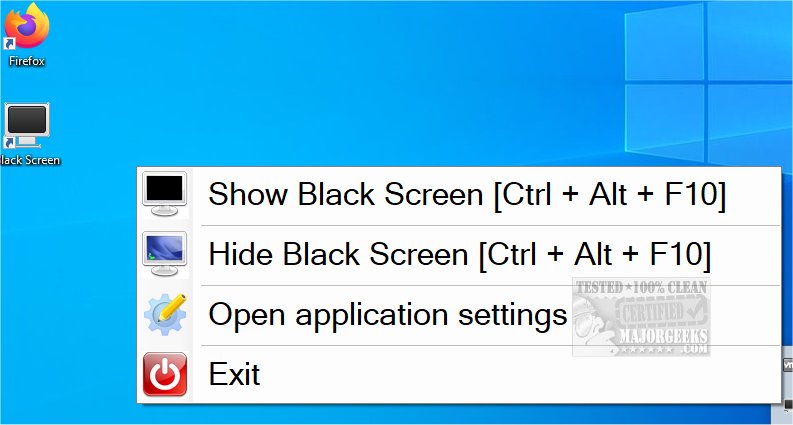
Black Screen version 1.12.56.0 / 1.12 is a compact utility designed to promote eye health for users who spend long hours in front of their computers. As remote work becomes increasingly common, tools that assist in maintaining well-being during extended screen time are essential. This application offers several beneficial features, including reminders to rest your eyes and take breaks, which are crucial for maintaining focus and reducing fatigue.
With a simple keyboard shortcut (Ctrl + Alt + F10), users can turn their screen black, effectively creating a break from the visual stimuli of their desktop. Pressing the shortcut again restores the screen to its normal state. Additionally, Black Screen allows users to customize break intervals, such as taking a 7-minute break after every 30 minutes of work, ensuring regular eye and mental rest.
For those seeking variation, the app also provides an alternative option where random or keyword-directed images can briefly appear on the screen, offering a momentary distraction to reset attention. This feature can be easily dismissed with a keystroke, allowing for quick transitions back to work.
As remote work continues to rise, incorporating tools like Black Screen not only enhances productivity but also supports overall eye health, making it a valuable addition to any home office setup. Moving forward, the development of such utilities could include more personalized settings, integration with other health apps, and perhaps reminders for physical activity, further enriching the work-from-home experience
With a simple keyboard shortcut (Ctrl + Alt + F10), users can turn their screen black, effectively creating a break from the visual stimuli of their desktop. Pressing the shortcut again restores the screen to its normal state. Additionally, Black Screen allows users to customize break intervals, such as taking a 7-minute break after every 30 minutes of work, ensuring regular eye and mental rest.
For those seeking variation, the app also provides an alternative option where random or keyword-directed images can briefly appear on the screen, offering a momentary distraction to reset attention. This feature can be easily dismissed with a keystroke, allowing for quick transitions back to work.
As remote work continues to rise, incorporating tools like Black Screen not only enhances productivity but also supports overall eye health, making it a valuable addition to any home office setup. Moving forward, the development of such utilities could include more personalized settings, integration with other health apps, and perhaps reminders for physical activity, further enriching the work-from-home experience
Black Screen 1.12.56.0 / 1.12 released
Black Screen is a small eye-saver utility designed for users who spend extended periods of time at their computers.