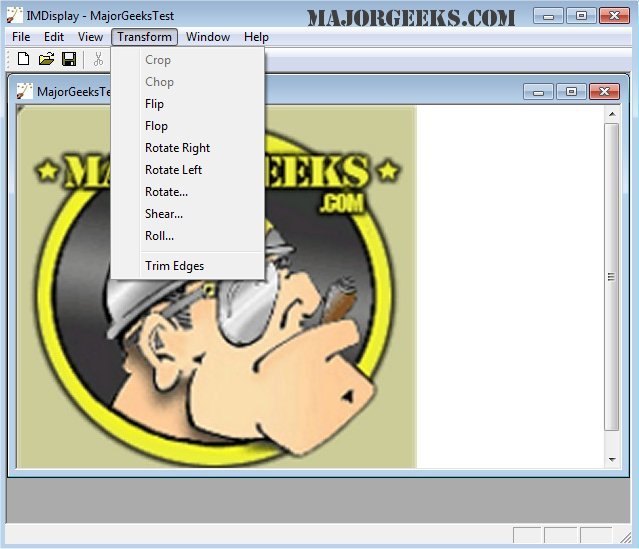
ImageMagick 7.1.2-27 has been released, enhancing its status as a comprehensive freeware graphics software suite designed for creating, editing, composing, and converting images across various platforms, including Windows, Linux, and Mac. This software supports over 100 image formats, such as DPX, EXR, GIF, JPEG, JPEG-2000, PDF, PhotoCD, PNG, Postscript, SVG, and TIFF.
Users can perform a wide range of functions with ImageMagick, including resizing, flipping, mirroring, rotating, and transforming images. Additionally, it offers tools to adjust colors, apply special effects, and create text or shapes within images. Whether using the command line or integrating with other programming languages, ImageMagick provides a flexible approach to image manipulation.
Key features of ImageMagick include:
- Format Conversion: Change images from one format to another (e.g., PNG to JPEG).
- Transformations: Resize, rotate, crop, and trim images.
- Transparency: Make parts of an image invisible.
- Drawing: Add shapes and text to images.
- Decorations: Apply borders or frames.
- Special Effects: Blur, sharpen, threshold, or tint images.
- Animation: Create GIFs from a sequence of images.
- Image Identification: Describe image formats and attributes.
- Compositing: Layer images on top of one another.
- Montage: Display image thumbnails on a canvas.
- Distortion Correction: Adjust for or create image distortions, including perspective.
- Shape Morphology: Analyze and recognize patterns within images.
- Motion Picture Support: Read and write common digital film formats.
- Image Calculations: Apply mathematical expressions to images.
- Fourier Transform: Execute forward and inverse discrete Fourier transforms.
- Color Management: Handle accurate color profiles and gamma adjustments.
- High Dynamic Range: Manage a broad range of intensity levels in images.
- Encryption: Convert images into unintelligible formats for security.
- Virtual Pixel Support: Access pixels beyond the image boundaries.
- Large Image Handling: Support for processing very large images.
- Multithreading: Optimize performance with parallel processing.
- Distributed Processing: Utilize remote storage for intermediate pixel data.
- OpenCL Support: Leverage heterogeneous processing across different hardware.
- Mobile Compatibility: Functions are available on iOS devices like iPhones and iPads.
As the software continues to evolve, users can expect ongoing improvements and additional features that enhance its utility in both professional and personal image manipulation tasks. The versatility of ImageMagick makes it an essential tool for anyone working with digital graphics.
In addition to its core functionalities, users may also find helpful resources on related topics, such as restoring the Windows Photo Viewer, viewing pictures as slideshows, and managing image editing options in Windows 10 and 11
Users can perform a wide range of functions with ImageMagick, including resizing, flipping, mirroring, rotating, and transforming images. Additionally, it offers tools to adjust colors, apply special effects, and create text or shapes within images. Whether using the command line or integrating with other programming languages, ImageMagick provides a flexible approach to image manipulation.
Key features of ImageMagick include:
- Format Conversion: Change images from one format to another (e.g., PNG to JPEG).
- Transformations: Resize, rotate, crop, and trim images.
- Transparency: Make parts of an image invisible.
- Drawing: Add shapes and text to images.
- Decorations: Apply borders or frames.
- Special Effects: Blur, sharpen, threshold, or tint images.
- Animation: Create GIFs from a sequence of images.
- Image Identification: Describe image formats and attributes.
- Compositing: Layer images on top of one another.
- Montage: Display image thumbnails on a canvas.
- Distortion Correction: Adjust for or create image distortions, including perspective.
- Shape Morphology: Analyze and recognize patterns within images.
- Motion Picture Support: Read and write common digital film formats.
- Image Calculations: Apply mathematical expressions to images.
- Fourier Transform: Execute forward and inverse discrete Fourier transforms.
- Color Management: Handle accurate color profiles and gamma adjustments.
- High Dynamic Range: Manage a broad range of intensity levels in images.
- Encryption: Convert images into unintelligible formats for security.
- Virtual Pixel Support: Access pixels beyond the image boundaries.
- Large Image Handling: Support for processing very large images.
- Multithreading: Optimize performance with parallel processing.
- Distributed Processing: Utilize remote storage for intermediate pixel data.
- OpenCL Support: Leverage heterogeneous processing across different hardware.
- Mobile Compatibility: Functions are available on iOS devices like iPhones and iPads.
As the software continues to evolve, users can expect ongoing improvements and additional features that enhance its utility in both professional and personal image manipulation tasks. The versatility of ImageMagick makes it an essential tool for anyone working with digital graphics.
In addition to its core functionalities, users may also find helpful resources on related topics, such as restoring the Windows Photo Viewer, viewing pictures as slideshows, and managing image editing options in Windows 10 and 11
ImageMagick 7.1.2-27 released
ImageMagick is an all-in-one freeware graphics software suite for creating, editing, composing, or converting images in Windows, Linux, and Mac.