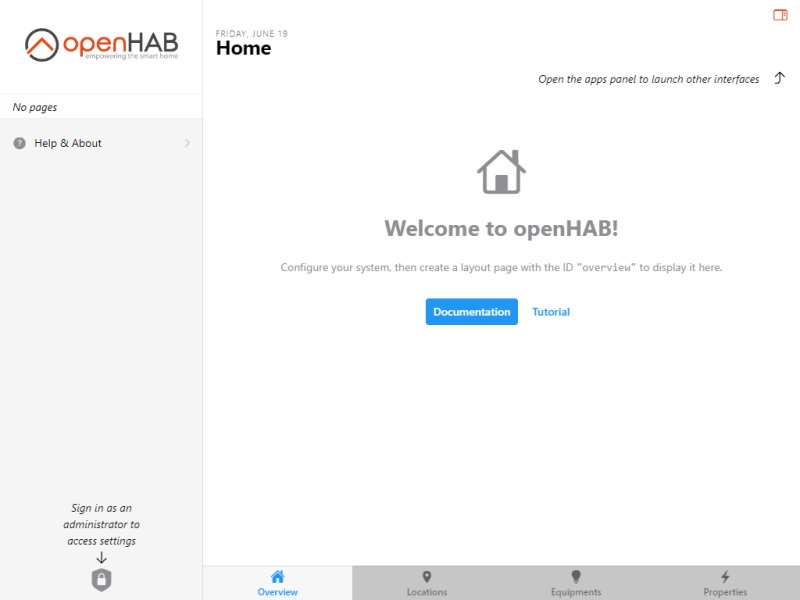
openHAB (Open Home Automation Bus) has released its latest version, 5.2.0, further solidifying its position as a leading open-source home automation platform. This flexible system enables users to unify and control a wide range of smart devices and gadgets without being tied to specific ecosystems. It caters to everyone, from casual home users to tech-savvy automation enthusiasts who value privacy and customization.
What is openHAB?
openHAB is designed to centralize control of various smart devices, allowing users to automate tasks such as dimming lights at 9 PM, watering lawns at 5 AM, or brewing coffee at 7 AM. To utilize openHAB, users need a compatible computer or server (such as a PC, laptop, or Raspberry Pi) with Java installed, along with smart devices for automation. The possibilities for home automation are vast, with a wide range of compatible sensors and devices available.
For beginners, smart plugs and Zigbee or Z-Wave devices are recommended starting points. Users can also explore options like Philips Hue smart bulbs for lighting automation, Aeotec Multi-Sensors for motion and temperature detection, and smart thermostats like Nest or Ecobee for climate control. Additionally, integration of smart cameras and video doorbells, such as Ring, is possible to create a comprehensive smart home system.
Versatility and Privacy
One of openHAB's standout features is its local installation, which prioritizes user privacy by keeping data within the home rather than relying on cloud services. While it does support cloud applications, users have control over their data and usage. The platform is compatible with multiple operating systems, including Windows, macOS, and Linux, making it accessible to a broad audience. Its customizable and modular design supports over 300 bindings for various devices and services, allowing users to create a tailored automation experience.
Getting Started with openHAB
Setting up openHAB varies by operating system. For Windows users, installation involves downloading the software, unzipping it, and running the start.bat file. Mac users will follow a similar process but will use the start.sh file instead. Linux and Raspberry Pi users are encouraged to refer to the official documentation for specific instructions. The platform supports a wide array of devices and protocols, including Zigbee, Z-Wave, MQTT, and HomeKit, enabling seamless integration with numerous smart devices.
To add devices, users navigate to Settings > Add-ons > Bindings in the openHAB dashboard, search for their device's protocol, and install the appropriate binding. Once installed, users can add devices by navigating to Settings > Things and following the prompts to discover compatible devices on their network.
Extending Functionality with Plugins
OpenHAB's functionality can be enhanced through plugins, referred to as bindings, which enable integration with various devices and services. Each binding acts as a bridge, allowing openHAB to control and automate different hardware and software ecosystems effectively.
The Geek Verdict
openHAB stands out as a powerful tool for smart home enthusiasts who value privacy, flexibility, and control over their automation systems. With over 300 supported bindings, users can integrate a vast array of devices into one cohesive system tailored to their preferences. The platform is free and community-driven, supported by active forums and extensive documentation. However, it does come with a steeper learning curve than many standard applications, requiring a degree of technical expertise and familiarity with Java to maximize its capabilities. For those who enjoy tinkering and customizing their smart home experience, openHAB offers a scalable and powerful solution.
Final Thoughts
As smart home technology continues to evolve, openHAB remains a robust choice for those seeking a flexible and privacy-focused automation platform. With a vibrant community and ongoing updates, users can expect continuous improvements and innovations to enhance their smart home experience. Whether you are just starting your journey into home automation or looking to expand an existing setup, openHAB provides the tools and flexibility to create a truly personalized smart home environment
What is openHAB?
openHAB is designed to centralize control of various smart devices, allowing users to automate tasks such as dimming lights at 9 PM, watering lawns at 5 AM, or brewing coffee at 7 AM. To utilize openHAB, users need a compatible computer or server (such as a PC, laptop, or Raspberry Pi) with Java installed, along with smart devices for automation. The possibilities for home automation are vast, with a wide range of compatible sensors and devices available.
For beginners, smart plugs and Zigbee or Z-Wave devices are recommended starting points. Users can also explore options like Philips Hue smart bulbs for lighting automation, Aeotec Multi-Sensors for motion and temperature detection, and smart thermostats like Nest or Ecobee for climate control. Additionally, integration of smart cameras and video doorbells, such as Ring, is possible to create a comprehensive smart home system.
Versatility and Privacy
One of openHAB's standout features is its local installation, which prioritizes user privacy by keeping data within the home rather than relying on cloud services. While it does support cloud applications, users have control over their data and usage. The platform is compatible with multiple operating systems, including Windows, macOS, and Linux, making it accessible to a broad audience. Its customizable and modular design supports over 300 bindings for various devices and services, allowing users to create a tailored automation experience.
Getting Started with openHAB
Setting up openHAB varies by operating system. For Windows users, installation involves downloading the software, unzipping it, and running the start.bat file. Mac users will follow a similar process but will use the start.sh file instead. Linux and Raspberry Pi users are encouraged to refer to the official documentation for specific instructions. The platform supports a wide array of devices and protocols, including Zigbee, Z-Wave, MQTT, and HomeKit, enabling seamless integration with numerous smart devices.
To add devices, users navigate to Settings > Add-ons > Bindings in the openHAB dashboard, search for their device's protocol, and install the appropriate binding. Once installed, users can add devices by navigating to Settings > Things and following the prompts to discover compatible devices on their network.
Extending Functionality with Plugins
OpenHAB's functionality can be enhanced through plugins, referred to as bindings, which enable integration with various devices and services. Each binding acts as a bridge, allowing openHAB to control and automate different hardware and software ecosystems effectively.
The Geek Verdict
openHAB stands out as a powerful tool for smart home enthusiasts who value privacy, flexibility, and control over their automation systems. With over 300 supported bindings, users can integrate a vast array of devices into one cohesive system tailored to their preferences. The platform is free and community-driven, supported by active forums and extensive documentation. However, it does come with a steeper learning curve than many standard applications, requiring a degree of technical expertise and familiarity with Java to maximize its capabilities. For those who enjoy tinkering and customizing their smart home experience, openHAB offers a scalable and powerful solution.
Final Thoughts
As smart home technology continues to evolve, openHAB remains a robust choice for those seeking a flexible and privacy-focused automation platform. With a vibrant community and ongoing updates, users can expect continuous improvements and innovations to enhance their smart home experience. Whether you are just starting your journey into home automation or looking to expand an existing setup, openHAB provides the tools and flexibility to create a truly personalized smart home environment
openHAB 5.2.0 released
openHAB is an Open-Source home automation platform that lets you unify and control various smart devices and gadgets.