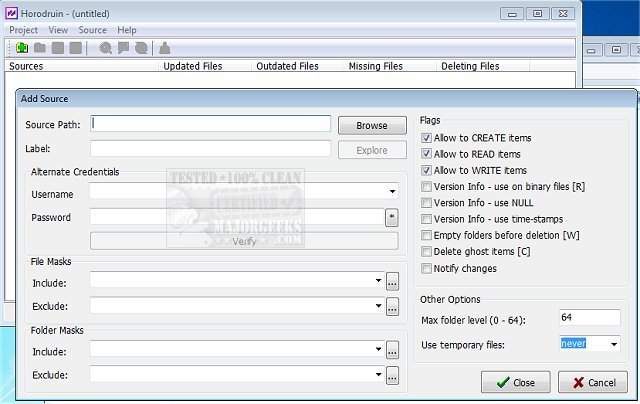
The latest release of Horodruin, version 2026.7.841.0, is a sophisticated tool designed for file and folder content analysis and synchronization, ensuring that your data remains current. Its user-friendly interface allows for efficient management of multiple folders (two or more) and offers customizable analysis settings to meet individual requirements. Users can apply various filtering options based on file masks, access rights, sizes, and other criteria, which also help to restrict copy actions.
Horodruin features a robust multi-threaded file copy engine that can utilize temporary files or overwrite existing files, while maintaining minimal registry usage solely for Explorer integration. This software is primarily geared towards advanced users, who will appreciate its comprehensive capabilities.
In addition to its main functionalities, Horodruin's release has sparked discussions around related topics such as effective drive cleaning tools like CCleaner, Wise Disk Cleaner, and PrivaZer, as well as inquiries about system folders in Windows, including $Windows.~Bt and $SysReset, and how to manage them effectively.
Looking ahead, future updates to Horodruin may focus on enhancing user accessibility, expanding filtering options, and improving performance efficiency. There could also be potential integration with cloud storage solutions to facilitate remote file synchronization, making it an even more powerful tool for users who need to manage data across multiple devices
Horodruin features a robust multi-threaded file copy engine that can utilize temporary files or overwrite existing files, while maintaining minimal registry usage solely for Explorer integration. This software is primarily geared towards advanced users, who will appreciate its comprehensive capabilities.
In addition to its main functionalities, Horodruin's release has sparked discussions around related topics such as effective drive cleaning tools like CCleaner, Wise Disk Cleaner, and PrivaZer, as well as inquiries about system folders in Windows, including $Windows.~Bt and $SysReset, and how to manage them effectively.
Looking ahead, future updates to Horodruin may focus on enhancing user accessibility, expanding filtering options, and improving performance efficiency. There could also be potential integration with cloud storage solutions to facilitate remote file synchronization, making it an even more powerful tool for users who need to manage data across multiple devices
Horodruin 2026.7.841.0 released
Horodruin is a tool that allows file/folder content analysis and synchronizing to keep them current.