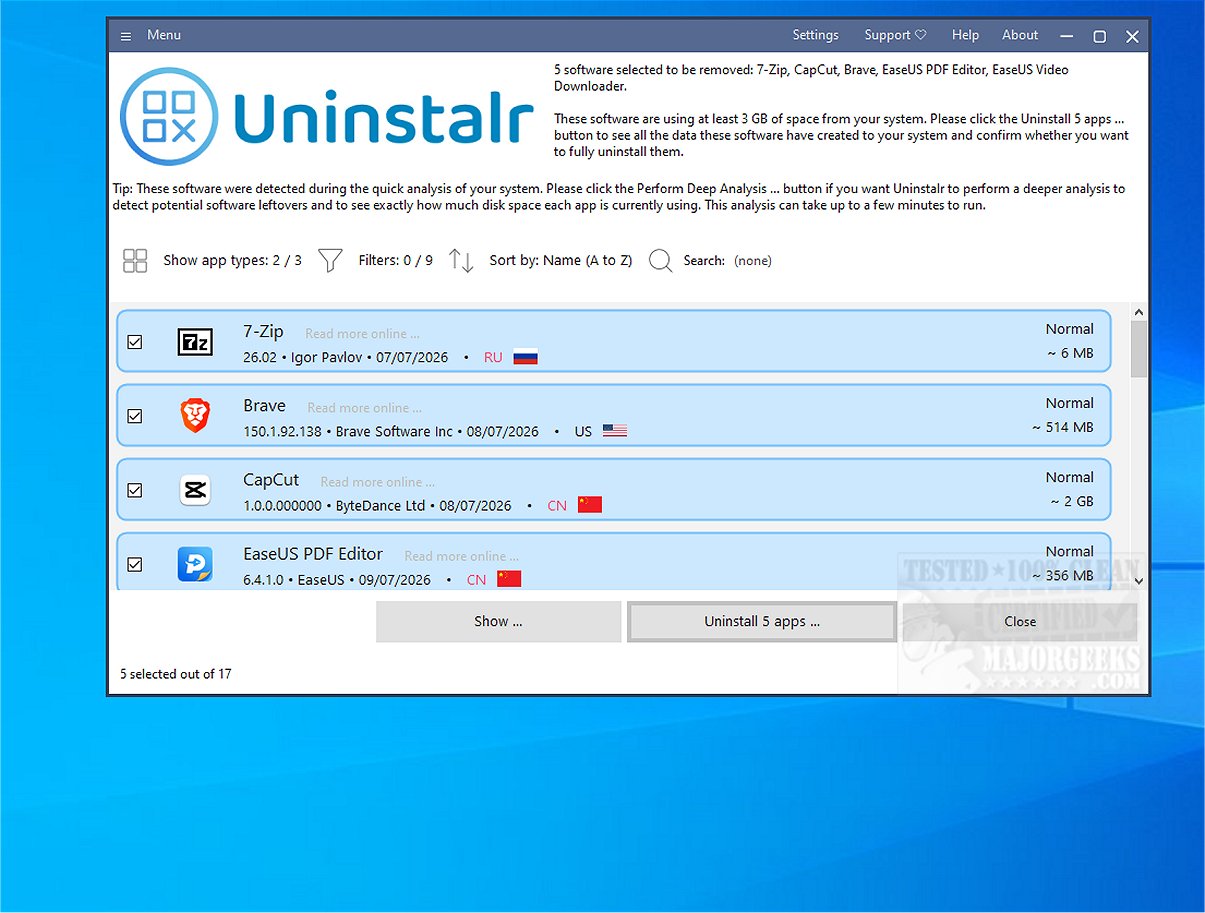
Uninstalr 3.2 has been released, enhancing the process of uninstalling applications on your device. This software features a user-friendly interface that lists all uninstallable apps, allowing for a straightforward selection process. Users can perform multiple uninstalls simultaneously, and Uninstalr efficiently manages the removal of leftover files automatically, streamlining the overall experience.
The scanning phase, which identifies software eligible for uninstallation, may take some time, particularly if many applications are present. However, once initiated, users can simply check off the apps they wish to uninstall. A noteworthy feature is the ability to batch uninstall applications and conduct unattended uninstallation, meaning users can step away from their machines while the process continues. Additionally, Uninstalr is capable of detecting portable applications and remnants of previously uninstalled software.
Uninstalr also offers monitoring capabilities for new software installations, along with detailed insights into the data added to your system by installed software, organized on a file-by-file basis. Before proceeding with an uninstallation, the software provides a summary of the data set to be removed, ensuring users are informed.
Users can filter and search through their list of installed software easily. By default, Uninstalr removes all associated applications during an uninstallation and restarts the system afterward to eliminate any leftover data. However, customization options are available, allowing users to exclude certain components, such as Windows built-in apps.
Overall, Uninstalr serves as a robust alternative to the standard Windows uninstaller, providing additional features that enhance usability and efficiency.
Extension: In addition to its core functionalities, future updates of Uninstalr could introduce features such as a cloud backup option for important application settings before uninstallation, integration with antivirus software to ensure that uninstalled applications do not leave behind malicious files, and a community feedback system that could help improve the software based on user suggestions. Furthermore, a mobile version of Uninstalr could be developed to assist users in managing apps on their smartphones and tablets, thus expanding its utility across different devices and operating systems
The scanning phase, which identifies software eligible for uninstallation, may take some time, particularly if many applications are present. However, once initiated, users can simply check off the apps they wish to uninstall. A noteworthy feature is the ability to batch uninstall applications and conduct unattended uninstallation, meaning users can step away from their machines while the process continues. Additionally, Uninstalr is capable of detecting portable applications and remnants of previously uninstalled software.
Uninstalr also offers monitoring capabilities for new software installations, along with detailed insights into the data added to your system by installed software, organized on a file-by-file basis. Before proceeding with an uninstallation, the software provides a summary of the data set to be removed, ensuring users are informed.
Users can filter and search through their list of installed software easily. By default, Uninstalr removes all associated applications during an uninstallation and restarts the system afterward to eliminate any leftover data. However, customization options are available, allowing users to exclude certain components, such as Windows built-in apps.
Overall, Uninstalr serves as a robust alternative to the standard Windows uninstaller, providing additional features that enhance usability and efficiency.
Extension: In addition to its core functionalities, future updates of Uninstalr could introduce features such as a cloud backup option for important application settings before uninstallation, integration with antivirus software to ensure that uninstalled applications do not leave behind malicious files, and a community feedback system that could help improve the software based on user suggestions. Furthermore, a mobile version of Uninstalr could be developed to assist users in managing apps on their smartphones and tablets, thus expanding its utility across different devices and operating systems
Uninstalr 3.2 released
Uninstalr makes uninstalling simple, with support for multiple simultaneous uninstalls and more.