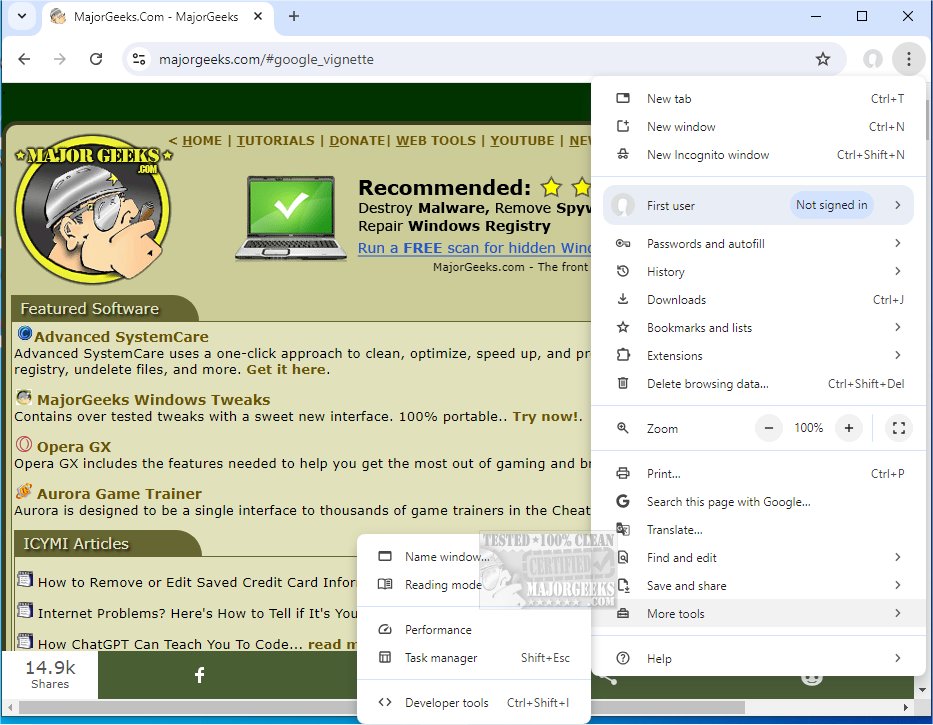
The latest version, Google Chrome 149.0.7827.156, continues to embody the qualities that have made it a leading web browser: speed, simplicity, and security. This version emphasizes not only a minimalistic design but also advanced functionality, catering to both casual users and tech enthusiasts alike.
Why Google Chrome Stands Out
Google Chrome serves as a versatile tool for navigating the internet, offering lightning-fast page loads and an intuitive interface that enhances user experience. Its ability to manage multiple tabs efficiently and provide robust security features—such as Incognito Mode and built-in malware protection—further solidifies its reputation. One of Chrome's standout features is its seamless synchronization with Google accounts, allowing users to access bookmarks, extensions, and saved passwords across devices effortlessly.
Key Features and Functionality
- Supercharged Speed: Chrome is engineered for speed, ensuring quick boot-up and rapid loading times for web apps.
- Minimalist Design: The browser's clean UI allows users to focus on content rather than being distracted by unnecessary menus.
- Effective Tab Management: Users can easily manage multiple tabs, recover closed tabs, and enjoy independent tab processes to prevent crashes from affecting others.
- Privacy and Security: Chrome prioritizes user safety with features that detect phishing and malware, alongside regular updates to combat emerging threats.
- Extensions and Customization: With access to thousands of extensions from the Chrome Web Store, users can personalize their browsing experience significantly.
- Smart Search Bar (Omnibox): The Omnibox simplifies searching, allowing users to enter queries, URLs, or calculations all in one place.
- Cross-Device Sync: The browser syncs user settings and history across devices, facilitating a seamless browsing experience.
- Custom Profiles: Chrome allows the creation of multiple profiles for different users or purposes, keeping settings and bookmarks organized.
Everyday Use and Practicality
Chrome excels not only in speed but also in its ability to handle various tasks efficiently, such as streaming high-definition videos and expediting online shopping with autofill features. Its customizable settings enable users to tailor their privacy and browsing preferences, making every online experience personal.
Pros and Cons
Pros:
- Exceptional speed and performance.
- Seamless synchronization across devices.
- Strong privacy and security measures.
- Extensive library of extensions for customization.
Cons:
- Higher resource usage, consuming more RAM compared to some competitors.
- Heavy integration with Google services, which may not appeal to everyone.
Conclusion
Google Chrome's blend of speed, reliability, and an extensive feature set cements its status as a top choice for internet users. While it can be resource-intensive, its advantages far outweigh its drawbacks. This latest release is a testament to Chrome's commitment to providing an unparalleled browsing experience. For anyone who spends significant time online, Google Chrome is an essential download, and once experienced, many users find it hard to switch back to other browsers.
Additional Resources:
- Explore ways to enhance your browsing experience with Chrome flags.
- Learn how to optimize Chrome and other browsers for better performance.
- Utilize Chrome's built-in malware scanner for additional security.
Chrome Portable is also available for users who prefer portability in their browsing experience
Why Google Chrome Stands Out
Google Chrome serves as a versatile tool for navigating the internet, offering lightning-fast page loads and an intuitive interface that enhances user experience. Its ability to manage multiple tabs efficiently and provide robust security features—such as Incognito Mode and built-in malware protection—further solidifies its reputation. One of Chrome's standout features is its seamless synchronization with Google accounts, allowing users to access bookmarks, extensions, and saved passwords across devices effortlessly.
Key Features and Functionality
- Supercharged Speed: Chrome is engineered for speed, ensuring quick boot-up and rapid loading times for web apps.
- Minimalist Design: The browser's clean UI allows users to focus on content rather than being distracted by unnecessary menus.
- Effective Tab Management: Users can easily manage multiple tabs, recover closed tabs, and enjoy independent tab processes to prevent crashes from affecting others.
- Privacy and Security: Chrome prioritizes user safety with features that detect phishing and malware, alongside regular updates to combat emerging threats.
- Extensions and Customization: With access to thousands of extensions from the Chrome Web Store, users can personalize their browsing experience significantly.
- Smart Search Bar (Omnibox): The Omnibox simplifies searching, allowing users to enter queries, URLs, or calculations all in one place.
- Cross-Device Sync: The browser syncs user settings and history across devices, facilitating a seamless browsing experience.
- Custom Profiles: Chrome allows the creation of multiple profiles for different users or purposes, keeping settings and bookmarks organized.
Everyday Use and Practicality
Chrome excels not only in speed but also in its ability to handle various tasks efficiently, such as streaming high-definition videos and expediting online shopping with autofill features. Its customizable settings enable users to tailor their privacy and browsing preferences, making every online experience personal.
Pros and Cons
Pros:
- Exceptional speed and performance.
- Seamless synchronization across devices.
- Strong privacy and security measures.
- Extensive library of extensions for customization.
Cons:
- Higher resource usage, consuming more RAM compared to some competitors.
- Heavy integration with Google services, which may not appeal to everyone.
Conclusion
Google Chrome's blend of speed, reliability, and an extensive feature set cements its status as a top choice for internet users. While it can be resource-intensive, its advantages far outweigh its drawbacks. This latest release is a testament to Chrome's commitment to providing an unparalleled browsing experience. For anyone who spends significant time online, Google Chrome is an essential download, and once experienced, many users find it hard to switch back to other browsers.
Additional Resources:
- Explore ways to enhance your browsing experience with Chrome flags.
- Learn how to optimize Chrome and other browsers for better performance.
- Utilize Chrome's built-in malware scanner for additional security.
Chrome Portable is also available for users who prefer portability in their browsing experience
Google Chrome 149.0.7827.156 released
Google Chrome is a web browser that combines a minimal design with sophisticated technology to make the web faster, safer, and easier. Chrome Portable is also available.