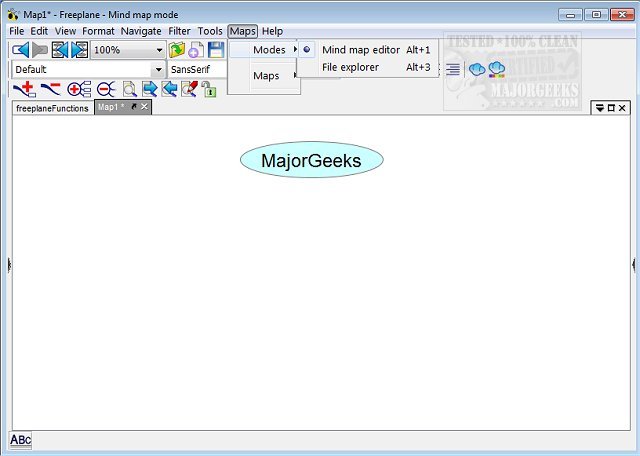
Freeplane version 1.13.4 has been released, enhancing its capabilities as a versatile mind-mapping application. This tool is ideal for organizing and preserving ideas generated during brainstorming sessions, offering users the ability to create detailed mind maps and analyze the information within them. Freeplane is compatible with any operating system that supports a current version of Java, making it widely accessible.
The user interface, while feature-rich, is designed to be intuitive, allowing users to easily incorporate various elements into their mind maps, such as symbols (questions, exclamation marks, stars, etc.) and templates to facilitate map creation. Noteworthy features of Freeplane include:
- Note-taking with flexible, unconnected nodes akin to post-it notes.
- Hierarchical organization of ideas through interconnected nodes.
- Metadata classification of nodes, enabling user-defined styles.
- Visual grouping of nodes using containers and summary nodes.
- Dynamic linking and labeling of nodes to enhance connectivity.
- Automatic styling that adjusts based on hierarchy and content.
- Content structuring, including text, scientific formulas, images, and hyperlinks.
- View customization options, such as folding branches and filtering content.
- Task management tools with calendar and reminder functionalities.
- Security features including password protection and encryption.
- User-friendly editing tools and multi-language support.
- Advanced search capabilities that allow for approximate term matching.
- Support for LaTeX within nodes for mathematical expressions.
- Extensibility through add-ons and custom scripts.
- Integration with the Docear academic literature suite.
- Comprehensive community support via Wiki, Forum, and tutorials presented in mind map format.
In addition to these features, Freeplane's latest release continues to enhance user experience by integrating feedback and improving functionality, making it an essential tool for anyone looking to streamline their thought processes and project management through effective mind mapping. As users increasingly rely on digital solutions for organization and idea generation, Freeplane’s robust set of features positions it as a leader in the mind-mapping software landscape. Future updates could potentially include improved collaboration features, enhanced visualization tools, or integration with more third-party applications to further expand its utility
The user interface, while feature-rich, is designed to be intuitive, allowing users to easily incorporate various elements into their mind maps, such as symbols (questions, exclamation marks, stars, etc.) and templates to facilitate map creation. Noteworthy features of Freeplane include:
- Note-taking with flexible, unconnected nodes akin to post-it notes.
- Hierarchical organization of ideas through interconnected nodes.
- Metadata classification of nodes, enabling user-defined styles.
- Visual grouping of nodes using containers and summary nodes.
- Dynamic linking and labeling of nodes to enhance connectivity.
- Automatic styling that adjusts based on hierarchy and content.
- Content structuring, including text, scientific formulas, images, and hyperlinks.
- View customization options, such as folding branches and filtering content.
- Task management tools with calendar and reminder functionalities.
- Security features including password protection and encryption.
- User-friendly editing tools and multi-language support.
- Advanced search capabilities that allow for approximate term matching.
- Support for LaTeX within nodes for mathematical expressions.
- Extensibility through add-ons and custom scripts.
- Integration with the Docear academic literature suite.
- Comprehensive community support via Wiki, Forum, and tutorials presented in mind map format.
In addition to these features, Freeplane's latest release continues to enhance user experience by integrating feedback and improving functionality, making it an essential tool for anyone looking to streamline their thought processes and project management through effective mind mapping. As users increasingly rely on digital solutions for organization and idea generation, Freeplane’s robust set of features positions it as a leader in the mind-mapping software landscape. Future updates could potentially include improved collaboration features, enhanced visualization tools, or integration with more third-party applications to further expand its utility
Freeplane 1.13.4 released
Freeplane is a mind-mapping app that gives you the perfect vehicle for keeping your brainstorming session ideas organized and saved.