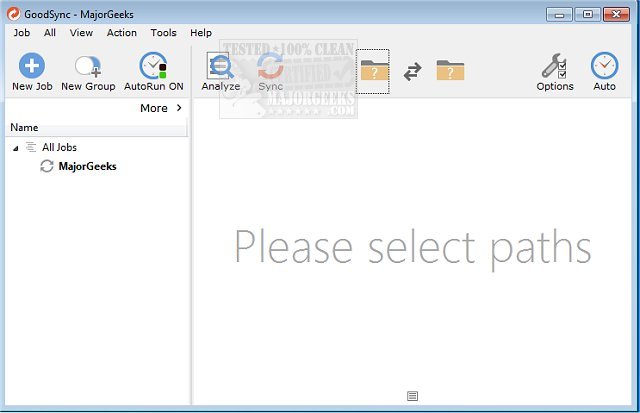
GoodSync 12.11.1 has been released, offering robust file backup and synchronization options that operate without relying on cloud services. This software enables users to efficiently sync files across various devices, including computers, mobile devices, and external drives.
GoodSync is versatile in its backup capabilities, allowing synchronization between local machines and mobile devices, as well as with cloud services such as FTP, Amazon S3, Google Drive, and Azure. Additionally, it supports backing up to portable drives and other computers, providing flexibility in data management.
The software can operate on-demand or be scheduled for automatic backups, and it even offers real-time syncing to capture changes to files immediately. It ensures the security of critical files—such as photos, financial documents, MP3s, and emails—by utilizing third-party servers when necessary.
With this latest version, users can benefit from streamlined processes and enhanced functionality, making GoodSync a reliable choice for maintaining data integrity and accessibility. As data management needs evolve, GoodSync continues to adapt, ensuring users have the tools they need for secure and efficient file handling.
In addition, users seeking to optimize their system performance may find interest in related topics, such as resetting or reinstalling Windows 10 using cloud options or doing so without losing important files. These resources can complement the use of GoodSync for comprehensive data protection and system management
GoodSync is versatile in its backup capabilities, allowing synchronization between local machines and mobile devices, as well as with cloud services such as FTP, Amazon S3, Google Drive, and Azure. Additionally, it supports backing up to portable drives and other computers, providing flexibility in data management.
The software can operate on-demand or be scheduled for automatic backups, and it even offers real-time syncing to capture changes to files immediately. It ensures the security of critical files—such as photos, financial documents, MP3s, and emails—by utilizing third-party servers when necessary.
With this latest version, users can benefit from streamlined processes and enhanced functionality, making GoodSync a reliable choice for maintaining data integrity and accessibility. As data management needs evolve, GoodSync continues to adapt, ensuring users have the tools they need for secure and efficient file handling.
In addition, users seeking to optimize their system performance may find interest in related topics, such as resetting or reinstalling Windows 10 using cloud options or doing so without losing important files. These resources can complement the use of GoodSync for comprehensive data protection and system management
GoodSync 12.11.1 released
GoodSync will backup and sync your files between your computer, mobile device, or drive without any need for the cloud.