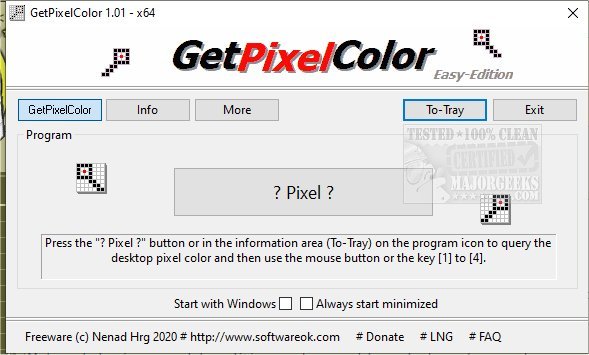
GetPixelColor version 3.61 has been released, enhancing its functionality as a practical tool for identifying pixel color values. This utility is particularly useful for graphic designers, web administrators, and anyone interested in exploring color values, including those who simply wish to familiarize themselves with RGB color space in an engaging way. One of its notable features is the ability to determine the pixel color located at a specific coordinate on the desktop background, such as X: 235 and Y: 133.
Unlike standard Windows functions, GetPixelColor was developed by the author as a standalone tool to query color values in formats like RGB, RGBA, and HLS. Originally a subroutine in DesktopOK, GetPixelColor caters to users of all skill levels, from novices to seasoned graphic designers. Its user-friendly interface allows users to click a button marked '? Pixel ?', drag a box over the area of interest on their desktop, and then click to obtain the color information. Users can easily copy the color values to the clipboard using keyboard shortcuts.
Key features of GetPixelColor include:
- The ability to query a variety of color values (RGB, RGBA, HLS, etc.)
- Access to pixel information via the taskbar’s info area
- Adjustable pixel selection through a color palette
- An optional feature to start the application automatically with Windows
Additionally, this tool can prove beneficial for users with visual impairments by allowing them to adjust color filters in Windows 10/11 to accommodate color blindness.
In conclusion, GetPixelColor 3.61 is an essential tool for anyone working with colors on digital platforms, offering a simple yet effective way to engage with color details in their projects. With its intuitive design and robust features, it remains an invaluable resource for both casual users and professionals alike
GetPixelColor 3.61 released
GetPixelColor is a handy tool for determining pixel color values.