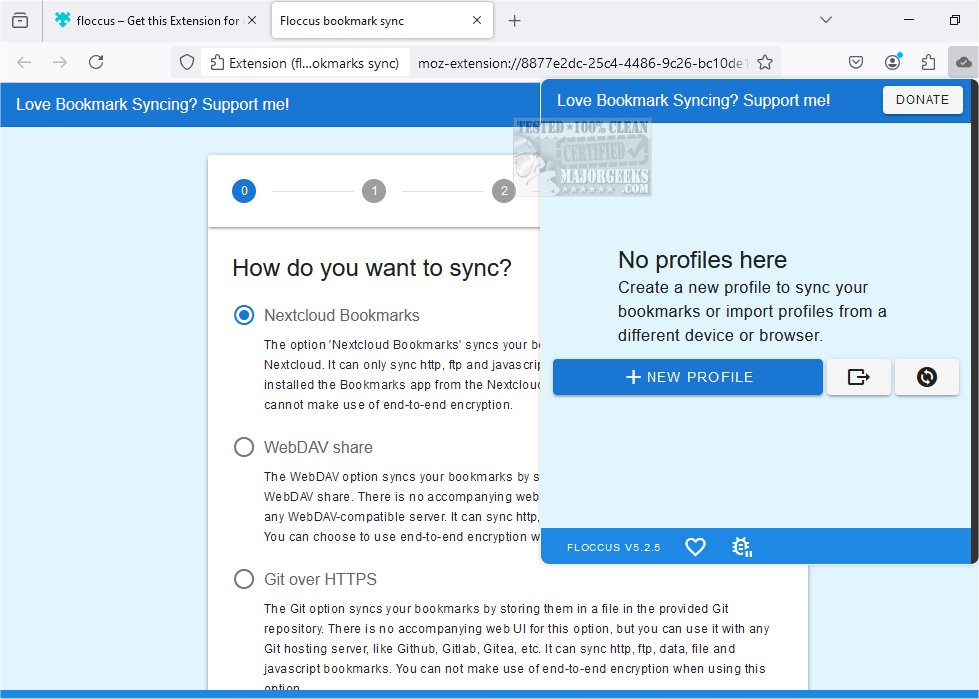
Floccus 5.12.0 has been released, enhancing its functionality as a tool for synchronizing bookmarks across various browsers and devices while maintaining user privacy. Unlike conventional bookmark managers that require users to adapt to a new interface, Floccus allows users to manage their bookmarks using the native features of their browsers. It serves solely as a synchronization tool, ensuring an effortless experience by harmonizing bookmarks across platforms.
To utilize Floccus for bookmark synchronization, users need to connect to a syncing server that acts as an intermediary, accessible from all their devices. Floccus provides multiple options for this, with Google Drive being the most straightforward choice. For those concerned about privacy, bookmarks can be encrypted before syncing. Additionally, users can opt for WebDAV, which is compatible with many cloud storage services. One of the most user-friendly methods for synchronization is through Nextcloud Bookmarks, an open-source cloud collaboration platform that can be self-hosted or accessed as a service. With Nextcloud, users can install the Bookmarks app and configure Floccus to sync their bookmarks, enabling remote access from anywhere, such as an internet café in Malawi.
Key features of Floccus include:
- Direct synchronization of real, native browser bookmarks
- Compatibility with various syncing options, including Nextcloud Bookmarks, Google Drive, Git servers, and WebDAV services
- Support for multiple web browsers that utilize web extensions, such as Firefox, Chrome, Edge, Opera, Brave, and Vivaldi
- An Android app for mobile access to bookmarks
- The ability to create multiple sync profiles
- Customizable sync strategies (uni- or bidirectional), intervals, and folders
- Easy export of configuration settings
- Enhanced security through an encryption passphrase for credentials
In addition to its core functionalities, Floccus also offers users related features such as exporting or importing Google Chrome bookmarks to HTML and creating desktop shortcuts for Chrome bookmarks. It provides guidance on transferring bookmarks and settings from Firefox to Google Chrome, ensuring a comprehensive solution for bookmark management across different platforms.
As bookmark management continues to evolve, tools like Floccus play a vital role in providing users with the flexibility and privacy they need in a multi-device environment. Future updates may focus on expanding integration with more cloud services, enhancing user experience, and further increasing security measures
To utilize Floccus for bookmark synchronization, users need to connect to a syncing server that acts as an intermediary, accessible from all their devices. Floccus provides multiple options for this, with Google Drive being the most straightforward choice. For those concerned about privacy, bookmarks can be encrypted before syncing. Additionally, users can opt for WebDAV, which is compatible with many cloud storage services. One of the most user-friendly methods for synchronization is through Nextcloud Bookmarks, an open-source cloud collaboration platform that can be self-hosted or accessed as a service. With Nextcloud, users can install the Bookmarks app and configure Floccus to sync their bookmarks, enabling remote access from anywhere, such as an internet café in Malawi.
Key features of Floccus include:
- Direct synchronization of real, native browser bookmarks
- Compatibility with various syncing options, including Nextcloud Bookmarks, Google Drive, Git servers, and WebDAV services
- Support for multiple web browsers that utilize web extensions, such as Firefox, Chrome, Edge, Opera, Brave, and Vivaldi
- An Android app for mobile access to bookmarks
- The ability to create multiple sync profiles
- Customizable sync strategies (uni- or bidirectional), intervals, and folders
- Easy export of configuration settings
- Enhanced security through an encryption passphrase for credentials
In addition to its core functionalities, Floccus also offers users related features such as exporting or importing Google Chrome bookmarks to HTML and creating desktop shortcuts for Chrome bookmarks. It provides guidance on transferring bookmarks and settings from Firefox to Google Chrome, ensuring a comprehensive solution for bookmark management across different platforms.
As bookmark management continues to evolve, tools like Floccus play a vital role in providing users with the flexibility and privacy they need in a multi-device environment. Future updates may focus on expanding integration with more cloud services, enhancing user experience, and further increasing security measures
Floccus 5.12.0 released
Floccus allows you to sync your bookmarks across different browsers and devices privately.