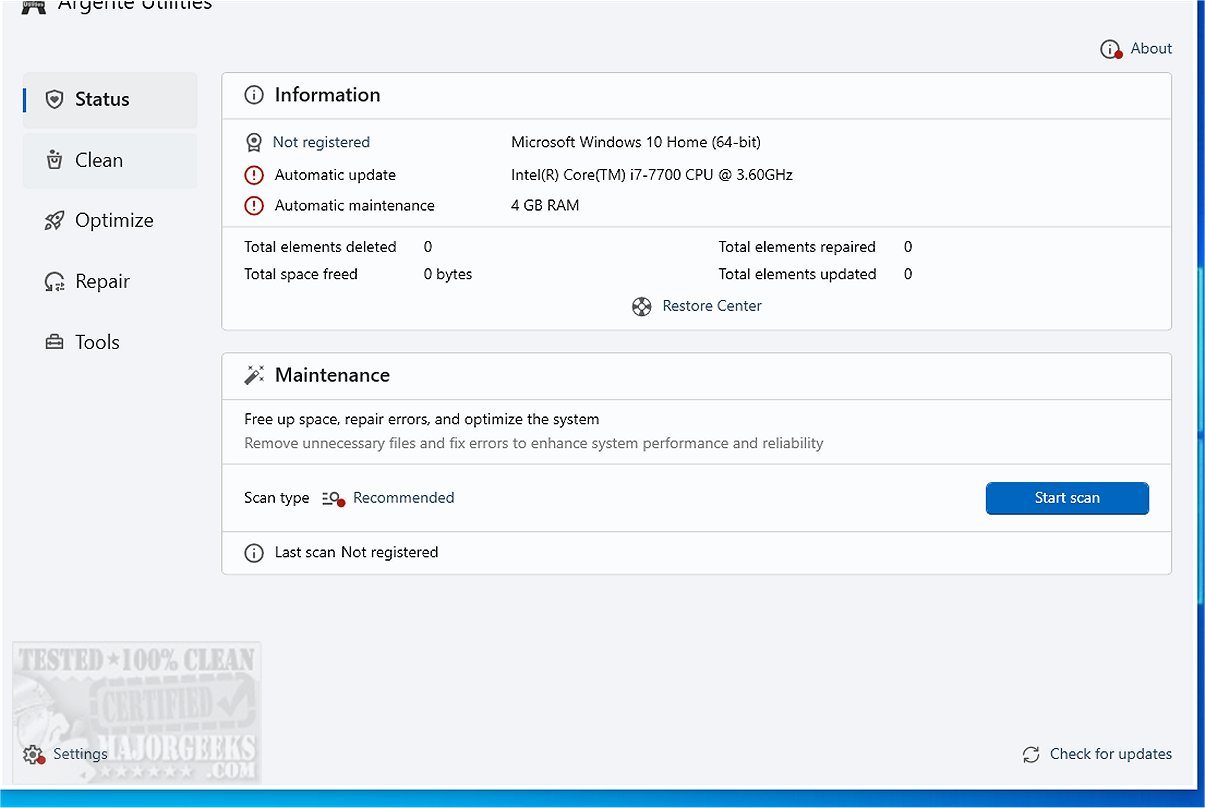
Argente Utilities has released version 3.1.0.6, a comprehensive software suite designed to help users optimize, clean, protect, and fine-tune their computers. This utility suite consolidates a variety of tools into a single platform, facilitating ease of access and deployment for maintaining system performance. Among its features is a one-click maintenance option that allows users to quickly identify and resolve common system issues.
The software is organized into four main categories, each containing specialized tools:
1. Argente Disk Analyzer: Analyzes and optimizes disk storage.
2. Argente System Manager: Automates system configurations, manages application installations and uninstalls, and enhances overall performance.
3. Registry Cleaner: Cleans the Windows registry to improve system efficiency.
4. Disk Cleaner: Searches local drives for unnecessary files to free up space.
5. Uninstall Manager: Handles the management of installed applications.
6. StartUp Manager: Controls which programs launch with Windows.
7. Software Updater: Ensures that applications are kept up-to-date.
8. Duplicate Finder: Helps users locate and remove duplicate files.
9. Malware Cleaner: Detects and removes malicious software and security threats.
10. System Repair: Addresses common Windows errors.
11. Argente Data Shredder: Protects sensitive data by securely deleting files and folders.
12. Argente Password Manager: Enables users to create an encrypted database for safely storing passwords.
In summary, Argente Utilities 3.1.0.6 is an all-encompassing toolset that not only streamlines the maintenance of personal computers but also enhances security and performance. With its user-friendly interface and a diverse array of functionalities, it caters to users looking to optimize their system efficiently. Future updates could potentially include additional features such as cloud integration for data backup, enhanced user interface options, or support for more operating system versions to further broaden its usability
The software is organized into four main categories, each containing specialized tools:
1. Argente Disk Analyzer: Analyzes and optimizes disk storage.
2. Argente System Manager: Automates system configurations, manages application installations and uninstalls, and enhances overall performance.
3. Registry Cleaner: Cleans the Windows registry to improve system efficiency.
4. Disk Cleaner: Searches local drives for unnecessary files to free up space.
5. Uninstall Manager: Handles the management of installed applications.
6. StartUp Manager: Controls which programs launch with Windows.
7. Software Updater: Ensures that applications are kept up-to-date.
8. Duplicate Finder: Helps users locate and remove duplicate files.
9. Malware Cleaner: Detects and removes malicious software and security threats.
10. System Repair: Addresses common Windows errors.
11. Argente Data Shredder: Protects sensitive data by securely deleting files and folders.
12. Argente Password Manager: Enables users to create an encrypted database for safely storing passwords.
In summary, Argente Utilities 3.1.0.6 is an all-encompassing toolset that not only streamlines the maintenance of personal computers but also enhances security and performance. With its user-friendly interface and a diverse array of functionalities, it caters to users looking to optimize their system efficiently. Future updates could potentially include additional features such as cloud integration for data backup, enhanced user interface options, or support for more operating system versions to further broaden its usability
Argente Utilities 3.1.0.6 released
Argente Utilities includes multiple tools intended to assist in analyzing, optimizing, cleaning, protecting and the overall tweaking of your machine.