MemoryCleaner 3.0.1 has been released, offering an easy-to-use solution for optimizing your computer's memory with just one click. This tool features a simple, user-friendly interface that makes it accessible even for those who are not tech-savvy. Users can monitor their physical and virtual memory through live counters displayed on the screen.
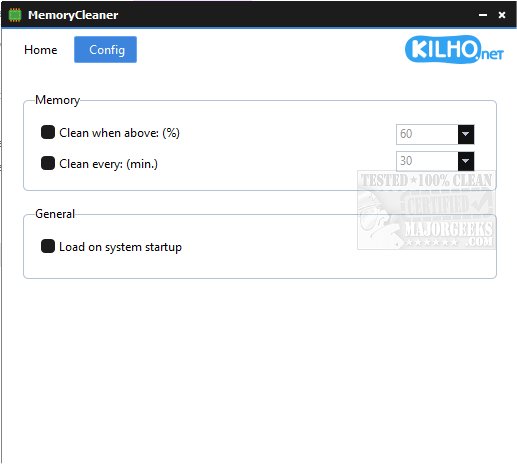
The software includes a primary function button for memory cleaning, as well as several configuration options for automated cleaning. Users can set the tool to activate when memory usage exceeds a certain percentage or at specified time intervals. Additionally, MemoryCleaner can be configured to launch automatically when the system starts, ensuring that memory maintenance is handled without requiring user intervention.
In essence, MemoryCleaner serves as an efficient and straightforward tool for both manual and automatic memory management, making it an ideal choice for users looking to enhance their system's performance with minimal effort.
Extension: Beyond its core functionalities, MemoryCleaner could benefit from additional features such as a detailed performance report, which would give users insights into memory usage trends over time. Furthermore, integrating support for multiple languages could broaden its accessibility to non-English speakers. Regular updates and user feedback mechanisms could also improve the tool's efficiency and user satisfaction. Moreover, including a feature that identifies memory-hogging applications could help users make informed decisions about which programs to manage or close
The software includes a primary function button for memory cleaning, as well as several configuration options for automated cleaning. Users can set the tool to activate when memory usage exceeds a certain percentage or at specified time intervals. Additionally, MemoryCleaner can be configured to launch automatically when the system starts, ensuring that memory maintenance is handled without requiring user intervention.
In essence, MemoryCleaner serves as an efficient and straightforward tool for both manual and automatic memory management, making it an ideal choice for users looking to enhance their system's performance with minimal effort.
Extension: Beyond its core functionalities, MemoryCleaner could benefit from additional features such as a detailed performance report, which would give users insights into memory usage trends over time. Furthermore, integrating support for multiple languages could broaden its accessibility to non-English speakers. Regular updates and user feedback mechanisms could also improve the tool's efficiency and user satisfaction. Moreover, including a feature that identifies memory-hogging applications could help users make informed decisions about which programs to manage or close
MemoryCleaner 3.0.1 released
MemoryCleaner is a straightforward tool to help your machine's memory with a single click.