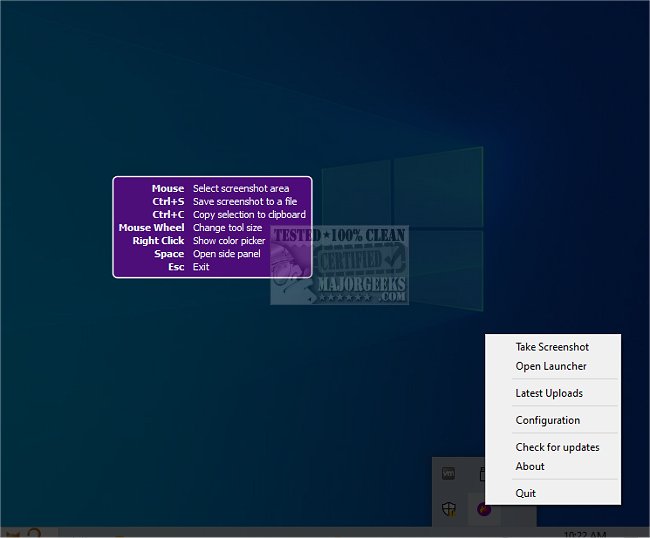
Flameshot 15.0.0 has been released, enhancing its reputation as a powerful, open-source screenshot tool that operates across multiple platforms. This application is designed to streamline the process of capturing and editing screenshots with a range of built-in features that save users time. Flameshot's interface is highly customizable, allowing users to adjust colors, shortcuts, image-saving preferences, and button configurations to fit their individual needs.
One standout feature of Flameshot is its ability to upload screenshots directly to the cloud, simplifying the sharing process. Users can effortlessly upload images to Imgur with a single click, providing easy access to shareable URLs—an invaluable tool for those who regularly disseminate images.
The user experience is intuitive: launching Flameshot allows you to drag a selection box over the desired area, annotate as needed, and save the image swiftly. The application includes robust editing tools enabling users to add arrows, highlight sections, blur or pixelate parts of the image, insert text, draw, create borders, add numbered counters, and place solid-colored boxes.
For anyone who frequently takes screenshots for work or leisure, Flameshot is likely to become an essential application due to its practical features and user-friendly design.
In addition to its many capabilities, users might also explore related topics such as taking screenshots in Windows 10 and 11, creating screen snip shortcuts, resetting screenshot index counters, ensuring high-resolution captures, and adding sound effects when using the Print Screen function. Overall, Flameshot continues to be an indispensable tool for anyone needing efficient and effective screenshot solutions
One standout feature of Flameshot is its ability to upload screenshots directly to the cloud, simplifying the sharing process. Users can effortlessly upload images to Imgur with a single click, providing easy access to shareable URLs—an invaluable tool for those who regularly disseminate images.
The user experience is intuitive: launching Flameshot allows you to drag a selection box over the desired area, annotate as needed, and save the image swiftly. The application includes robust editing tools enabling users to add arrows, highlight sections, blur or pixelate parts of the image, insert text, draw, create borders, add numbered counters, and place solid-colored boxes.
For anyone who frequently takes screenshots for work or leisure, Flameshot is likely to become an essential application due to its practical features and user-friendly design.
In addition to its many capabilities, users might also explore related topics such as taking screenshots in Windows 10 and 11, creating screen snip shortcuts, resetting screenshot index counters, ensuring high-resolution captures, and adding sound effects when using the Print Screen function. Overall, Flameshot continues to be an indispensable tool for anyone needing efficient and effective screenshot solutions
Flameshot 15.0.0 released
Flameshot enables simple but powerful screenshot capabilities through a cross-platform Open Source app.