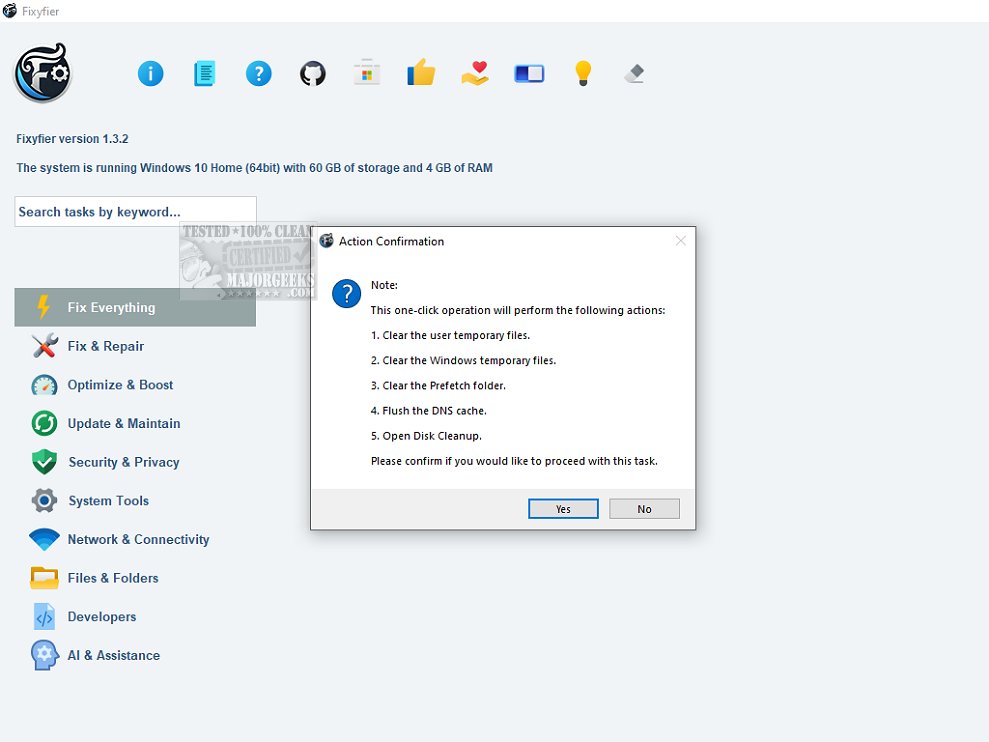
Fixyfier 7.2.0 has been launched as an all-encompassing software designed to tackle and resolve frequent problems associated with the Windows operating system. This tool is aimed at both IT professionals and casual users, providing them with user-friendly features that facilitate system maintenance and optimization.
Core Functionality of Fixyfier
Fixyfier streamlines essential Windows repair tasks, consolidating the operating system's native repair tools such as DISM, SFC, and Windows Troubleshooters into a single interface. This eliminates the need for users to remember various commands or navigate through multiple menus, simplifying the troubleshooting process.
With Fixyfier, users can address a wide range of issues including network connectivity problems, system file corruption, and other disruptions that hinder system functionality. By offering a one-stop solution for repairing and optimizing critical components of Windows, Fixyfier enhances overall system performance and stability. Additionally, it utilizes AI-driven analysis to provide personalized recommendations for common PC issues, enabling users to quickly diagnose and resolve problems.
Tools for Common Windows Issues
The software integrates various built-in Windows repair features accessible from a centralized location. These include the System File Checker and network diagnostics, among others, designed to address typical issues. By leveraging these vital recovery utilities, users can restore damaged system files and troubleshoot problems without the need for a complete system reinstall. Fixyfier's intuitive interface makes managing complex troubleshooting tasks much simpler.
Health Checks, Reports, and Automation
Fixyfier also offers immediate feedback on system health, generating detailed reports on repairs performed and fixes applied. Continuous health checks monitor system performance and resource usage, helping users identify and address potential issues before they worsen. This proactive approach ensures smooth and efficient system operation, minimizing downtime and boosting productivity.
For users needing to repeat repairs, Fixyfier allows the creation of batch files for any repair task, facilitating automation and scheduling for future use.
Conclusion: The Geek Verdict
Overall, Fixyfier is an outstanding tool for optimizing and troubleshooting Windows systems effortlessly. Its user-friendly design and efficient functionality make it an essential asset for anyone looking to enhance their system's performance.
Future Directions
Looking ahead, future updates to Fixyfier could further enhance its capabilities by integrating machine learning algorithms for predictive maintenance, expanding its compatibility with a broader range of Windows versions, and potentially including features for mobile device management. This continued evolution could solidify Fixyfier's position as a leading solution in the realm of Windows optimization and troubleshooting
Core Functionality of Fixyfier
Fixyfier streamlines essential Windows repair tasks, consolidating the operating system's native repair tools such as DISM, SFC, and Windows Troubleshooters into a single interface. This eliminates the need for users to remember various commands or navigate through multiple menus, simplifying the troubleshooting process.
With Fixyfier, users can address a wide range of issues including network connectivity problems, system file corruption, and other disruptions that hinder system functionality. By offering a one-stop solution for repairing and optimizing critical components of Windows, Fixyfier enhances overall system performance and stability. Additionally, it utilizes AI-driven analysis to provide personalized recommendations for common PC issues, enabling users to quickly diagnose and resolve problems.
Tools for Common Windows Issues
The software integrates various built-in Windows repair features accessible from a centralized location. These include the System File Checker and network diagnostics, among others, designed to address typical issues. By leveraging these vital recovery utilities, users can restore damaged system files and troubleshoot problems without the need for a complete system reinstall. Fixyfier's intuitive interface makes managing complex troubleshooting tasks much simpler.
Health Checks, Reports, and Automation
Fixyfier also offers immediate feedback on system health, generating detailed reports on repairs performed and fixes applied. Continuous health checks monitor system performance and resource usage, helping users identify and address potential issues before they worsen. This proactive approach ensures smooth and efficient system operation, minimizing downtime and boosting productivity.
For users needing to repeat repairs, Fixyfier allows the creation of batch files for any repair task, facilitating automation and scheduling for future use.
Conclusion: The Geek Verdict
Overall, Fixyfier is an outstanding tool for optimizing and troubleshooting Windows systems effortlessly. Its user-friendly design and efficient functionality make it an essential asset for anyone looking to enhance their system's performance.
Future Directions
Looking ahead, future updates to Fixyfier could further enhance its capabilities by integrating machine learning algorithms for predictive maintenance, expanding its compatibility with a broader range of Windows versions, and potentially including features for mobile device management. This continued evolution could solidify Fixyfier's position as a leading solution in the realm of Windows optimization and troubleshooting
Fixyfier 7.2.0 released
Fixyfier is designed to be a comprehensive software solution for addressing and resolving common issues within the Windows operating system.