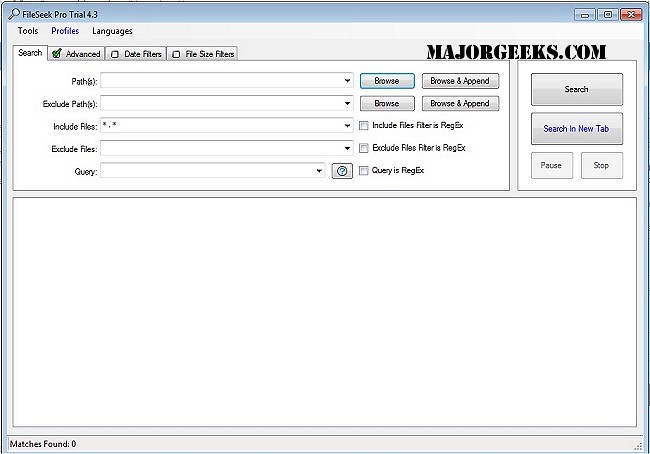
FileSeek 7.2 has been released, offering users a straightforward and efficient file search utility that caters to both casual users and advanced power users. The software allows users to search for text within files through simple queries or utilize regular expressions for more complex searches. Additionally, it features the ability to sync search settings across multiple computers and can be seamlessly integrated into the Windows Explorer right-click menu for quick access.
One of the standout advantages of FileSeek is that it does not rely on background indexing, ensuring that performance remains unaffected when the application is closed. Key features include:
- Searching for text matches within files.
- Utilizing regular expressions for refined searches.
- Searching through folders and sub-folders.
- Matching one or more file patterns.
- Excluding specific file patterns from search results.
- Filtering results based on date or size.
- Saving search profiles for future use.
- Syncing search profiles across different devices.
- Eliminating the need for background indexing.
In addition to its core functionalities, FileSeek 7.2 enhances user experience by offering additional resources, such as guides on showing hidden files, various methods to open File Explorer in Windows 10 and 11, and tips on resetting folder view settings.
As FileSeek continues to evolve, users can expect ongoing improvements and new features that further enhance its usability and performance, making file searching more efficient and tailored to individual needs
One of the standout advantages of FileSeek is that it does not rely on background indexing, ensuring that performance remains unaffected when the application is closed. Key features include:
- Searching for text matches within files.
- Utilizing regular expressions for refined searches.
- Searching through folders and sub-folders.
- Matching one or more file patterns.
- Excluding specific file patterns from search results.
- Filtering results based on date or size.
- Saving search profiles for future use.
- Syncing search profiles across different devices.
- Eliminating the need for background indexing.
In addition to its core functionalities, FileSeek 7.2 enhances user experience by offering additional resources, such as guides on showing hidden files, various methods to open File Explorer in Windows 10 and 11, and tips on resetting folder view settings.
As FileSeek continues to evolve, users can expect ongoing improvements and new features that further enhance its usability and performance, making file searching more efficient and tailored to individual needs
FileSeek 7.2 released
FileSeek is a simple, easy-to-use file search utility.