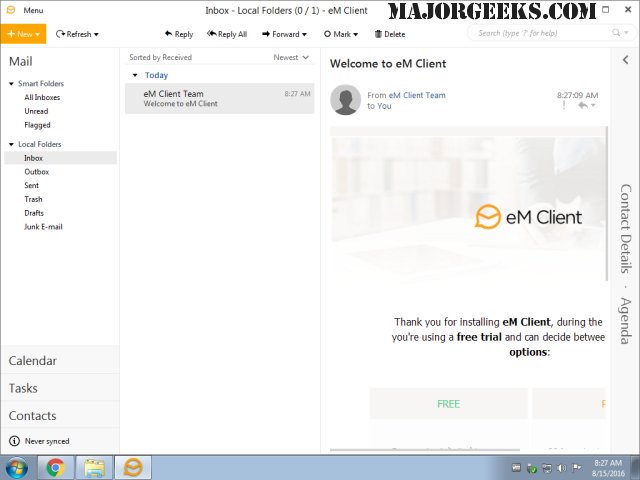
eM Client has released version 10.4.5642.0, continuing its reputation as a robust email client that combines functionality with a user-friendly design. This latest version maintains essential features such as a calendar, task management, chat capabilities, and contact organization, making it an all-in-one tool for personal and professional communication.
The email client supports synchronization with various protocols including POP3, SMTP, IMAP, EWS, and AirSync, allowing users to connect effortlessly with multiple email servers and services. Its business-oriented interface promotes efficient task and email management, enabling users to stay organized with ease.
In addition to its synchronization capabilities, eM Client emphasizes data security by offering backup and restore options, as well as the ability to import data from popular email clients like Gmail, Microsoft Outlook, Outlook Express, and Thunderbird. Users can take advantage of advanced features such as conversation view for threaded discussions, delayed sending for better email scheduling, and real-time translation of incoming emails, enhancing the overall user experience.
To extend the features of eM Client, future updates could introduce enhanced collaboration tools, such as integrated video conferencing options, improved AI-driven email categorization, and advanced analytics for tracking email engagement. Additionally, expanding compatibility with more third-party applications could further increase its versatility and appeal to a broader audience of users, from individual professionals to large organizations
The email client supports synchronization with various protocols including POP3, SMTP, IMAP, EWS, and AirSync, allowing users to connect effortlessly with multiple email servers and services. Its business-oriented interface promotes efficient task and email management, enabling users to stay organized with ease.
In addition to its synchronization capabilities, eM Client emphasizes data security by offering backup and restore options, as well as the ability to import data from popular email clients like Gmail, Microsoft Outlook, Outlook Express, and Thunderbird. Users can take advantage of advanced features such as conversation view for threaded discussions, delayed sending for better email scheduling, and real-time translation of incoming emails, enhancing the overall user experience.
To extend the features of eM Client, future updates could introduce enhanced collaboration tools, such as integrated video conferencing options, improved AI-driven email categorization, and advanced analytics for tracking email engagement. Additionally, expanding compatibility with more third-party applications could further increase its versatility and appeal to a broader audience of users, from individual professionals to large organizations
eM Client 10.4.5642.0 released
eM Client is a feature-rich email client that includes a modern, easy-to-use interface and offers a calendar, tasks, chat, contacts, and more.