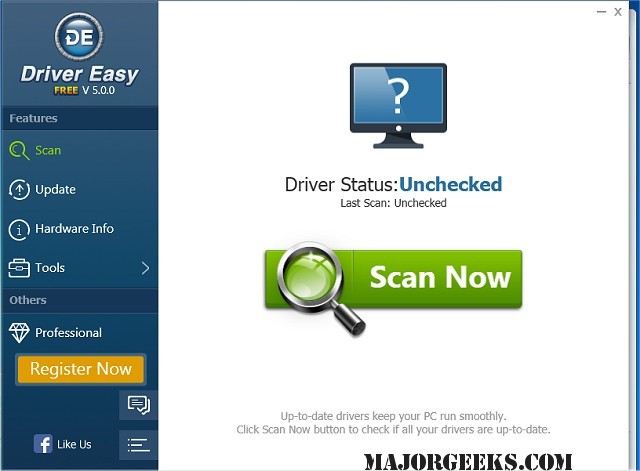
Driver Easy has released version 7.1.4.0, a tool designed to streamline the process of managing drivers on your computer. This software scans your system to identify any missing or outdated drivers and facilitates their download, drawing from an extensive database of over 3 million distinct drivers. This ensures that your computer's drivers are consistently updated, which can enhance overall performance and resolve common driver-related issues.
One of the standout features of Driver Easy is its ability to perform an Offline Scan, which is particularly useful for computers without an internet connection. This function allows users to generate a driver analysis file that can be used to identify the correct network driver through another device with internet access.
Additionally, Driver Easy provides a comprehensive backup and restore solution for device drivers in Windows. It can detect hardware in your system, extract relevant drivers, and back them up securely. The software also includes a Windows Update tool that accelerates the process of downloading updates through a smart download server picker and supports multiple concurrent downloads.
Moreover, Driver Easy incorporates a feature to uninstall drivers for removed hardware, which is essential when installing new components like graphics cards. This helps prevent system slowdowns and conflicts by ensuring that the old driver does not interfere with the new hardware.
In summary, Driver Easy 7.1.4.0 is a valuable tool for users looking to optimize their PC's performance through effective driver management. Its features not only save time but also enhance system stability. For those interested in maximizing their computer's capabilities, Driver Easy represents a professional-grade solution to driver maintenance.
- Scheduled Scans: Users can set up automatic scans to ensure that their drivers are checked regularly without manual intervention.
- Customer Support: The software typically includes customer support options, such as FAQs or direct assistance, to help resolve any issues users may encounter.
- Compatibility: Driver Easy supports a wide range of Windows operating systems, making it versatile for various users.
- Enhanced Security: By downloading drivers directly from a reputable database, users can avoid potential security risks associated with downloading drivers from unknown sources.
- Performance Monitoring: The tool may include performance monitoring features to track system performance before and after driver updates, giving users insights into how updates affect their PC's operation.
Overall, Driver Easy 7.1.4.0 not only simplifies driver management but also contributes to a smoother and more efficient computing experience
One of the standout features of Driver Easy is its ability to perform an Offline Scan, which is particularly useful for computers without an internet connection. This function allows users to generate a driver analysis file that can be used to identify the correct network driver through another device with internet access.
Additionally, Driver Easy provides a comprehensive backup and restore solution for device drivers in Windows. It can detect hardware in your system, extract relevant drivers, and back them up securely. The software also includes a Windows Update tool that accelerates the process of downloading updates through a smart download server picker and supports multiple concurrent downloads.
Moreover, Driver Easy incorporates a feature to uninstall drivers for removed hardware, which is essential when installing new components like graphics cards. This helps prevent system slowdowns and conflicts by ensuring that the old driver does not interfere with the new hardware.
In summary, Driver Easy 7.1.4.0 is a valuable tool for users looking to optimize their PC's performance through effective driver management. Its features not only save time but also enhance system stability. For those interested in maximizing their computer's capabilities, Driver Easy represents a professional-grade solution to driver maintenance.
Extended Features and Benefits:
- User-Friendly Interface: Driver Easy is designed with ease of use in mind, making it accessible for users of all technical levels.- Scheduled Scans: Users can set up automatic scans to ensure that their drivers are checked regularly without manual intervention.
- Customer Support: The software typically includes customer support options, such as FAQs or direct assistance, to help resolve any issues users may encounter.
- Compatibility: Driver Easy supports a wide range of Windows operating systems, making it versatile for various users.
- Enhanced Security: By downloading drivers directly from a reputable database, users can avoid potential security risks associated with downloading drivers from unknown sources.
- Performance Monitoring: The tool may include performance monitoring features to track system performance before and after driver updates, giving users insights into how updates affect their PC's operation.
Overall, Driver Easy 7.1.4.0 not only simplifies driver management but also contributes to a smoother and more efficient computing experience
Driver Easy 7.1.4.0 released
Driver Easy will scan your computer, identify missing or outdated drivers, and then download them all.