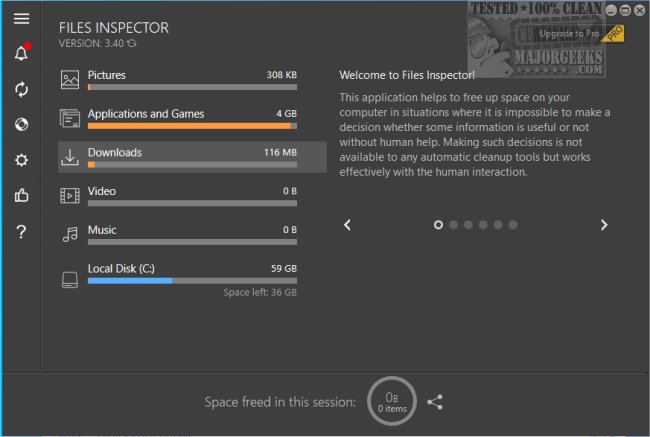
Files Inspector 4.55 has been released, providing users with an efficient tool for manually freeing up disk space on their computers. This software simplifies the process of managing and optimizing storage, allowing users to easily identify and eliminate outdated files and applications that may be hindering system performance. The intuitive interface ensures that both professional and casual users can enhance their device's functionality by reclaiming valuable storage for important files.
Upon launching Files Inspector, the program conducts a comprehensive scan of your drive, with the scan duration varying based on the drive's size. While this process may require some time, it effectively identifies unnecessary items for removal. Users can select files, folders, and applications to delete directly from the software, ensuring a straightforward and safe deletion process. Additionally, recently deleted files are stored in the trash for potential recovery if needed.
Files Inspector stands out as a user-friendly program that empowers users to thoroughly analyze their storage drives, facilitating the easy deletion of outdated data.
To further extend the utility of Files Inspector, users may also benefit from incorporating additional practices for maintaining optimal disk space. Regularly updating the software can ensure access to the latest features and improvements. Additionally, users should consider scheduling routine scans to keep their systems clutter-free. Exploring alternatives such as cloud storage solutions can also complement the use of Files Inspector by providing off-site storage options for essential files. Overall, maintaining a clean and organized digital environment not only improves device performance but also enhances user productivity
Upon launching Files Inspector, the program conducts a comprehensive scan of your drive, with the scan duration varying based on the drive's size. While this process may require some time, it effectively identifies unnecessary items for removal. Users can select files, folders, and applications to delete directly from the software, ensuring a straightforward and safe deletion process. Additionally, recently deleted files are stored in the trash for potential recovery if needed.
Files Inspector stands out as a user-friendly program that empowers users to thoroughly analyze their storage drives, facilitating the easy deletion of outdated data.
To further extend the utility of Files Inspector, users may also benefit from incorporating additional practices for maintaining optimal disk space. Regularly updating the software can ensure access to the latest features and improvements. Additionally, users should consider scheduling routine scans to keep their systems clutter-free. Exploring alternatives such as cloud storage solutions can also complement the use of Files Inspector by providing off-site storage options for essential files. Overall, maintaining a clean and organized digital environment not only improves device performance but also enhances user productivity
Files Inspector 4.55 released
Files Inspector gives you a straightforward option for freeing up disk space manually.