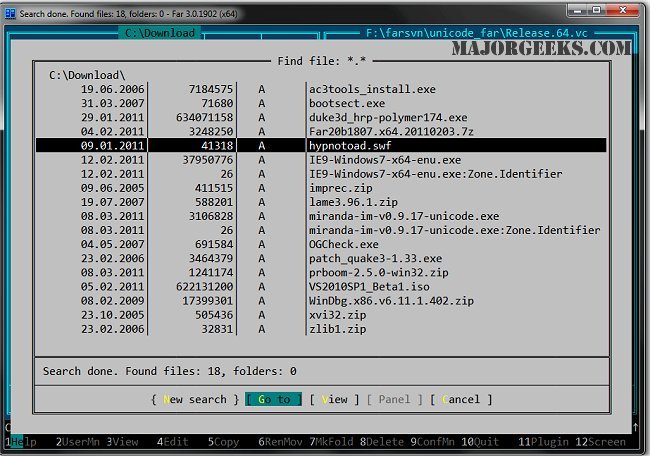
Far Manager 3.0 Build 6699 has been released, adding to the capabilities of this established Open Source text-based application designed for efficient file management. Known as the File and Archive Manager, Far Manager allows users to perform various tasks such as editing, copying, renaming files, and managing file archives with ease. Its old-school, text-only interface may lack the visual appeal of modern file management tools, but it compensates with speed and functionality, making it a favorite for users who prefer a straightforward approach.
Since its inception around 2000, Far Manager has continuously evolved, integrating a wide array of features that enhance usability. The program supports multiple languages and offers configuration options to tailor the user experience. File navigation is simplified through the use of highlighted text and color-coded directory trees, which help users quickly find and manage their files.
Additionally, Far Manager's functionality can be significantly expanded through a variety of available plugins. These plugins enable users to perform advanced tasks such as managing FTP servers, editing the Windows registry, handling emails, converting text formats, and even engaging in gaming activities. This extensibility ensures that users can customize the application to suit their specific needs, making Far Manager a versatile tool in any workflow.
In summary, while Far Manager may not have the visual polish of some of its competitors, its robust feature set, speed, and flexibility through plugins make it a valuable resource for anyone looking to manage files efficiently. As the software continues to develop, users can expect ongoing improvements and new functionalities that cater to a diverse range of file management needs
Since its inception around 2000, Far Manager has continuously evolved, integrating a wide array of features that enhance usability. The program supports multiple languages and offers configuration options to tailor the user experience. File navigation is simplified through the use of highlighted text and color-coded directory trees, which help users quickly find and manage their files.
Additionally, Far Manager's functionality can be significantly expanded through a variety of available plugins. These plugins enable users to perform advanced tasks such as managing FTP servers, editing the Windows registry, handling emails, converting text formats, and even engaging in gaming activities. This extensibility ensures that users can customize the application to suit their specific needs, making Far Manager a versatile tool in any workflow.
In summary, while Far Manager may not have the visual polish of some of its competitors, its robust feature set, speed, and flexibility through plugins make it a valuable resource for anyone looking to manage files efficiently. As the software continues to develop, users can expect ongoing improvements and new functionalities that cater to a diverse range of file management needs
Far Manager 3.0 Build 6699 released
Far Manager is an Open Source text-based app designed to manage your files and file archives quickly. Edit, copy, rename files, and more.