The release of Everything Toolbar 3.0.0 enhances the integration of the Everything search tool with the Windows taskbar, allowing users to quickly find files, folders, and other items by name. This toolbar simplifies the process of file indexing, searching, and sharing, making it a valuable tool for efficient file management.
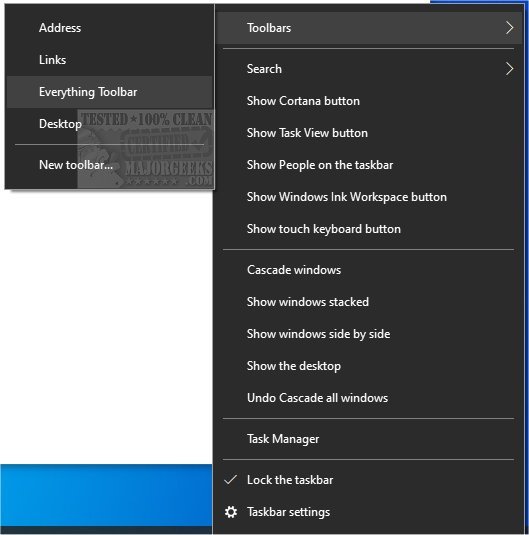
To install Everything Toolbar, users need to extract the contents of the downloaded package, run the install.cmd file with administrative privileges, and enable the toolbar through the taskbar's context menu. It's important to note that users may need to access the context menu twice, as it may not appear on the first attempt.
In addition to its primary features, Everything Toolbar offers a streamlined user experience for those who frequently search for files on their Windows devices. Users can take advantage of similar functionalities in Windows 10 and 11, such as customizing search options, rebuilding the search index, and managing Bing search settings in the Start menu.
Overall, Everything Toolbar 3.0.0 aims to improve productivity and file accessibility, making it an essential tool for Windows users looking to optimize their file searching capabilities. Future updates may include additional features based on user feedback, further enhancing its functionality and ease of use
To install Everything Toolbar, users need to extract the contents of the downloaded package, run the install.cmd file with administrative privileges, and enable the toolbar through the taskbar's context menu. It's important to note that users may need to access the context menu twice, as it may not appear on the first attempt.
In addition to its primary features, Everything Toolbar offers a streamlined user experience for those who frequently search for files on their Windows devices. Users can take advantage of similar functionalities in Windows 10 and 11, such as customizing search options, rebuilding the search index, and managing Bing search settings in the Start menu.
Overall, Everything Toolbar 3.0.0 aims to improve productivity and file accessibility, making it an essential tool for Windows users looking to optimize their file searching capabilities. Future updates may include additional features based on user feedback, further enhancing its functionality and ease of use
Everything Toolbar 3.0.0 released
Everything Toolbar provides you with an easy-to-utilize Everything integration for the Windows toolbar.