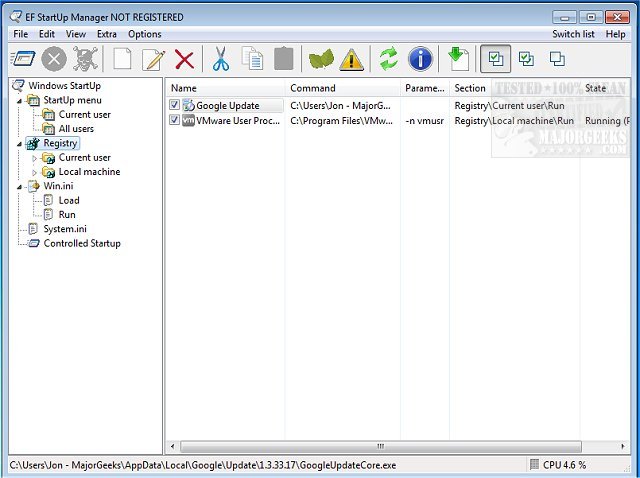
The EF StartUp Manager version 26.07 has been released, providing users with an efficient tool to manage the applications that launch when Windows starts. This software allows users to easily add, disable temporarily, or delete startup programs, giving complete control over the autostart process. While some applications are essential for the system's operation, others may be unnecessary or even harmful, such as those that track user activity. The interface resembles Windows Explorer, which helps users navigate and manage their startup entries effectively.
One of the standout features of EF StartUp Manager is its controlled starting mode, which enables users to dictate the order in which applications start and even set delays between them. This can enhance system performance by preventing multiple programs from launching simultaneously. The software supports a wide range of languages, including English, German, Arabic, and many others, catering to a global audience.
In addition to managing startup applications, users may find it beneficial to explore related resources on identifying processes, saving running processes lists with TaskList, customizing process information in Task Manager, and managing startup apps in Windows 10 and 11. Moreover, users can learn how to disable specific Windows Task Scheduler tasks that pertain to privacy and automatic maintenance, further optimizing their system's startup experience.
Overall, EF StartUp Manager 26.07 is a valuable tool for anyone looking to streamline their Windows startup process, enhance security, and improve system efficiency
One of the standout features of EF StartUp Manager is its controlled starting mode, which enables users to dictate the order in which applications start and even set delays between them. This can enhance system performance by preventing multiple programs from launching simultaneously. The software supports a wide range of languages, including English, German, Arabic, and many others, catering to a global audience.
In addition to managing startup applications, users may find it beneficial to explore related resources on identifying processes, saving running processes lists with TaskList, customizing process information in Task Manager, and managing startup apps in Windows 10 and 11. Moreover, users can learn how to disable specific Windows Task Scheduler tasks that pertain to privacy and automatic maintenance, further optimizing their system's startup experience.
Overall, EF StartUp Manager 26.07 is a valuable tool for anyone looking to streamline their Windows startup process, enhance security, and improve system efficiency
EF StartUp Manager 26.07 released
EF StartUp Manager allows you a simple handling and complete control of applications that start with Windows. They can insert, temporarily disable or delete any new programs with ease.