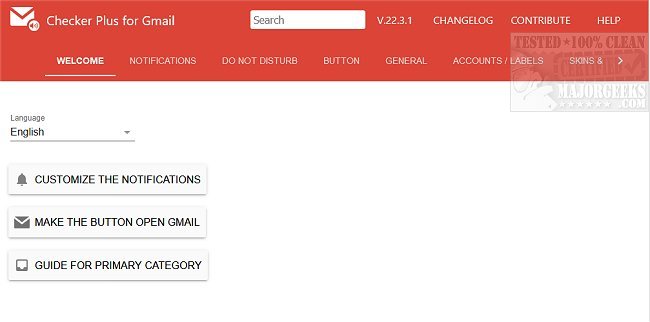
The latest version of Checker Plus for Gmail (version 36.3.1) is now available for Chrome, Firefox, and Edge users. This extension enhances your email management experience by allowing you to receive notifications and perform actions like reading, listening to, or deleting emails without needing to open Gmail. It supports multiple accounts, making it convenient to manage all your emails seamlessly while continuing your browsing activities.
Key features of Checker Plus for Gmail include:
- Push Notifications: Instant alerts for new emails.
- Contact Notifications: Displays the email sender's name along with their contact photo.
- Voice Notifications: Reads emails aloud, making it particularly helpful for visually impaired users or during multitasking.
- Label Monitoring: Customizable monitoring for specific Gmail labels.
- Background Operation: Continues to notify you of new emails even when Chrome is closed.
- Popup Mail Preview: Allows you to read and manage emails without navigating away from your current tab.
- Offline Access: Enables you to view emails even without an internet connection.
- Sound Notifications: Choose from desktop sounds or custom voice alerts.
- Multiple Account Support: Easily manage multiple Gmail and Google Apps accounts.
In addition to these features, users can explore related functionalities such as scheduling emails, sending confidential messages, enabling offline access, creating signatures, and downloading their Google account data, including Gmail.
Overall, Checker Plus for Gmail is an excellent tool that streamlines your email management, ensuring you never miss an important message while browsing or engaging in other tasks
Key features of Checker Plus for Gmail include:
- Push Notifications: Instant alerts for new emails.
- Contact Notifications: Displays the email sender's name along with their contact photo.
- Voice Notifications: Reads emails aloud, making it particularly helpful for visually impaired users or during multitasking.
- Label Monitoring: Customizable monitoring for specific Gmail labels.
- Background Operation: Continues to notify you of new emails even when Chrome is closed.
- Popup Mail Preview: Allows you to read and manage emails without navigating away from your current tab.
- Offline Access: Enables you to view emails even without an internet connection.
- Sound Notifications: Choose from desktop sounds or custom voice alerts.
- Multiple Account Support: Easily manage multiple Gmail and Google Apps accounts.
In addition to these features, users can explore related functionalities such as scheduling emails, sending confidential messages, enabling offline access, creating signatures, and downloading their Google account data, including Gmail.
Overall, Checker Plus for Gmail is an excellent tool that streamlines your email management, ensuring you never miss an important message while browsing or engaging in other tasks
Checker Plus for Gmail (Chrome, Firefox, and Edge) 36.3.1 released
Checker Plus for Gmail (Chrome, Firefox, and Edge) allows you to see notifications and read, listen to, or delete emails.
Checker Plus for Gmail (Chrome, Firefox, and Edge) 36.3.1 released @ MajorGeeks