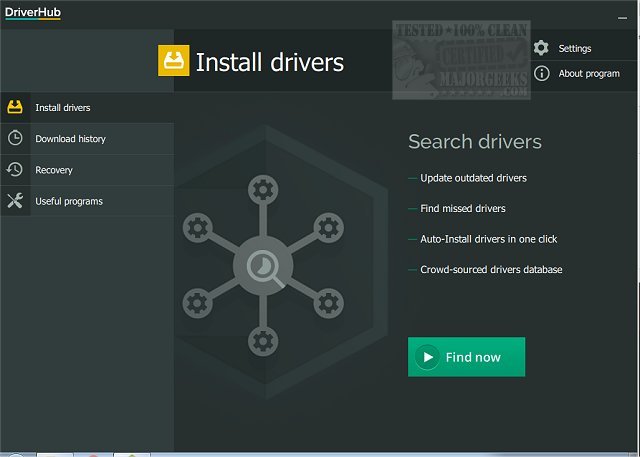
DriverHub 2.1.3 has been released, enhancing the tool's capability to efficiently scan your computer for outdated drivers and present the latest versions available for installation. Keeping drivers updated is crucial for maintaining optimal system performance and security, as outdated drivers can lead to various operational issues.
DriverHub simplifies the process of identifying and updating these drivers by quickly scanning the system, locating outdated versions, and allowing users to select or deselect drivers for installation. It also offers the option to create a restore point, providing peace of mind in case any issues arise from newly installed drivers.
In addition to driver management, DriverHub includes a suite of useful system tools that facilitate easy access to display settings, PC management, the control panel, command prompt, and more. Users can also track their driver installation history, making it easier to manage updates over time. The interface is designed to be visually appealing and user-friendly, enabling users to confidently update their drivers.
To further enhance your experience with DriverHub, you may want to explore additional resources on how to effectively download the latest drivers for Windows, manage driver problems using Device Manager, and back up or restore drivers as needed. These resources can provide valuable information for optimizing your system's performance and ensuring a smooth computing experience
DriverHub simplifies the process of identifying and updating these drivers by quickly scanning the system, locating outdated versions, and allowing users to select or deselect drivers for installation. It also offers the option to create a restore point, providing peace of mind in case any issues arise from newly installed drivers.
In addition to driver management, DriverHub includes a suite of useful system tools that facilitate easy access to display settings, PC management, the control panel, command prompt, and more. Users can also track their driver installation history, making it easier to manage updates over time. The interface is designed to be visually appealing and user-friendly, enabling users to confidently update their drivers.
To further enhance your experience with DriverHub, you may want to explore additional resources on how to effectively download the latest drivers for Windows, manage driver problems using Device Manager, and back up or restore drivers as needed. These resources can provide valuable information for optimizing your system's performance and ensuring a smooth computing experience
DriverHub 2.1.3 released
DriverHub quickly scans your machine for any outdated drivers and then finds and displays the most current drivers available for installation.