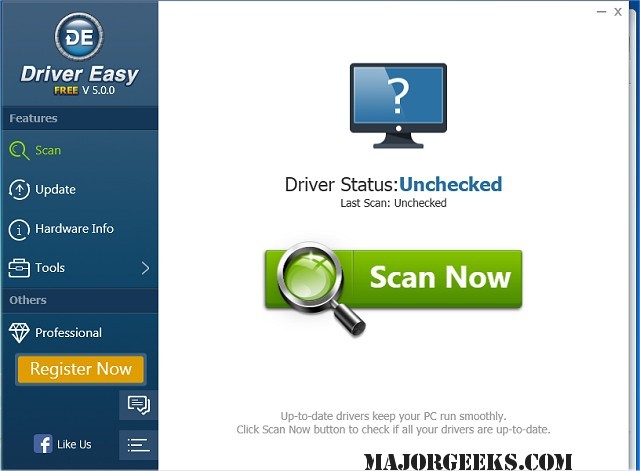
Driver Easy has recently released version 7.1.2.0, a powerful tool designed to streamline the process of managing drivers on your computer. This software scans your system to identify any missing or outdated drivers and automatically downloads them, tapping into an extensive database that includes over 3 million distinct drivers. With daily updates, Driver Easy ensures that your drivers are always current, which helps optimize your PC's performance and resolve common driver-related issues.
One of the standout features of Driver Easy is its Offline Scan capability, which allows users to analyze driver requirements on computers without internet access. Users can save a driver analysis file on an offline machine and then use an internet-enabled computer to download the necessary drivers. This feature simplifies the process of finding the correct network driver, significantly reducing the time spent searching.
Additionally, Driver Easy includes robust backup and restore options, allowing users to create secure backups of their device drivers and easily restore them when needed. It can also identify all hardware in the system, extract corresponding drivers, and back them up efficiently. The software comes with a Windows Update tool that leverages smart server selection and allows for faster downloads through concurrent connections.
Another useful feature is the Driver Uninstall function, which helps users remove drivers for any hardware that has been replaced, such as graphics cards. This is important because it prevents Windows from attempting to load outdated drivers on startup, which can lead to slow boot times and system conflicts.
Overall, Driver Easy 7.1.2.0 provides a comprehensive and user-friendly solution for maintaining and optimizing driver performance, making it an essential tool for both novice and experienced PC users.
For further assistance, the software includes guides on downloading the latest drivers, backing up and restoring drivers, managing Windows updates, troubleshooting with Driver Verifier Manager, and understanding Windows Hardware Quality Labs (WHQL)
One of the standout features of Driver Easy is its Offline Scan capability, which allows users to analyze driver requirements on computers without internet access. Users can save a driver analysis file on an offline machine and then use an internet-enabled computer to download the necessary drivers. This feature simplifies the process of finding the correct network driver, significantly reducing the time spent searching.
Additionally, Driver Easy includes robust backup and restore options, allowing users to create secure backups of their device drivers and easily restore them when needed. It can also identify all hardware in the system, extract corresponding drivers, and back them up efficiently. The software comes with a Windows Update tool that leverages smart server selection and allows for faster downloads through concurrent connections.
Another useful feature is the Driver Uninstall function, which helps users remove drivers for any hardware that has been replaced, such as graphics cards. This is important because it prevents Windows from attempting to load outdated drivers on startup, which can lead to slow boot times and system conflicts.
Overall, Driver Easy 7.1.2.0 provides a comprehensive and user-friendly solution for maintaining and optimizing driver performance, making it an essential tool for both novice and experienced PC users.
For further assistance, the software includes guides on downloading the latest drivers, backing up and restoring drivers, managing Windows updates, troubleshooting with Driver Verifier Manager, and understanding Windows Hardware Quality Labs (WHQL)
Driver Easy 7.1.2.0 released
Driver Easy will scan your computer, identify missing or outdated drivers, and then download them all.