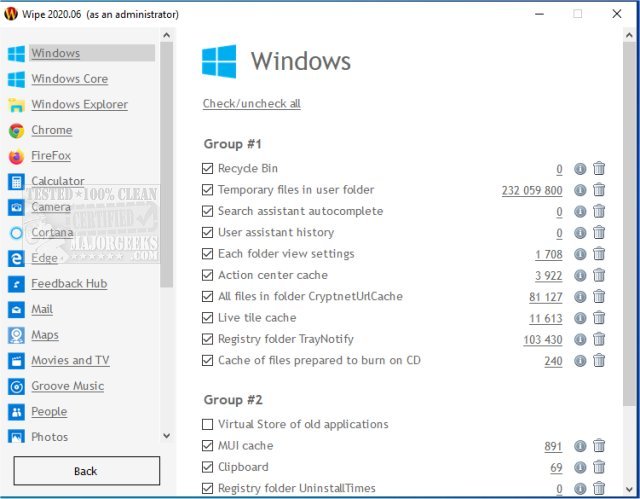
Wipe 2606 has been launched, offering robust functionalities aimed at safeguarding user privacy online and optimizing disk space. This tool allows users to thoroughly delete a variety of digital footprints, including browser history, cache, index.dat files, registry entries, Internet cookies, autocomplete history, temporary internet files, and more. Wipe is compatible with multiple operating systems and browsers such as Windows, Internet Explorer, Firefox, Chrome, and Opera, ensuring a comprehensive cleaning experience regardless of the software in use.
To ensure that deleted data cannot be recovered, Wipe employs several advanced security methods, including the DoD 5220.22-M standard, the Gutmann method (which consists of a rigorous 35-step process), and the Russian GOST standard, among others. Additionally, users can tailor their cleaning experience by selecting specific items they wish to remove, and they can access detailed information regarding the locations of junk files on their computers.
Wipe is available in both free and pro versions, catering to different user needs. For those interested in similar applications, resources are available that explain the differences between Quick and Full Format, how to erase a disk using Diskpart Clean Command in Windows, and methods for securely deleting files in Windows 10 and 11 using PowerShell and Cipher.
Extension: Future Enhancements and User Applications
As digital privacy concerns continue to rise, tools like Wipe are becoming increasingly essential for maintaining personal security online. Future iterations of Wipe could incorporate features such as real-time monitoring of privacy threats, automated cleaning schedules, and enhanced user interfaces for easier navigation. Additionally, integrating artificial intelligence could help in identifying which files or areas may pose privacy risks based on user behavior.
Furthermore, continued education and resources on digital hygiene could empower users to make informed decisions about their online activities and data management. By enhancing Wipe's capabilities and user engagement, it can remain a vital tool in the fight against data breaches and privacy invasions in our increasingly digital world
To ensure that deleted data cannot be recovered, Wipe employs several advanced security methods, including the DoD 5220.22-M standard, the Gutmann method (which consists of a rigorous 35-step process), and the Russian GOST standard, among others. Additionally, users can tailor their cleaning experience by selecting specific items they wish to remove, and they can access detailed information regarding the locations of junk files on their computers.
Wipe is available in both free and pro versions, catering to different user needs. For those interested in similar applications, resources are available that explain the differences between Quick and Full Format, how to erase a disk using Diskpart Clean Command in Windows, and methods for securely deleting files in Windows 10 and 11 using PowerShell and Cipher.
Extension: Future Enhancements and User Applications
As digital privacy concerns continue to rise, tools like Wipe are becoming increasingly essential for maintaining personal security online. Future iterations of Wipe could incorporate features such as real-time monitoring of privacy threats, automated cleaning schedules, and enhanced user interfaces for easier navigation. Additionally, integrating artificial intelligence could help in identifying which files or areas may pose privacy risks based on user behavior.
Furthermore, continued education and resources on digital hygiene could empower users to make informed decisions about their online activities and data management. By enhancing Wipe's capabilities and user engagement, it can remain a vital tool in the fight against data breaches and privacy invasions in our increasingly digital world
Wipe 2606 released
Wipe can protect your privacy on the internet and recover free disk space.