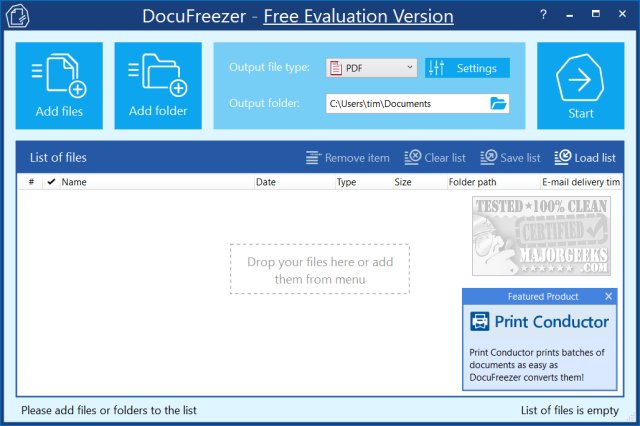
DocuFreezer 7.0.2606 has been released, offering users a free tool to convert documents and images into various formats including PDF, TXT, JPG, TIFF, and PNG. This application is designed to "freeze" the appearance of the original documents, ensuring they remain unchanged across different devices. The user interface of DocuFreezer is intuitive and user-friendly, allowing for easy file addition through either click or drag-and-drop methods.
Once files are added, users can select the desired output format and folder, and although there are numerous additional settings available, the default options are adequate for most users. The conversion process is quick, and users can access the converted file immediately upon completion.
However, it is worth noting that while DocuFreezer is advertised as a free application, it does leave a small watermark on the converted documents unless users opt to purchase the professional version. This watermark, while discreet and positioned off to the side, has raised some concerns about the application's classification as "free for personal use."
In summary, DocuFreezer presents a practical solution for document conversion, albeit with the caveat of the watermark. Users seeking a watermark-free experience may consider the professional version. Future updates could potentially address user feedback regarding the watermarking issue, enhancing the overall appeal of the application.
Additionally, users may want to explore alternative options for document conversion or editing, as there are various other tools available that might not impose watermarks or offer different features more suited to their needs
Once files are added, users can select the desired output format and folder, and although there are numerous additional settings available, the default options are adequate for most users. The conversion process is quick, and users can access the converted file immediately upon completion.
However, it is worth noting that while DocuFreezer is advertised as a free application, it does leave a small watermark on the converted documents unless users opt to purchase the professional version. This watermark, while discreet and positioned off to the side, has raised some concerns about the application's classification as "free for personal use."
In summary, DocuFreezer presents a practical solution for document conversion, albeit with the caveat of the watermark. Users seeking a watermark-free experience may consider the professional version. Future updates could potentially address user feedback regarding the watermarking issue, enhancing the overall appeal of the application.
Additionally, users may want to explore alternative options for document conversion or editing, as there are various other tools available that might not impose watermarks or offer different features more suited to their needs
DocuFreezer 7.0.2606 released
DocuFreezer is a free application that converts your documents and images to PDF, TXT, JPG, TIFF, or PNG formats, "freezing" the look of the input documents and protecting them from any amendments.