Cursor is an AI-first integrated development environment (IDE) designed to enhance the software development process, enabling developers to work more efficiently and effectively. This innovative tool integrates advanced AI capabilities to streamline coding tasks, catering specifically to intermediate and professional coders.
Key Features of Cursor:
1. Smart Code Suggestions and Auto-Completion: Cursor leverages AI to analyze the context of your project, providing intelligent code suggestions and auto-completions that reduce errors and accelerate the coding process.
2. Automatic Code Generation and Fixes: Users can generate new code or resolve lint errors effortlessly by issuing simple commands, allowing for quick adjustments and enhancements to their codebase.
3. In-Editor Chat: This feature allows developers to ask questions regarding their code or repository in real-time. Cursor can reference specific files and documentation to provide accurate answers, acting like a coding tutor.
4. Seamless Integration: With full support for VSCode extensions, themes, and keybindings, Cursor ensures a seamless transition for users familiar with VSCode.
5. Enhanced Debugging: Cursor simplifies the debugging process by automatically analyzing stack traces and identifying the root causes of errors, saving developers valuable time.
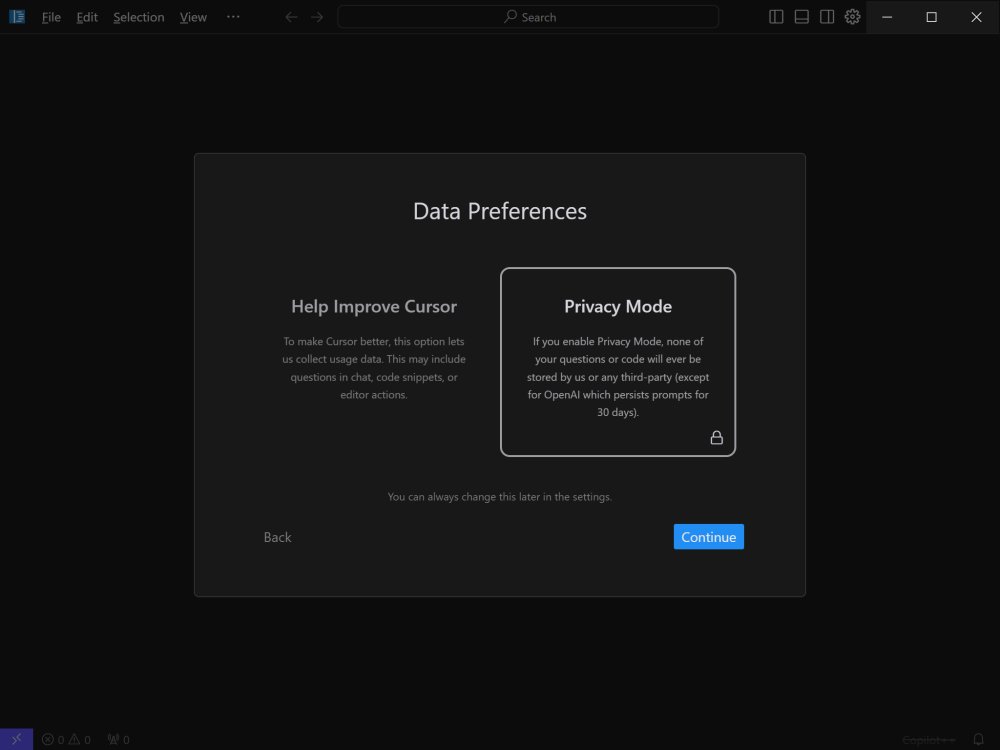
6. Local Mode for Privacy: Concerned about data security? Cursor's local mode guarantees that no code or data is stored on external servers, ensuring privacy for sensitive projects.
7. Blazing-Fast Performance: Utilizing GPT-4 technology, Cursor operates significantly faster than traditional OpenAI API access, enhancing productivity without delays.
8. Supported Languages: Cursor supports a broad range of programming languages, including Python, JavaScript, TypeScript, Java, C++, Ruby, and Go, making it versatile for various development needs.
Pricing Structure: Free vs. Pro
Cursor offers two plans: Free and Pro, each catering to distinct user requirements. The Free plan is suitable for hobbyists and mid-level developers, featuring basic AI assistance, with limitations on completions and requests. It primarily utilizes GPT-3.5 for coding support.
The Pro plan, available for $20 per month (or $16 with an annual subscription), provides unlimited completions and premium requests, along with access to advanced AI models like GPT-4 and Claude 3.5 Opus. Pro users also receive enhanced features such as Copilot++, in-depth code analysis, and the ability to make changes across multiple files through inline chat.
Conclusion:
Cursor represents a significant advancement in the realm of coding environments, providing users with a powerful AI-driven assistant that enhances coding efficiency and effectiveness. Its comprehensive features and seamless integration with existing tools make it an ideal choice for developers looking to transform their coding experience. Whether you are developing large-scale applications or simply seeking to boost your productivity, Cursor is poised to redefine how you approach coding tasks
Key Features of Cursor:
1. Smart Code Suggestions and Auto-Completion: Cursor leverages AI to analyze the context of your project, providing intelligent code suggestions and auto-completions that reduce errors and accelerate the coding process.
2. Automatic Code Generation and Fixes: Users can generate new code or resolve lint errors effortlessly by issuing simple commands, allowing for quick adjustments and enhancements to their codebase.
3. In-Editor Chat: This feature allows developers to ask questions regarding their code or repository in real-time. Cursor can reference specific files and documentation to provide accurate answers, acting like a coding tutor.
4. Seamless Integration: With full support for VSCode extensions, themes, and keybindings, Cursor ensures a seamless transition for users familiar with VSCode.
5. Enhanced Debugging: Cursor simplifies the debugging process by automatically analyzing stack traces and identifying the root causes of errors, saving developers valuable time.
6. Local Mode for Privacy: Concerned about data security? Cursor's local mode guarantees that no code or data is stored on external servers, ensuring privacy for sensitive projects.
7. Blazing-Fast Performance: Utilizing GPT-4 technology, Cursor operates significantly faster than traditional OpenAI API access, enhancing productivity without delays.
8. Supported Languages: Cursor supports a broad range of programming languages, including Python, JavaScript, TypeScript, Java, C++, Ruby, and Go, making it versatile for various development needs.
Pricing Structure: Free vs. Pro
Cursor offers two plans: Free and Pro, each catering to distinct user requirements. The Free plan is suitable for hobbyists and mid-level developers, featuring basic AI assistance, with limitations on completions and requests. It primarily utilizes GPT-3.5 for coding support.
The Pro plan, available for $20 per month (or $16 with an annual subscription), provides unlimited completions and premium requests, along with access to advanced AI models like GPT-4 and Claude 3.5 Opus. Pro users also receive enhanced features such as Copilot++, in-depth code analysis, and the ability to make changes across multiple files through inline chat.
Conclusion:
Cursor represents a significant advancement in the realm of coding environments, providing users with a powerful AI-driven assistant that enhances coding efficiency and effectiveness. Its comprehensive features and seamless integration with existing tools make it an ideal choice for developers looking to transform their coding experience. Whether you are developing large-scale applications or simply seeking to boost your productivity, Cursor is poised to redefine how you approach coding tasks
Cursor 3.20.17 released
Cursor is bottom-up designed with the goal of creating an integrated development environment to build software faster using AI.