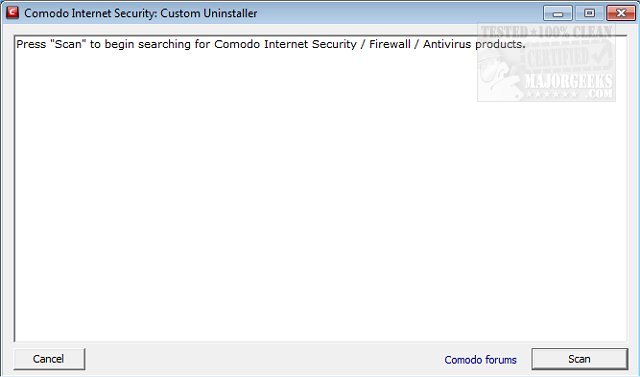
The newly released Comodo Internet Security: Custom Uninstaller 3.4.0.101 is a specialized tool designed to effectively uninstall Comodo Internet Security, Comodo Firewall, and Comodo Antivirus, particularly when standard uninstallation methods fail. This user-friendly application not only simplifies the process of removing unwanted Comodo products but also ensures a thorough cleanup of all associated files and registry entries.
Upon initiating the uninstallation process, the app automatically creates a system restore point to safeguard your system's stability. Users are advised to restart their machines twice during the process to ensure all changes are properly implemented. The uninstaller meticulously removes all related app shortcuts, services, drivers, links, components, and scheduled tasks. Furthermore, it conducts a deep scan of the Windows registry to eliminate any residual Comodo product registry hives and installation files, effectively erasing all traces of the software from your system.
It is essential to download the appropriate version (32-bit or 64-bit) based on your operating system to ensure compatibility and effectiveness.
In addition to its core functions, users might find it helpful to explore related topics such as managing expired antivirus subscriptions, evaluating the best antivirus options available, understanding Windows device performance and health, differentiating between viruses and false positives, and determining the best anti-malware applications, especially those that can coexist with existing antivirus solutions.
Extension: Additional Considerations for Users
When using Comodo Internet Security: Custom Uninstaller, it’s also beneficial to consider performing routine maintenance on your system, such as running disk cleanup tools and checking for any outdated software that might conflict with new installations. For users looking to replace their Comodo products, researching alternative security solutions that meet their specific needs—such as usability, performance, and customer support—can enhance overall system security.
Moreover, staying updated with the latest cybersecurity threats and trends is crucial in today’s digital landscape. Regularly reviewing security software reviews and updates from reputable sources can help users make informed decisions regarding their cybersecurity measures. Finally, consider integrating a multi-layered security approach that includes not just antivirus software, but also firewalls, malware scanners, and safe browsing best practices for a comprehensive defense against cyber threats
Upon initiating the uninstallation process, the app automatically creates a system restore point to safeguard your system's stability. Users are advised to restart their machines twice during the process to ensure all changes are properly implemented. The uninstaller meticulously removes all related app shortcuts, services, drivers, links, components, and scheduled tasks. Furthermore, it conducts a deep scan of the Windows registry to eliminate any residual Comodo product registry hives and installation files, effectively erasing all traces of the software from your system.
It is essential to download the appropriate version (32-bit or 64-bit) based on your operating system to ensure compatibility and effectiveness.
In addition to its core functions, users might find it helpful to explore related topics such as managing expired antivirus subscriptions, evaluating the best antivirus options available, understanding Windows device performance and health, differentiating between viruses and false positives, and determining the best anti-malware applications, especially those that can coexist with existing antivirus solutions.
Extension: Additional Considerations for Users
When using Comodo Internet Security: Custom Uninstaller, it’s also beneficial to consider performing routine maintenance on your system, such as running disk cleanup tools and checking for any outdated software that might conflict with new installations. For users looking to replace their Comodo products, researching alternative security solutions that meet their specific needs—such as usability, performance, and customer support—can enhance overall system security.
Moreover, staying updated with the latest cybersecurity threats and trends is crucial in today’s digital landscape. Regularly reviewing security software reviews and updates from reputable sources can help users make informed decisions regarding their cybersecurity measures. Finally, consider integrating a multi-layered security approach that includes not just antivirus software, but also firewalls, malware scanners, and safe browsing best practices for a comprehensive defense against cyber threats
Comodo Internet Security: Custom Uninstaller 3.4.0.101 released
Comodo Internet Security: Custom Uninstaller will uninstall Comodo Internet Security, Comodo Firewall or Comodo Antivirus when standard methods fail.
Comodo Internet Security: Custom Uninstaller 3.4.0.101 released @ MajorGeeks