JetBrains has launched the latest version of CLion, its cross-platform Integrated Development Environment (IDE) designed for C and C++ programming. This powerful IDE offers developers an array of features that enhance productivity through intelligent code insight, efficient debugging, and a polished interface that is easy to navigate.
Why Choose CLion for C and C++ Development?
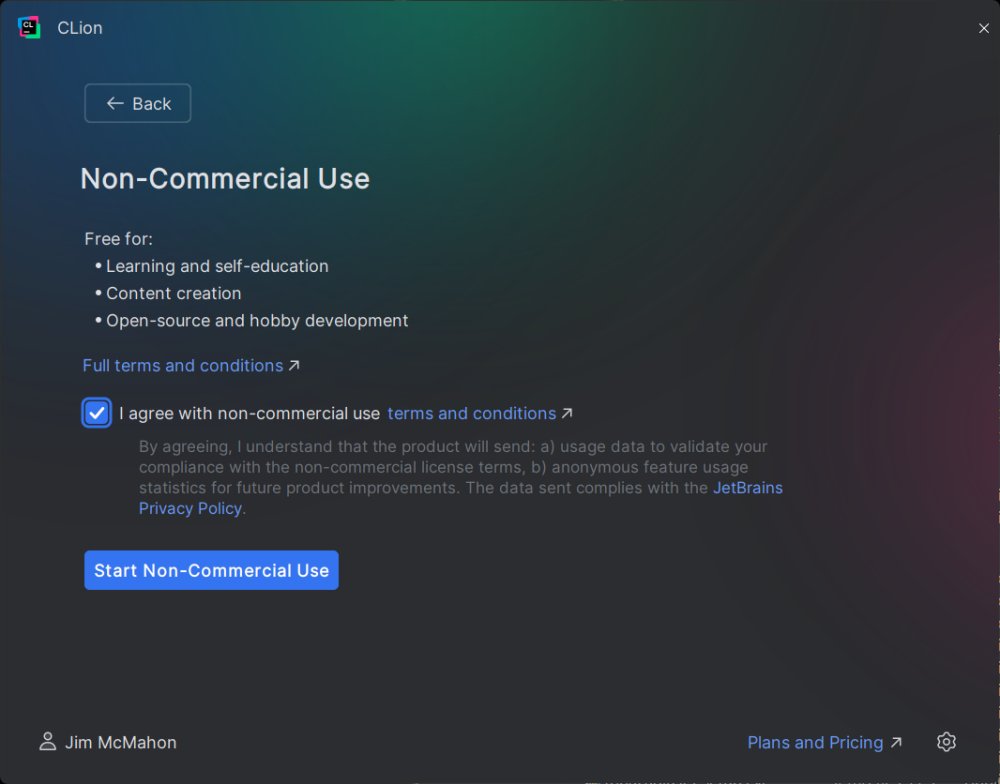
If you’re embarking on a journey into C or C++ programming, CLion is an excellent option. This IDE is not only robust but also user-friendly, making it suitable for both novice and experienced developers. As of version 2025.1.1, CLion is available for free for non-commercial use, appealing to students, hobbyists, and open-source contributors, while commercial licenses are competitively priced starting at $9.90 per month.
Key Features of CLion
CLion distinguishes itself with several standout features, including:
- Intelligent Code Assistance: It offers context-aware code completion, real-time error detection, and quick fixes, supporting modern C++ standards and providing powerful refactoring tools.
- Robust Debugging: With integrated support for GDB and LLDB, CLion features a visual debugger for setting breakpoints, inspecting variables, and stepping through code. It also allows for remote debugging and is suitable for embedded development.
- Integrated Testing: Supporting popular testing frameworks like Google Test, Boost.Test, and Catch, CLion includes a built-in test runner that simplifies test management and execution.
- CMake Support: As the default build system, CMake's deep integration within CLion streamlines project management with features like code generation, completion, and automatic target updates.
- Cross-Platform Development: CLion is compatible with Windows, macOS, and Linux, ensuring a consistent development environment across multiple platforms.
Real-World Applications
CLion is versatile, catering to a variety of development scenarios:
- Embedded Systems: Ideal for embedded development with features for on-chip debugging and thread visualization for ARM devices.
- Large Codebases: Its advanced navigation and analysis tools help manage complex codebases efficiently.
- Cross-Platform Applications: Developing applications that run seamlessly across different operating systems is made easier with CLion's consistent environment.
AI Integration with JetBrains AI Assistant
The latest version of CLion introduces the JetBrains AI Assistant, an optional plugin that enhances the development workflow with AI-powered features. Users can easily install the plugin and, upon agreeing to the terms, access functionalities such as:
- Code Generation: Create snippets or entire functions based on user input.
- Code Explanation: Get natural language explanations for complex code segments.
- Test Generation: Automatically generate tests for functions.
- Documentation Writing: Facilitate the creation of code documentation.
What Makes CLion Stand Out?
CLion excels with its intelligent code analysis and refactoring capabilities, enabling developers to maintain clean C++ code. Its debugging tools are robust, supporting various environments, including IoT projects. The built-in testing setup is user-friendly, promoting efficient test management. The deep CMake integration simplifies project configuration, while cross-platform support ensures comfort in development.
However, it's worth noting that CLion may require considerable system resources, potentially leading to sluggish performance on lower-end machines, especially when handling large projects or multiple plugins.
Conclusion
In summary, CLion is a formidable IDE that provides a comprehensive suite of features to enhance the C and C++ development experience. With intelligent AI assistance, strong debugging capabilities, and integrated testing frameworks, CLion serves as an essential tool for both embedded and large-scale application development. While there may be considerations regarding resource usage and reliance on CMake, the advantages offered by CLion are significant for those serious about C/C++ development. If you seek a powerful IDE that can meet your development needs, CLion is undoubtedly worth considering
Why Choose CLion for C and C++ Development?
If you’re embarking on a journey into C or C++ programming, CLion is an excellent option. This IDE is not only robust but also user-friendly, making it suitable for both novice and experienced developers. As of version 2025.1.1, CLion is available for free for non-commercial use, appealing to students, hobbyists, and open-source contributors, while commercial licenses are competitively priced starting at $9.90 per month.
Key Features of CLion
CLion distinguishes itself with several standout features, including:
- Intelligent Code Assistance: It offers context-aware code completion, real-time error detection, and quick fixes, supporting modern C++ standards and providing powerful refactoring tools.
- Robust Debugging: With integrated support for GDB and LLDB, CLion features a visual debugger for setting breakpoints, inspecting variables, and stepping through code. It also allows for remote debugging and is suitable for embedded development.
- Integrated Testing: Supporting popular testing frameworks like Google Test, Boost.Test, and Catch, CLion includes a built-in test runner that simplifies test management and execution.
- CMake Support: As the default build system, CMake's deep integration within CLion streamlines project management with features like code generation, completion, and automatic target updates.
- Cross-Platform Development: CLion is compatible with Windows, macOS, and Linux, ensuring a consistent development environment across multiple platforms.
Real-World Applications
CLion is versatile, catering to a variety of development scenarios:
- Embedded Systems: Ideal for embedded development with features for on-chip debugging and thread visualization for ARM devices.
- Large Codebases: Its advanced navigation and analysis tools help manage complex codebases efficiently.
- Cross-Platform Applications: Developing applications that run seamlessly across different operating systems is made easier with CLion's consistent environment.
AI Integration with JetBrains AI Assistant
The latest version of CLion introduces the JetBrains AI Assistant, an optional plugin that enhances the development workflow with AI-powered features. Users can easily install the plugin and, upon agreeing to the terms, access functionalities such as:
- Code Generation: Create snippets or entire functions based on user input.
- Code Explanation: Get natural language explanations for complex code segments.
- Test Generation: Automatically generate tests for functions.
- Documentation Writing: Facilitate the creation of code documentation.
What Makes CLion Stand Out?
CLion excels with its intelligent code analysis and refactoring capabilities, enabling developers to maintain clean C++ code. Its debugging tools are robust, supporting various environments, including IoT projects. The built-in testing setup is user-friendly, promoting efficient test management. The deep CMake integration simplifies project configuration, while cross-platform support ensures comfort in development.
However, it's worth noting that CLion may require considerable system resources, potentially leading to sluggish performance on lower-end machines, especially when handling large projects or multiple plugins.
Conclusion
In summary, CLion is a formidable IDE that provides a comprehensive suite of features to enhance the C and C++ development experience. With intelligent AI assistance, strong debugging capabilities, and integrated testing frameworks, CLion serves as an essential tool for both embedded and large-scale application development. While there may be considerations regarding resource usage and reliance on CMake, the advantages offered by CLion are significant for those serious about C/C++ development. If you seek a powerful IDE that can meet your development needs, CLion is undoubtedly worth considering
CLion 2026.3.0.1 released
CLion is a cross-platform C and C++ IDE from JetBrains that delivers smart code insight, powerful debugging, and all in a polished, developer-friendly package.