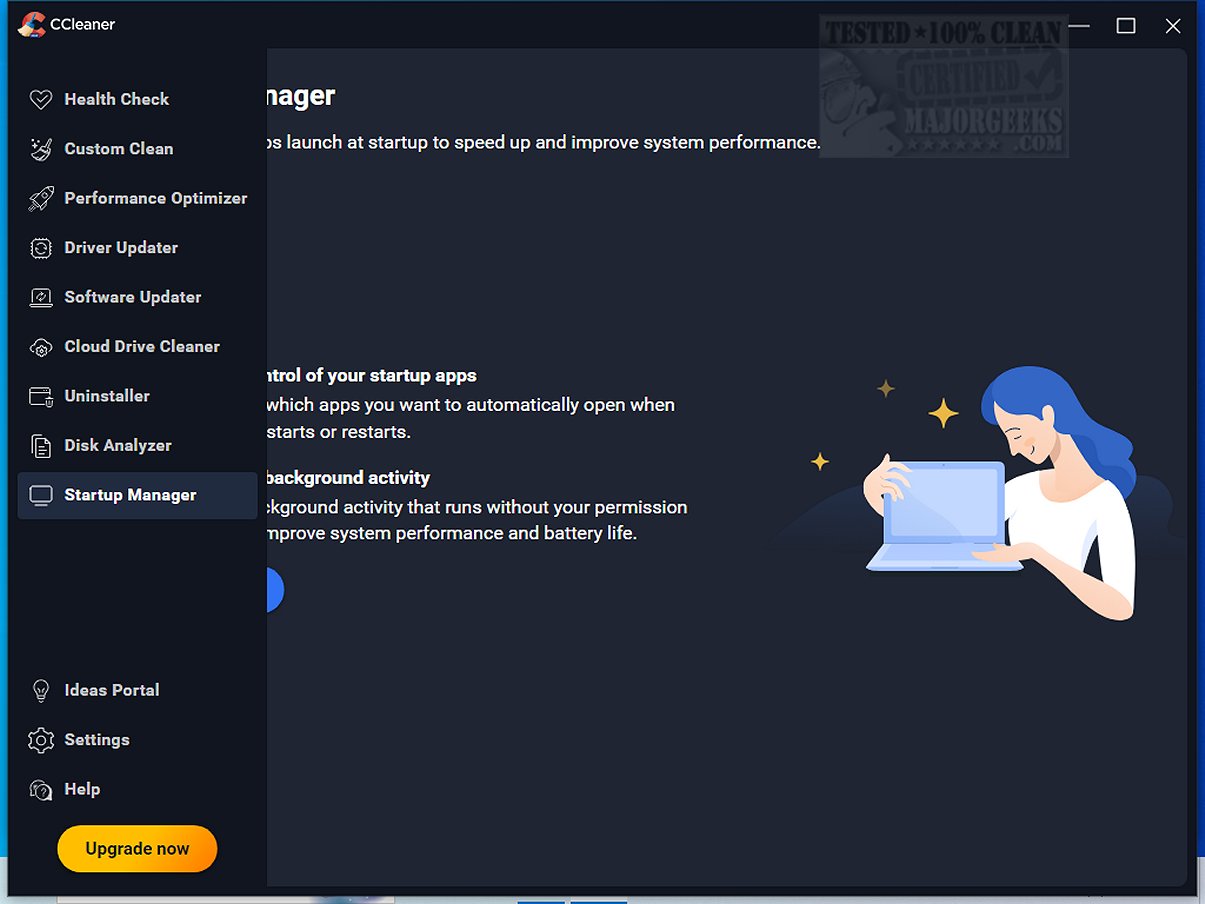
CCleaner, a renowned and user-friendly drive cleaning software, has recently launched version 7.11.1522.0. This tool is designed to help users efficiently remove digital clutter from their computers, enhancing performance and optimizing system resources. Since its inception in 2004, CCleaner has gained a reputation for its simplicity and reliability, making it a favorite among millions globally.
Key Features and Functionality
CCleaner Standard, the free version for Windows, focuses on cleaning junk files, browser caches, cookies, and temporary files, thereby freeing up disk space and improving overall system performance. Users have the option to upgrade to paid versions, which offer additional automation features and maintenance tools.
One of CCleaner’s standout features is its Custom Clean, which allows users to selectively choose what to clean. This feature, combined with the Health Check, which identifies outdated applications and privacy trackers, provides users with control over their system maintenance, ensuring no unwanted files are deleted without user consent.
CCleaner also includes a Performance Optimizer and Startup Manager to help manage resource-intensive applications, thereby improving boot time and extending battery life. The Drive Wiper and Disk Analyzer features assist in identifying and removing duplicate files, further optimizing disk space.
Registry Cleaning and Privacy Protection
CCleaner's Registry Cleaner provides a safe approach to fixing random PC errors by scanning for invalid entries. This functionality enhances system stability without the risks commonly associated with manual registry edits. Additionally, the privacy protection tools within CCleaner ensure that users can browse the internet without leaving behind sensitive data, as it effectively clears web history and cookies.
Advanced Features
Beyond basic cleaning, CCleaner offers advanced tools for software uninstallation, driver updates, and duplicate file detection. Mac users can also benefit from CCleaner’s capabilities, designed to keep their devices optimized with features tailored for Apple systems.
What's New in the Latest Update?
The latest version introduces a modern interface and customizable workspace options, including dark and light themes. It also enhances support for ARM64 devices, ensuring compatibility with the latest technology. Significant improvements have been made to the Software Uninstaller, which now allows for batch uninstallations and quicker removal of stubborn applications, as well as an optimized Disk Analyzer for more efficient duplicate file management.
Conclusion
CCleaner remains a leading choice for both novice and experienced users looking to maintain their PCs and Macs effectively. Its blend of user-friendly features, advanced capabilities, and regular updates solidify its status as a must-have tool for digital maintenance. Whether your goal is to enhance security, boost speed, or simply declutter your device, CCleaner is an essential software solution.
For those interested in exploring alternatives, comparisons with other disk cleaners like Wise Disk Cleaner or PrivaZer can provide insights into the best options available. Additionally, users can find video tutorials online that offer walkthroughs on how to maximize CCleaner’s capabilities
Key Features and Functionality
CCleaner Standard, the free version for Windows, focuses on cleaning junk files, browser caches, cookies, and temporary files, thereby freeing up disk space and improving overall system performance. Users have the option to upgrade to paid versions, which offer additional automation features and maintenance tools.
One of CCleaner’s standout features is its Custom Clean, which allows users to selectively choose what to clean. This feature, combined with the Health Check, which identifies outdated applications and privacy trackers, provides users with control over their system maintenance, ensuring no unwanted files are deleted without user consent.
CCleaner also includes a Performance Optimizer and Startup Manager to help manage resource-intensive applications, thereby improving boot time and extending battery life. The Drive Wiper and Disk Analyzer features assist in identifying and removing duplicate files, further optimizing disk space.
Registry Cleaning and Privacy Protection
CCleaner's Registry Cleaner provides a safe approach to fixing random PC errors by scanning for invalid entries. This functionality enhances system stability without the risks commonly associated with manual registry edits. Additionally, the privacy protection tools within CCleaner ensure that users can browse the internet without leaving behind sensitive data, as it effectively clears web history and cookies.
Advanced Features
Beyond basic cleaning, CCleaner offers advanced tools for software uninstallation, driver updates, and duplicate file detection. Mac users can also benefit from CCleaner’s capabilities, designed to keep their devices optimized with features tailored for Apple systems.
What's New in the Latest Update?
The latest version introduces a modern interface and customizable workspace options, including dark and light themes. It also enhances support for ARM64 devices, ensuring compatibility with the latest technology. Significant improvements have been made to the Software Uninstaller, which now allows for batch uninstallations and quicker removal of stubborn applications, as well as an optimized Disk Analyzer for more efficient duplicate file management.
Conclusion
CCleaner remains a leading choice for both novice and experienced users looking to maintain their PCs and Macs effectively. Its blend of user-friendly features, advanced capabilities, and regular updates solidify its status as a must-have tool for digital maintenance. Whether your goal is to enhance security, boost speed, or simply declutter your device, CCleaner is an essential software solution.
For those interested in exploring alternatives, comparisons with other disk cleaners like Wise Disk Cleaner or PrivaZer can provide insights into the best options available. Additionally, users can find video tutorials online that offer walkthroughs on how to maximize CCleaner’s capabilities
CCleaner Standard 7.11.1522.0 released
CCleaner is an easy-to-use, safe, well-known drive cleaner with other additional features including a conservative registry cleaner, startup manager, and more. Video tutorial available.