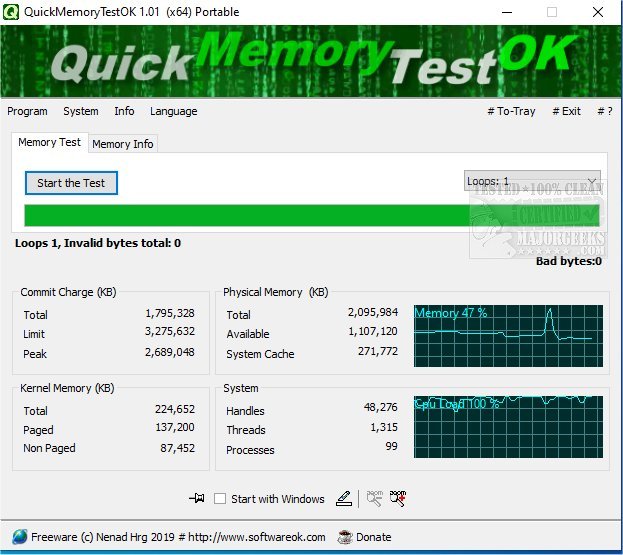
QuickMemoryTestOK version 5.61 has been released as a free utility designed to efficiently test the RAM in your PC. It is particularly useful for users with large amounts of memory (16GB, 32GB, 64GB, 128GB, etc.), as parts of this memory may go unused or unaddressed. Performing a memory test can help identify any defective areas in the RAM, which could lead to significant system errors if left unchecked.
The utility offers several features, including:
- A quick memory test option.
- The ability to pause tests to monitor system performance under high RAM loads.
- Customizable test runs to suit user preferences.
- A clear display that shows memory status.
- Consideration of CPU behavior during testing.
- Access to essential memory and system functions.
- Zoom functionality for users with visual impairments.
- A very small program size that ensures low CPU usage.
- Support for multiple languages.
QuickMemoryTestOK can also be beneficial for diagnosing high memory usage issues that may lead to other serious errors within the system.
For users looking for similar tools, resources are available on topics like using the Windows Memory Diagnostic Tool, checking RAM speed and available slots, resolving low memory errors on Windows 10, and managing the SysMain (formerly known as Superfetch) service.
In conclusion, QuickMemoryTestOK is a handy tool for both casual users and tech enthusiasts alike, ensuring that their systems run smoothly by thoroughly testing RAM functionality. Regular testing can prevent potential issues and maintain optimal system performance
The utility offers several features, including:
- A quick memory test option.
- The ability to pause tests to monitor system performance under high RAM loads.
- Customizable test runs to suit user preferences.
- A clear display that shows memory status.
- Consideration of CPU behavior during testing.
- Access to essential memory and system functions.
- Zoom functionality for users with visual impairments.
- A very small program size that ensures low CPU usage.
- Support for multiple languages.
QuickMemoryTestOK can also be beneficial for diagnosing high memory usage issues that may lead to other serious errors within the system.
For users looking for similar tools, resources are available on topics like using the Windows Memory Diagnostic Tool, checking RAM speed and available slots, resolving low memory errors on Windows 10, and managing the SysMain (formerly known as Superfetch) service.
In conclusion, QuickMemoryTestOK is a handy tool for both casual users and tech enthusiasts alike, ensuring that their systems run smoothly by thoroughly testing RAM functionality. Regular testing can prevent potential issues and maintain optimal system performance
QuickMemoryTestOK 5.61 released
QuickMemoryTestOK is a free utility for quickly testing your PC's RAM.